HuzzahBritain
Members
-
Joined
-
Last visited
Everything posted by HuzzahBritain
-
What's your video settings: Ultra, high, low etc.??
-
Hmm... I am as confused as you are. Are you the only person experiencing issues with the model? Also what graphic settings is you GTA V set to, and computer specs?
-
Did you install the vehicle, ELS, and the vehicle's VCF correctly?
-
Hello! I'm glad to see that you've decided to start trying your own patrols out! I'll try to answer your questions as best as I can. To start off, I use my Xbox One controller, plugged in through USB. I like this since I've grew up playing on Xbox, and I don't really like change. In regards to your steering wheel question - yes, I do think it will work since you're using the base game of Grand Theft Auto V, which should (i hope) have steering support. LSPDFR is a plugin for the single player Grand Theft Auto V. You cannot play with other players. You can call for backup, however these are NPCs. You have likely seen people RolePlaying on FiveReborn servers. Code Zero Patrol is (was) done on these. You can find many RolePlaying communities, however do take caution as FiveReborn had a security risk in the past, where the server could inject malicious code into your computer (I'm not sure if the risk is still around). The mods are fairly easy to install, provided you read the readmes included in the files. I am using:* -LSPDFR -EUP -ArrestManager -Computer+ -LSPDFR+ -PoliceRadio (replacing with police smart radio when it releases) -Search Warrant -CalloutManager -PeterUCallouts -ODLoadout -TrafficPolicer -ELS V As for a FAQ, there is the official LSPDFR one here: For a new time player, I would recommend sticking to vanilla cars or using a pack with an OpenIV installer package. And I would also recommend using a mods folder, more information on that can be found here. Finally, I would recommend following Kanejr00's tutorials, the playlist can be found here. I hope I have been of some help. *these plugins do require certain files, however I don't have enough time to list them. You will be able to find the requirements in the plugins page.
-
Now that, that would be amazing! xD
-
Heck, they may disguise themselves as Weazel News and claim that Blaine County is being wrongly viewed xD
-
Thanks mate! I'm literally calming down because of how rude he's being.
-
#WhatHeSaid^
-
Could you provide your RAGE log in a spoiler? I may be able to see what callout pack is causing it, unless you already know.
-
Damn. Ment to put incorrectly I never mentioned anything about uninstalling LSPDFR and reinstalling it, I said to reload the plugin in the Rage console. The sass was not needed. I was trying to help you.
-
I can already see the headlines: "Grand Theft Auto V illegal underground lizardquad hacker drags bodies into back of sheriff patrol car with the black market version of Grand Theft Auto V"
-
Hey 1Fugitive, From what I can tell, you've encountered a bug with someone's callout pack, or simply installed it correctly. Normally, (and almost every) time an author releases content, they do check their work out. Also, on further note, LSPDFR includes a feature where you can press the Force Callout button to end a callout, regardless of it's author. If you had trouble using that, unload LSPDFR then reload it. I'd recommend you comment this issue on the Callout's page. Also, if you get the callout again and the problem continues, create a thread on the support area and post your Rage Plugin Hook log. Finally, I'd recommend using Albo1125's LSPDFR Troubleshooter to check that LSPDFR and it's dependencies are fully up to date, along with RAGE. The troubleshooter is available here: I hope I have been of some help to you.
-
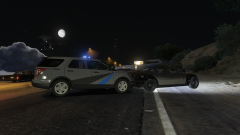 Damn, thanks. I absolutely love the look of this for some reason!
 -
I love the skin on that FPIU for some reason. Is it based off of a real life department?
-
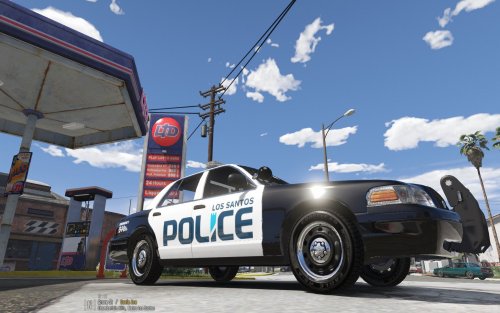 I actually like the look of this, I'll check it out when I get home
 -
 This has to be my favourite callout pack. I love the added touches, such as Computer+ integration and Weazel News team visiting the crime scene. PLEASE KEEP ADDING MORE, I LOVE THIS
- 546 comments
- 103 reviews
-
Hey y'all, I recently just typed in Grand Theft Auto V Modding and guess what come up. http://wwg.com/2017/02/17/grand-theft-auto-v-mod-has-shocked-australian-public/ "The police vow to take action". The report also says something along the lines of "a black market version of Grand Theft Auto V". I'm like 111% sure a black market version of Grand Theft Auto V would be a lot different than LSPDFR xD Sometimes you've got to sit back and laugh at people's stupidity.
-
 Hey, just about to test this out. Could we possibly get a fire extinguisher added?
- 75 comments
- 33 reviews
-
-

- 1
-
-
Glad I could help you :)
-
Yeah, of course. Just putting it out there incase the devs want to fix it
-
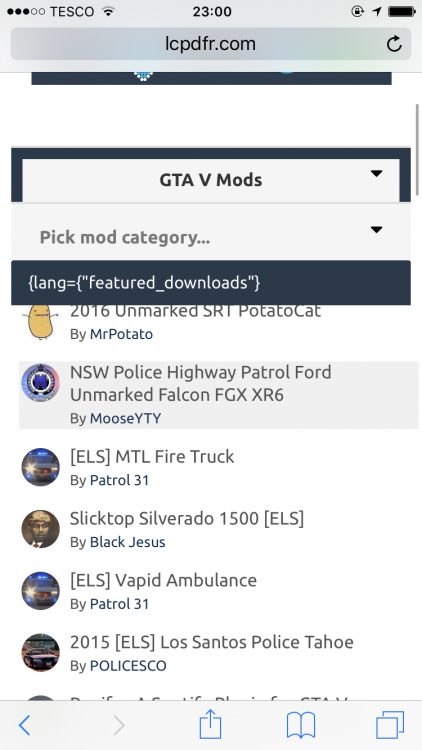
Hey, I normally use LCPDFR.com on the computer, however after logging on from my iPhone to check something I noticed the Grand Theft Auto V mods main page has an issue with the featured downloads title, which makes it look slightly messy. (If you haven't noticed, it's the {lang={"featured_downloads"} )
-
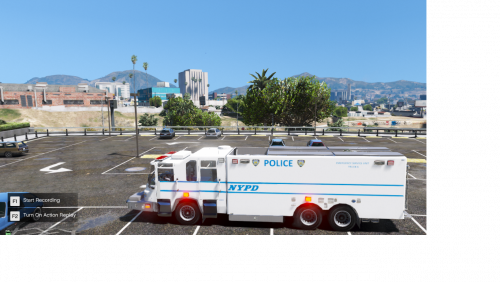 meh. its a good start, however I'd encourage you to spend more time on projects.
- 8 comments
- 6 reviews
-
-
- 1
-
-
This seems like a great idea for inexperienced vehicle modders like myself, however I I'd also recommend uploading the livestream after. I wish u the best of luck
-
-
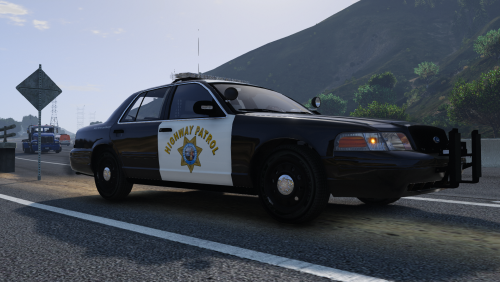 Hey beren, great work as usual, I was hoping that you'd be able to create these textures for TheHurks NEW 2016 FPIU?
- 44 comments
- 7 reviews