
Operation
Members
-
Joined
-
Last visited
Everything posted by Operation
-
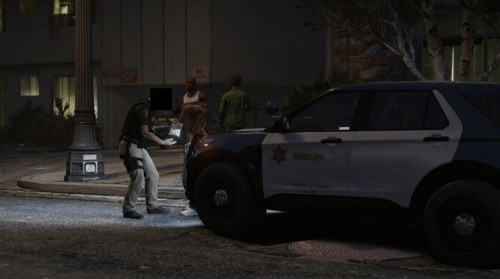 Amazing durango18 livery im glad you added it but do you by any chance have a livery for the newer durango, i think this is 2025 could be 2021 or even 2026 im not sure the body is basically identical 2020 upwards spoiler
 -
-
-
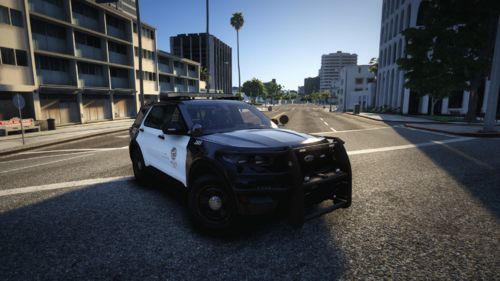
(July).thumb.png.8ab24c67cded5854ed7f17b94a356470.png) This is a livery pack so its essentially just the police car "stickers" or "decals" not an actual car pack with replace or addon models, this is only for those who either own the same models or have similar car models to the author and know how to swap liveries to these ones.
This is a livery pack so its essentially just the police car "stickers" or "decals" not an actual car pack with replace or addon models, this is only for those who either own the same models or have similar car models to the author and know how to swap liveries to these ones. -
Going to try these with one of my other addon packs, shame there's no 18charger and 18durango can you by any chance make them please? 😜
-
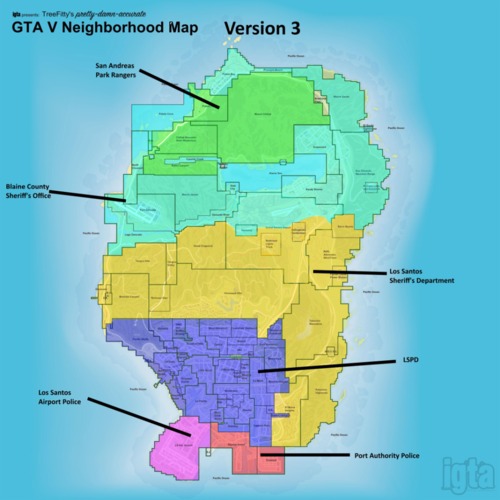 Would you be open to make a new Juris based on 3 but more closer to this for Sheriffs Department areas, i found this in a old jurisdictions thread and tbh this is the best one i've seen so far as simplicity goes for lspfr realism because at the end of the day we're only ever gonna play predmointly LSSD/BCSO or LSPD so it makes sense to have the correct areas for LSSD at the very least which should be South LS and the desert and then all highways for SAHP, it seems juris 3 is the closest to this but it just didnt cover enough ground for the sheriffs imo especially south ls
- 62 comments
- 1 review
-
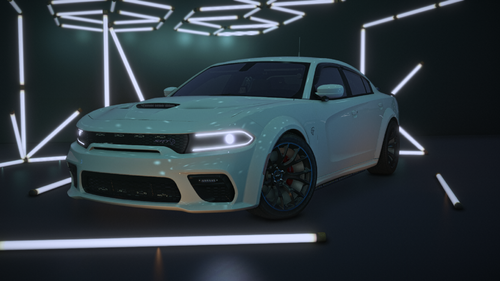 Sadly i cant upload the image because of the tiny ass size limit but i have 2 issues, firstly this car is badass and looks great i've always wanted a unmarked hellcat and you made my gang unit dreams come true, but i cant seem to open the rear passenger doors and the rear window rear windscreen siren lights seem to be way dimmer than the bottom bumper ones for me but this may be due to my NVE tho so im not sure though you did mention CoreFX lighting somewhere so idk, some insight pls and while im here i'll ask do you ever plan on making a SAHP livery for it? Edit: I've figured out the source of the siren brightness problem but the issue still stands with the car's lights are actually still dimmer than all of my other addons so if i touch the light emissions to bring it to a good glow it basically infects the rest of the car negatively for e.g the interior electronics become super bright then swings the rest of my cars out of place because now sirens are either too bright for everything else or too dim for the hellcat
 -
-
-
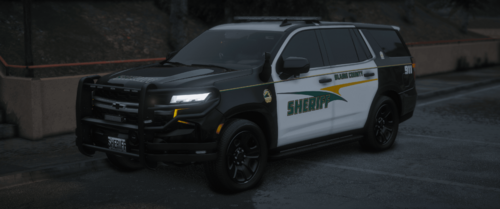 Can you post the CVPI? randomly asking years later lol
 -
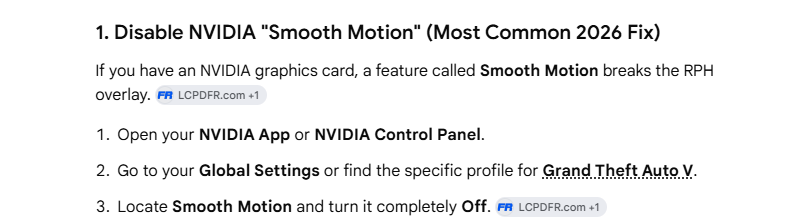
Problem resolved so this was the issue all along lol so for future reference those with RTX 40 and 50 series GPU's that have previously turned on Smooth Motion for a powerful game in my case i have a 5080 and i was playing Star Citizen it seems to just completely kill RPH's console UI and potentially cause more problems lol i've been troubleshooting with both you and AI to resolve this and literally nothing worked until i asked google instead of chatpgt, simply turning it off made it work thanks for trying though.
-
I downloaded scripthook placed it then booted up gta and still the issue is still present im baffled man
-
Originally i had nve and some callouts and plugins in the first comment and by the second log i had already did a full purge of my game directory moved files, deleted legacy folder then reinstalled the game and lspdfr and it still wont work lol as soon as i load up i hear a chime and pressing f4 freezes my game
-
bump still dont work, i purged my directory, have no mods folder yet and did a clean install of lspdfr and it still doesent work ai thinks it could actually be a rph build bug but still i'll ask here too RagePluginHook.log
-
Tested that already forgot to mention it loads without mods
-
As soon as i load up rph gta loads up and rph instantly crashes the game and is stuck in a reporting issue/creating report loop it never finishes the report but i'll post the crash anyways RagePluginHook.log
-
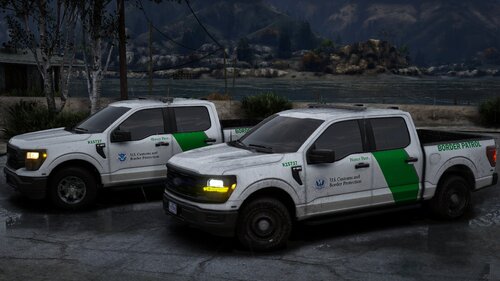 Anybody checked to see any cop liveries work with these models because they have great potential?
 -
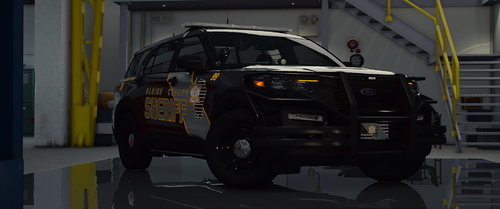 Is there any chance you will make a replace version for Sheriff1 and 2? so we can have default patrols + addon
- 168 comments
- 19 reviews
-
Well thats the problem this is a new installation thats with no mods/plugins i haven't added anything to the game just enhanced fixes to make the game run but only lspdfr refuses to load
-
Crashed again after pressing F4 a scripthook terminal opened instead of the lspdfr console its almost as if my lspdfr isnt loaded at all because i have it set to auto-load with the game in the rph settings but when i load up theres no police stations nor does the f4 console open so now im thinking it may be a installation issue RagePluginHook.log
-
bump- convinced enhanced version just dont work atp xddd
-
Still never got the game working btw just gave up temporarily until now lol anyways i up story mode without lspdfr starting on launch but as soon i got ingame and pressed f4 to attempt to load the plugin it crashed again its the f4 console yet again RagePluginHook.log
-
mods folder works renamed and not renamed for some reason i just cannot get my command console to open it just pauses my game but nothing appears, i can start lspdfr and go on duty manually fine
-
-
Setting folder permissions worked so now after a little delay lspdfr does indeed load in but my console pauses my game like normal but doesn't appear on my screen at all so it just acts as a time freeze and then lspdfr did crash a couple mins after loading up idk if opening my console caused it though RagePluginHook.log



(July).thumb.png.8ab24c67cded5854ed7f17b94a356470.png)