
Operation
Members
-
Joined
-
Last visited
Everything posted by Operation
-
Everything works fine for me on the legacy version
-
Literally not even thinking of taking the risk, i would rather not have to re-install everything as i already did that 2 weeks ago
-
Don't know if im blind but i cant say i have seen anybody asking today if whether current lspdfr can be installed and work normally with the new enhanced version, just to save uninstalling and re-installing mods and overall time i wanted to know
-
Game loads up fine but when i forceduty it loads the plugins and callouts normally then seems to crash after like 5 or 6 seconds loading everything except ultimate backup, though stop the ped is functioning ultimate backups menu isnt popping up when i press B. I can actually almost play normally to about 99% functionality but i just cant call backup with ultimate backup acting up like this RagePluginHook.log
-
figured it out in the end
-
I wanted to ask if i wanted to use a addon car pack (in my case im trying to use LASD) i want to replace the vanilla sheriff cars that the npc's drive with my addon cars and have it so if i call for backup they arrive and respond in said cars, how would i change them?
-
Yeah i just gave up and did the one thing i really did not want to do and just restarted my folder 😱
-
Yes this report should be with my mods folder named mods, i think anyways because my game actually loads when its called _mods basically every time (its been a few hours im not 100%, but it makes sense), but what are my options here is because i haven't played in a week now due to this 😭
-
Did that already as i mentioned but i went ahead and removed armory to see if that's the issue as it was a problem previously but again that didn't stop the crashing RagePluginHook.log
-
lspdfr crashes right upon reaching the black loading screen which then prevents me from loading but when i rename my mods folder and try boot up the game again it now loads in fine with most of my plugins loading but EUP as a whole doesent seem to work, this report is from trying to load in normally the first time (mods active) RagePluginHook.log
-
rph crashes instantly while allowing the game to still run after doing this, i'll tell you what i was doing before this went wrong, i was trying to make my dls addon cars replace the npc patrol cars and i added a few other dls cars, if this info helps anything, i can start the game and play but lspdfr does not load and all of my plugins are disabled basically
-
Yes even though i dont use it
-
Still crashing sadly @Lennyy RagePluginHook.log
-
When in game EUP says law and order not installed and Ultimate backup/Stoptheped menu's arent there, my game crashes on the loading black screen and just does not function properly even if i don't load lspdfr on start up and i spawn in the world with unloaded textures/pink hair too RagePluginHook.log
-
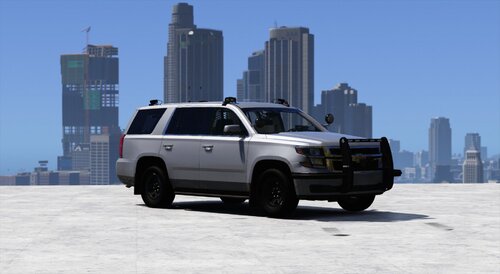 Still any chance for a low profile version? this would go so hard as a swat truck
 -
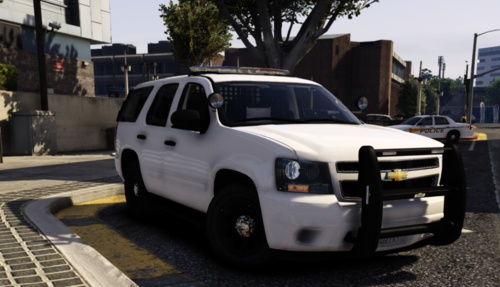 Detective Tahoe 2018?
 -
.jpg.046a0bd9eaaa24bac05a477929aa48e3.jpg) Now this is a dream setup but where do you even begin to find cars of this high quality??
Now this is a dream setup but where do you even begin to find cars of this high quality?? -
It really was one weapon causing all these problems, i moved around the lines to see if anything worked but it didn't so i then decided to re-download Armoury and use the default loadouts that don't use that gun and now it works
-
GTA has been perfectly fine these past few days i've been heavily playing and modding but today it finally started to crash on me, now im not sure if whether the EUP clothes i was installing earlier is the root issue, i dont think it is but hey im here to ask the expert so what's been happening is upon forceduty its instantly giving me LSPDFR errors and not loading all of my callouts, some menu mods like CalloutInterface, another menu based mod and Armoury RagePluginHook.log
-
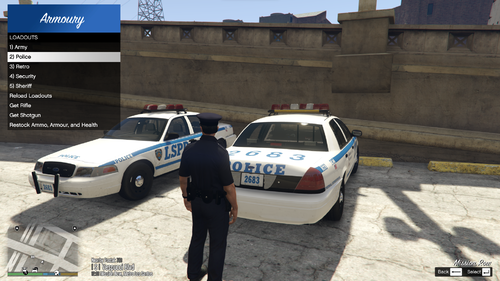 Was using it for most of 2024 and still use it now and is arguably one of my most important mods because it enables so many possibilities and betters the already strong roleplaying aspect of LSPDFR.
- 50 comments
- 5 reviews
-
-

- 1
-
-
- rph
- lspdfr plugin
- legacy
- rph
-
Tagged with:
-
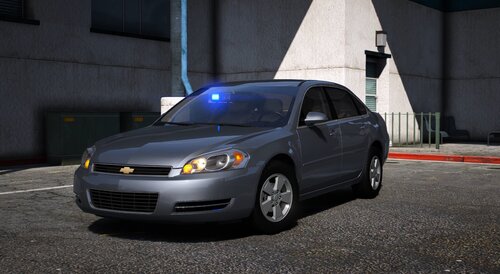 Amazing job, 5 stars for even bothering with detective cars because nobody is putting out currently up-to date car packs like this
- 35 comments
- 11 reviews
-
-
- 1
-
-
Absolutely great pack and is exactly what i needed actually so im happy af rn, sightly sad there's no tahoe because nobody makes detective ones anymore but other than that these trucks are great for playing swat because there isnt a partition wall inside of the trucks so they actually look like 4 man unit hop-out trucks used to carry a team
- 35 comments
- 11 reviews
-
-
-

- 2
-
-
-
Beautiful model but is there any way to take off the bullbar and any of the extras so i can make it a detective tahoe?
-
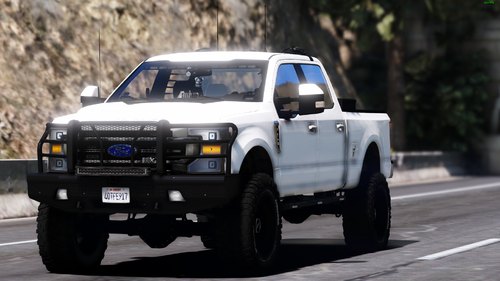 Absolutely lovely, thanks

.jpg.046a0bd9eaaa24bac05a477929aa48e3.jpg)