



Candice
Members
-
Joined
-
Last visited
Everything posted by Candice
-
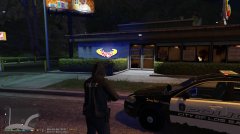
From the album: Behind the Badge LSPDFR on Patrol
-
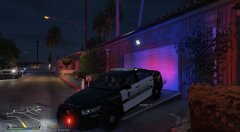
From the album: Behind the Badge LSPDFR on Patrol
-
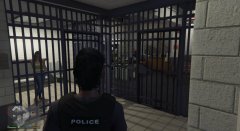
From the album: Behind the Badge LSPDFR on Patrol
-
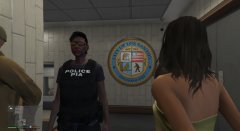
From the album: Behind the Badge LSPDFR on Patrol
-
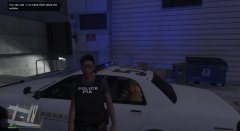
From the album: Behind the Badge LSPDFR on Patrol
-
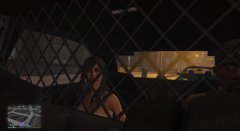
From the album: Behind the Badge LSPDFR on Patrol
-
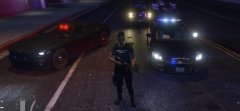
From the album: Behind the Badge LSPDFR on Patrol
-
i like tht dont hesitate real cops donate.
-
yes i was wondering this, sometimes the site will be extremely slow or wont load at all.
-
thank you, the make visuals great again, was giving me an error with the white lighting coming trough walls, or for example, indoor lamps were very bright, i will look into this again , thank you. i did like the better visuals. i had used this in my earlier mod too.
-
i feel you, since the new update i lost my really good pack i was using since it no longer compatible with the new game, shoot me a link if you have any ideas
-
lol. i forget im playing a game sometimes thank you @Patrick i see your from New jersey im from New York, welcome Neighbor, NJ cops dont play...
-
Hello im Ofc Candice, going live to the world when i'm on patrol, subscribe, like, follow, and send your friends. :) https://www.youtube.com/channel/UCq7YRfLfthwrC71_Yu2h4Wg

-
Yes, they do exist. https://www.youtube.com/channel/UCq7YRfLfthwrC71_Yu2h4Wg. Subscribe and Follow

-
Hi girls, any female officers on, id like to collaborate a joint patrol if possible, or maybe just chronicle you guys experiences on patrol all my lady you tubers LSPDFR Officers contact me, lets collaborate on something special. a mock episode of AE Woman Police Officers but in Los Santos. Any suggestions,or if you liked to make an appearance message me.
-
i had malware bytes installed and that blocks applications as well. once i added an exception it worked
-
make sure you run RH as admin, and that GTAV and GTA Launcher is not running as admin, ensure you add an exception in your antivirus programs, malware, etc will block RH, if after all this you still get that error, try first load GTAV when is load and you hear sirens minimize quick and try to load RH as admin, it should hook and work. if not something else is blocking your GTA folder, exceptions must be added for the entire folder.
-
-
-
-
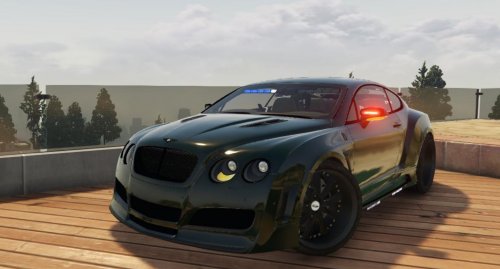 having trouble installing this, i have LSPFR vehicle pack and the carols arent matching where should install this at ? triedn in pach11 and no luck
- 10 comments
- 3 reviews
-
 wondering if you could help, my armory keeps crashing on load up. all ive done is create a custom load out iv used it before in the past, i love it
- 127 comments
- 33 reviews
-
Could not hook game process. Insufficient permissions or bad anti-virus. Please try again. If the problem persists, please restart your computer tried verifying files, restarting and disabling antivirus with no luck. :(
-
no no mods just the police radio, this is my first install of GtA V on this Pc with the mod, now i get the following error when loading, tried to disable antivirus and still the same problem Could not hook game process. Insufficient permissions or bad anti-virus. Please try again. If the problem persists, please restart your computer. still getting this message
-
Game crashes on load, here is my RPH file, [12/2/2016 4:49:07 PM.562] Started new log on 12/2/2016 4:49:07 PM.561 [12/2/2016 4:49:07 PM.563] ==================================================================================================== [12/2/2016 4:49:07 PM.557] Log path: C:\Program Files (x86)\Steam\steamapps\common\Grand Theft Auto V\RagePluginHook.log [12/2/2016 4:49:07 PM.563] Log verbosity: Trivial [12/2/2016 4:49:07 PM.564] Initializing input system [12/2/2016 4:49:07 PM.566] Initializing game console [12/2/2016 4:49:07 PM.572] Console key has been set to F4 (key code: 115) [12/2/2016 4:49:07 PM.617] Initializing console variable "ConsoleScrollAmount". [12/2/2016 4:49:07 PM.618] Type: System.Int32, Reading section: "Miscellaneous", key: ConsoleScrollAmount [12/2/2016 4:49:07 PM.620] Read value: <null> [12/2/2016 4:49:07 PM.620] Initializing console variable "DisableRenderVersionText". [12/2/2016 4:49:07 PM.620] Type: System.Boolean, Reading section: "Miscellaneous", key: DisableRenderVersionText [12/2/2016 4:49:07 PM.624] Read value: False [12/2/2016 4:49:07 PM.624] Setting value of console variable "DisableRenderVersionText" to stored value. [12/2/2016 4:49:07 PM.624] Initializing console variable "ConsoleKey". [12/2/2016 4:49:07 PM.624] Type: System.Windows.Forms.Keys, Reading section: "Miscellaneous", key: ConsoleKey [12/2/2016 4:49:07 PM.625] Read value: F4 [12/2/2016 4:49:07 PM.625] Setting value of console variable "ConsoleKey" to stored value. [12/2/2016 4:49:07 PM.625] Console key has been set to F4 (key code: 115) [12/2/2016 4:49:07 PM.625] Initializing console variable "PluginTimeoutThreshold". [12/2/2016 4:49:07 PM.625] Type: System.Int32, Reading section: "Miscellaneous", key: PluginTimeoutThreshold [12/2/2016 4:49:07 PM.626] Read value: 10000 [12/2/2016 4:49:07 PM.626] Setting value of console variable "PluginTimeoutThreshold" to stored value. [12/2/2016 4:49:07 PM.626] Initializing console variable "AlwaysShowConsoleOutput". [12/2/2016 4:49:07 PM.626] Type: System.Boolean, Reading section: "Miscellaneous", key: AlwaysShowConsoleOutput [12/2/2016 4:49:07 PM.626] Read value: <null> [12/2/2016 4:49:07 PM.626] Initializing console variable "ShowConsoleCommandInfoOnPluginLoad". [12/2/2016 4:49:07 PM.626] Type: System.Boolean, Reading section: "Miscellaneous", key: ShowConsoleCommandInfoOnPluginLoad [12/2/2016 4:49:07 PM.626] Read value: <null> [12/2/2016 4:49:07 PM.626] Initializing console variable "ShowOnScreenWarnings". [12/2/2016 4:49:07 PM.628] Type: System.Boolean, Reading section: "Miscellaneous", key: ShowOnScreenWarnings [12/2/2016 4:49:07 PM.628] Read value: <null> [12/2/2016 4:49:07 PM.628] Console initialized [12/2/2016 4:49:07 PM.628] Initializing forms manager [12/2/2016 4:49:07 PM.630] Version: RAGE Plugin Hook v0.47.1037.9935 PUBLIC ALPHA for Grand Theft Auto V [12/2/2016 4:49:07 PM.635] ================ RAGE Plugin Hook ================ [12/2/2016 4:49:07 PM.641] Detected Windows 10 Home (64-bit) (10.0.14393.0)! [12/2/2016 4:49:07 PM.641] Checking game support



