billiarboy
Members
-
Joined
Everything posted by billiarboy
-
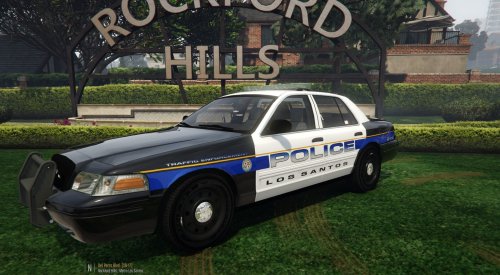 Nice skin,Thank You!!
 -
will try that Moved them here is new dlc list ,still no change. dlclist.xml Capt14's Here is the latest pic http://steamcommunity.com/profiles/76561198342190178/screenshots/
-
dlclist.xml
-
What is the path to retrieve these?
-
For that I apologize, as I am human .I can admit that I made a mistake by missing that and I am sorry!
-
presetoutfits.ini
-
Well that is not my case and many others have stated the same thing, like I have stated many times!
-
it was made in the eup menu
-
This is from the old version(non-updated version) after EUP was uninstalled http://steamcommunity.com/sharedfiles/filedetails/?id=834095196 And it does the same thing on the new version also So explain this clipping. on this pic http://steamcommunity.com/sharedfiles/filedetails/?id=834095180
-
No look at the pics, Problem not solved
-
Here is pic of my sheriff partner http://steamcommunity.com/sharedfiles/filedetails/?id=834095196 And here is a pic of my SAHP Sgt http://steamcommunity.com/sharedfiles/filedetails/?id=834095165
-
Get prepared to be insulted!
-
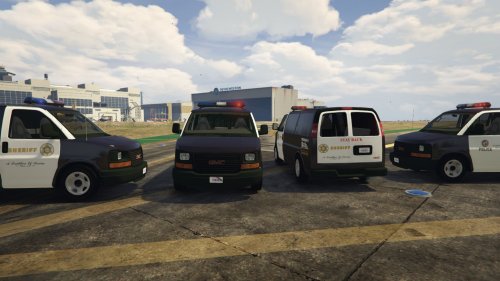 Followed the instructions,The livery I replace it with shows up.But when it spawns the LA livery shows up. If you wish to replace skins, replace the skin 'savana_sign_#' inside the .ytd GO TO vehicle.meta vehicles.meta >>> update\update.rpf\common\data\levels\gta5 In the meta file find policet. Then go to flags and make sure it has FLAG_HAS_EXTRA and FLAG_HAS_LIVERY for policet. The model supports multiple liveries. MULTIPLE LIVERIES SUPPORTED
- 26 comments
- 8 reviews
-
I am moving on as everything was installed correctly. This is a know issue others are having the same problem. Logic dictates if using a automatic installer and it states everything was installed correctly, then it should work correctly! It also screwed up the partner mod. I am moving on OK!!!!
-
I asked for help and got insulted instead. Have A Good Day! I am moving on.
-
Yes because the Bad reviews get removed,like mine. I will agree to disagree. I can be an adult about it! I am moving on!
-
Grow up,be an adult!! The game is not fucked up,your mod is!
-
There ya go with the insults again!!!
-
No there isn't, all the other mods work just fine. With a package installer ,logic would dictate that it was installed correctly! Just admit there is something wrong with your mod that won't work on certain computers!
-
I bought a second edition to avoid problems when updates happen,besides why do I need to explain myself to you for what I purchase are you related too Joseph Stalin? You are wrong YES I USE A MODS FOLDER.How can I install it wrong using the package installer? Others are also reporting the same issue.So it just not me.
-
Listen here I did not know that I was supposed to Clear my purchase thru you Mr Stalin!!! It was installed correctly!!
-
Yes the author would rather insult people,then address the problem!
-
Since when can't a person buy another copy so when an update happens and screws everything up for awhile he can still play. And secondly why do I have too explain my reason for getting another copy! And thirdly,who are you or anybody too tell me what I can and can't buy? Grow up! The point isn't if I bought another copy or not.The point is that that was the first thing to be installed and it still does not work correctly,it uses a package installer. And I see I am not the only one with this issue!! $29.99 steam
-
Instead of insulting me, maybe you could try to figure out the problem.I used the package installer.So did the package installer, install it incorrectly? I also noticed I am not the only one having this problem! Whats wrong with having a second version to play? And all the other mods work just fine.
-