



scorponok
Members
-
Joined
-
Last visited
Everything posted by scorponok
-
OK so you have download the car pack you want? Is there no readme file with it? Im not familiar with this pack, can you link to the page ill take a quick look for you
-
You need to be a bit more specific, what exactly are you trying to do? Is the mod a script? A car model?
-
No problem! If you can leave a review for the author of the mod they appreciate it
-
If you have the latest updated GTA V its best to use that one I believe. Think Rockstar done something to the lighting in that update
-
It worked then enjoy better lighting and your welcome!
-
I done the manual installation and installed the files from the bikers dlc folder. I personally added the no motion blur too, It should work well just make sure your Post FX setting are on high or Ultra. You might want to add the file for the Taxi sign as its bright VERY bright Oh and make sure your using a mod folder its the best way
-
Are your Post FX settings on High or Ultra?
-
I use this one: Give it a shot
-
Big merry xmas to you all! Hope you all have a good time and be safe
-
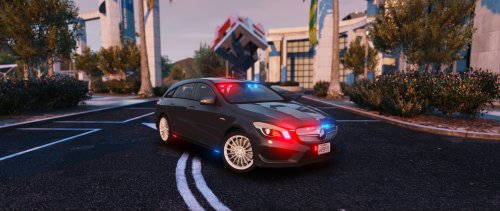 Look forward to testing this out later I loved the non ELS version you done! Going to miss the lights that went across near the Mercedes sign at the front but looks like you added more lights! Nice one
- 17 comments
- 5 reviews
-
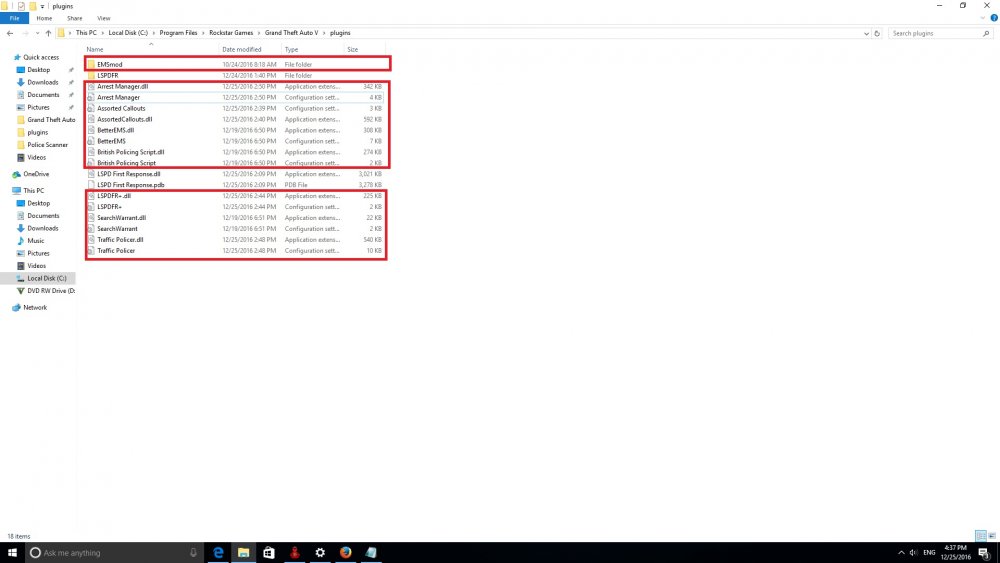
The files that are outlined in red should be inside the LSPDFR folder then it should work
-
Yeah I just seen, happy days then
-
Why do you have Albo's download links for his updated scripts?
-
 Nice looking flatbed, ive downloaded it hopefully I'll have time today to use it Thanks!
- 38 comments
- 3 reviews
-
Are you using a mod folder? If yes, try disabling or temp move the mods folder from the main GTA directory (paste it on the desktop so you can put it back if it wasnt the problem. If your using Steam try this Right Click Grand Theft Auto V and select Properties Select the Local Files tab Click on Verify Integrity Of Game Cache Give it a few minutes to finish see if it repairs anything then restart game
-
Maybe the Sirenswitch plugin maybe interfering with ELS?
-
Check the in game settings and graphic cards drivers and settings I would say. Also maybe open task manager see if something is slowing your computer. It looks really choppy. Did it suddenly just start doing this? Do you have any software for monitoring temps?
-
If you want to be able to do vehicle checks, call medics, search names easier, breathalyser, drug swab also has a traffic infringement I use Patrol Toolkit give it a swirl. Better EMS works nice along side it too.
-
If you use a mod folder try loading the game without it (cut and paste is somewhere just so you can test it). Also maybe try loading RPH and go into the setting and disable LSPDFR from automatically loading.
-
 Ah I see so basically copy the siren 1 setting from this cars carcols then add it to my existing carcol as siren 990 then change the carvariations for police4 (in my case) to siren 990. Thanks a lot mate i've never edited carcols before so appreciate it!
- 66 comments
- 13 reviews
-
How did you manage to fix it? I already got a modified carcol's so I get the problem you had before, if I replace it its fine but messes all my modded cars up :( Apart from the carcol problem the car seems pretty good using it for police4
- 66 comments
- 13 reviews
-
-

- 1
-
-
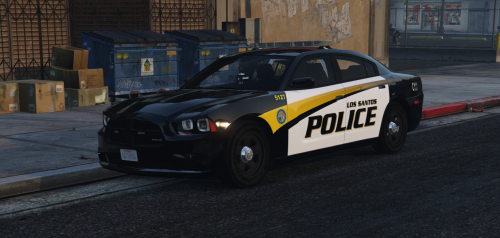 Download any of the models in the description, install models using Open IV (make sure you use a mod folder and in edit mode). Download the skins and navigate to where the model was installed, go the the .ytd file for the model you want to replace the skin with. The skin is normally named the same as in the downloaded skins, replace and load your game. If you have never installed a car I would suggest you google on installing and using Open IV. It will be your best friend if you want to mod GTA and remember to always use the mod folder and you can't go wrong.
- 35 comments
- 9 reviews
-
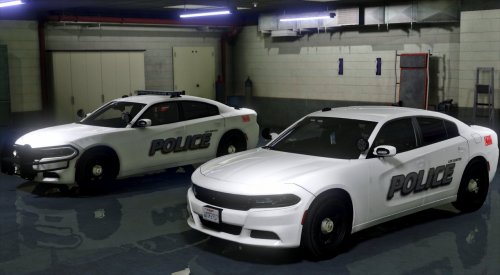
Really great skins! The post is informative with links to the models. Only downside no plates but doesnt justify taking a star away. Really happy i found them for my patrol units in the city. Thanks again for making them
- 35 comments
- 9 reviews
-
-
- 1
-
-
Great skins really suits my game but can you please add the number plates please? Cheers
- 35 comments
- 9 reviews
-


