


mca0004
Members
-
Joined
-
Last visited
Everything posted by mca0004
-
Thank you so much!
-
Thanks for the answer for my "skin" problem! And I'm not familiar with Ultimate Backup. I haven't played GTA V single player modded for about 2 years, and Ultimate Backup has been taken down, so it's to late for that now.
-
Hmm, I've been looking through the xml files all morning, and I'm having trouble figuring it out. I tried adding a detective unit for the LSPD in the agency.xml (which I copied to custom and renamed agency_dov.xml) so I could have detectives spawn as backup, but then I need to do stuff like outfits and such, and it's all to much for my head to understand. I figured I would avoid the detective stuff until I figured out what's what, so I though; "I'll just start with adding the ambulance". The default ambulance had a thing next to it saying; livery="2" and I don't know what that means. At this point I decided to stop until I figure out what this all means. Are they any good tutorials out there that can help?
-
So, I've just installed LSPDFR & Dispatch of Variety, and I was wondering what changes I have to do to the .xml files to have them mesh? Now, I understand that I can't play right now due to the update breaking everything, but that isn't what this is about. Any help would be greatly appreciated!
-
Is there no way to also go for lower priced ones as well, would they even each other out?
-
So I'm going to play through GTA V single player, and I was wondering; who do I select for the heists that I can get the most money, but also have no one die.
-
Actually, I forgot to edit the original post (thought I did XP), but I actually fixed it. I have no idea what I did but it somehow works again. But thank you for your help anyway! :)
-
I, don't understand what you just said.
-
Well, I have Realism Dispatch Enhanced, LSPDFR, EUP, Simple Native Trainer, Police Toolbox, and a bunch of callout addons. And sorry about the extreme language, I was pretty emotional at the time. Edit: I fixed it, it was LSPDFR that was causing the crash, I removed it and now it works again!
-
Now, I know what you're thinking; "Who the fuck is this retard, post that on the Rage Plugin forums you cunt!" To which I reply, I can't. I tried to register, and never got the confirmation email, so that was a bust, so I ask for help here. Maybe you could even forward this to the RPH forums. Anyway, it happens at the loading screen, when it's about to show what plugins it's loading, it crashes, here's a log: 5/12/2017 4:01:09 PM.346] Started new log on 5/12/2017 4:01:09 PM.346 [5/12/2017 4:01:09 PM.348] ==================================================================================================== [5/12/2017 4:01:09 PM.331] Log path: E:\Program Files\MySteam\steamapps\common\Grand Theft Auto V\RagePluginHook.log [5/12/2017 4:01:09 PM.350] Log verbosity: Trivial [5/12/2017 4:01:09 PM.351] Initializing input system [5/12/2017 4:01:09 PM.355] Initializing game console [5/12/2017 4:01:09 PM.363] Console key has been set to F4 (key code: 115) [5/12/2017 4:01:09 PM.429] Initializing console variable "ConsoleScrollAmount". [5/12/2017 4:01:09 PM.430] Type: System.Int32, Reading section: "Miscellaneous", key: ConsoleScrollAmount [5/12/2017 4:01:09 PM.433] Read value: <null> [5/12/2017 4:01:09 PM.433] Initializing console variable "DisableRenderVersionText". [5/12/2017 4:01:09 PM.434] Type: System.Boolean, Reading section: "Miscellaneous", key: DisableRenderVersionText [5/12/2017 4:01:09 PM.438] Read value: False [5/12/2017 4:01:09 PM.438] Setting value of console variable "DisableRenderVersionText" to stored value. [5/12/2017 4:01:09 PM.440] Initializing console variable "ConsoleKey". [5/12/2017 4:01:09 PM.441] Type: System.Windows.Forms.Keys, Reading section: "Miscellaneous", key: ConsoleKey [5/12/2017 4:01:09 PM.442] Read value: F4 [5/12/2017 4:01:09 PM.442] Setting value of console variable "ConsoleKey" to stored value. [5/12/2017 4:01:09 PM.443] Console key has been set to F4 (key code: 115) [5/12/2017 4:01:09 PM.443] Initializing console variable "PluginTimeoutThreshold". [5/12/2017 4:01:09 PM.443] Type: System.Int32, Reading section: "Miscellaneous", key: PluginTimeoutThreshold [5/12/2017 4:01:09 PM.453] Read value: 10000 [5/12/2017 4:01:09 PM.454] Setting value of console variable "PluginTimeoutThreshold" to stored value. [5/12/2017 4:01:09 PM.454] Initializing console variable "AlwaysShowConsoleOutput". [5/12/2017 4:01:09 PM.461] Type: System.Boolean, Reading section: "Miscellaneous", key: AlwaysShowConsoleOutput [5/12/2017 4:01:09 PM.462] Read value: <null> [5/12/2017 4:01:09 PM.470] Initializing console variable "ShowConsoleCommandInfoOnPluginLoad". [5/12/2017 4:01:09 PM.477] Type: System.Boolean, Reading section: "Miscellaneous", key: ShowConsoleCommandInfoOnPluginLoad [5/12/2017 4:01:09 PM.483] Read value: <null> [5/12/2017 4:01:09 PM.484] Initializing console variable "ShowOnScreenWarnings". [5/12/2017 4:01:09 PM.490] Type: System.Boolean, Reading section: "Miscellaneous", key: ShowOnScreenWarnings [5/12/2017 4:01:09 PM.503] Read value: <null> [5/12/2017 4:01:09 PM.503] Console initialized [5/12/2017 4:01:09 PM.503] Initializing forms manager [5/12/2017 4:01:09 PM.516] Version: RAGE Plugin Hook v0.52.1061.10387 PUBLIC ALPHA for Grand Theft Auto V [5/12/2017 4:01:09 PM.521] ================ RAGE Plugin Hook ================ [5/12/2017 4:01:09 PM.531] Detected Windows 10 Professional (64-bit) (10.0.14393.0)! [5/12/2017 4:01:09 PM.534] Checking game support [5/12/2017 4:01:09 PM.716] Product name: Grand Theft Auto V [5/12/2017 4:01:09 PM.734] Product version: 1.0.1032.1 [5/12/2017 4:01:09 PM.751] Is steam version: True [5/12/2017 4:01:09 PM.752] Initializing DirectX [5/12/2017 4:01:09 PM.771] Initializing Direct3D [5/12/2017 4:01:09 PM.790] Loading C:\WINDOWS\system32\d3d11.dll [5/12/2017 4:01:09 PM.812] Loaded at 0x7FFDD91F0000 [5/12/2017 4:01:09 PM.825] D3D11CreateDeviceAndSwapChain at 0x7FFDD9255170 [5/12/2017 4:01:09 PM.826] Creating Direct3D 11 device and swap chain [5/12/2017 4:01:09 PM.892] Attempting feature level 10_1 [5/12/2017 4:01:09 PM.960] Failed to create D3D11 device for Grand Theft Auto V: 887a0001 [5/12/2017 4:01:09 PM.989] Swap Chain created: 0x23FE375E300 [5/12/2017 4:01:09 PM.995] Swap Chain VTable: 0x23FE375E300 [5/12/2017 4:01:09 PM.995] Swap Chain VTable_2: 0x7FFDDE4BC018 [5/12/2017 4:01:10 PM.001] 0x575655FFF9E045E9;0x5741564155415441;0xEC8148D9246C8D48 [5/12/2017 4:01:10 PM.002] D3D11Present: 0x7FFDDE462140 [5/12/2017 4:01:10 PM.002] D3D11ResizeBuffers: 0x7FFDDE4747B0 [5/12/2017 4:01:10 PM.002] D3D11ResizeTarget: 0x7FFDDE4B47A0 [5/12/2017 4:01:10 PM.014] D3D11SetFullscreenState: 0x7FFDDE47B7E0 [5/12/2017 4:01:10 PM.045] Direct3D initialized [5/12/2017 4:01:10 PM.053] Initialized DirectX [5/12/2017 4:01:10 PM.054] Direct3D watcher thread spawned [5/12/2017 4:01:10 PM.667] Getting device [5/12/2017 4:01:10 PM.680] Retrieved device [5/12/2017 4:01:10 PM.681] Creating wrapper [5/12/2017 4:01:10 PM.754] Wrapper created [5/12/2017 4:01:10 PM.766] Effect created [5/12/2017 4:01:10 PM.766] Creating buffer [5/12/2017 4:01:10 PM.773] Created buffer [5/12/2017 4:01:10 PM.778] Creating blend state [5/12/2017 4:01:10 PM.782] Created blend state [5/12/2017 4:01:10 PM.796] Done with creation [5/12/2017 4:01:10 PM.846] Initializing texture system. [5/12/2017 4:01:10 PM.861] Initializing texture system; phase 1 [5/12/2017 4:01:10 PM.863] Initializing texture system; phase 2 [5/12/2017 4:01:10 PM.871] Initializing texture system; phase 3 [5/12/2017 4:01:10 PM.888] Initializing texture system; phase 4 [5/12/2017 4:01:10 PM.897] Initializing texture system; phase 5 [5/12/2017 4:01:10 PM.905] Initializing texture system; phase 6 [5/12/2017 4:01:10 PM.923] Initializing texture system; phase 7 [5/12/2017 4:01:10 PM.950] Initializing texture system; phase 8 [5/12/2017 4:01:10 PM.961] Initializing texture system; phase 9 [5/12/2017 4:01:10 PM.966] Initializing texture system; phase 10 [5/12/2017 4:01:10 PM.971] Initializing texture system; phase 11 [5/12/2017 4:01:10 PM.976] Initializing texture system; phase 12 [5/12/2017 4:01:10 PM.983] Initializing texture system; phase 13 [5/12/2017 4:01:10 PM.987] Initializing texture system; phase 14 [5/12/2017 4:01:15 PM.060] Direct3D watcher thread ended [5/12/2017 4:01:42 PM.215] LoadingScreenMsg: Initializing game support [5/12/2017 4:01:42 PM.470] Initializing game support [5/12/2017 4:01:42 PM.942] LoadingScreenMsg: Velocity limit removed [5/12/2017 4:01:43 PM.336] Compatibility level: 0 [5/12/2017 4:01:43 PM.337] Supported version detected [5/12/2017 4:01:43 PM.340] ================================================== [5/12/2017 4:01:43 PM.343] LoadingScreenMsg: Patching code [5/12/2017 4:01:43 PM.594] LoadingScreenMsg: Waiting for game initialization [5/12/2017 4:01:43 PM.847] Waiting for game initialization [5/12/2017 4:01:43 PM.949] LoadingScreenMsg: Initializing core [5/12/2017 4:01:44 PM.205] Initializing hook [5/12/2017 4:01:44 PM.206] LoadingScreenMsg: Completing interoperability [5/12/2017 4:01:44 PM.461] Completing interoperability [5/12/2017 4:01:44 PM.464] Initialization code 1. [5/12/2017 4:01:44 PM.466] Initialization code 2. [5/12/2017 4:01:44 PM.472] Initialization code 3. [5/12/2017 4:01:44 PM.479] 1 Address: 0x00007FF660223E1C [5/12/2017 4:01:44 PM.480] Calling func 1 [5/12/2017 4:01:44 PM.496] 2 Address: 0x00007FF660D14DDA [5/12/2017 4:01:44 PM.499] 3 Address: 0x00007FF65F835CB6 [5/12/2017 4:01:44 PM.527] Address: 0x00007FF660D14D78 [5/12/2017 4:01:44 PM.530] Unknown var: 0x00007FF661C67D00 [5/12/2017 4:01:44 PM.532] Initialization code 4. [5/12/2017 4:01:44 PM.535] Initialization code 5. [5/12/2017 4:01:44 PM.537] Completing interoperability, phase 1 [5/12/2017 4:01:44 PM.539] Completing interoperability, phase 2 [5/12/2017 4:01:44 PM.540] Completing interoperability, phase 3 [5/12/2017 4:01:44 PM.542] Completing interoperability, phase 4 [5/12/2017 4:01:44 PM.545] Completing interoperability, phase 5 [5/12/2017 4:01:44 PM.550] Completing interoperability, phase 6 [5/12/2017 4:01:44 PM.551] Completing interoperability, phase 7 [5/12/2017 4:01:44 PM.551] LoadingScreenMsg: [5/12/2017 4:01:44 PM.802] LoadingScreenMsg: Loading Story Mode [5/12/2017 4:01:57 PM.483] LoadingScreenMsg: Loading and Populating Game World [5/12/2017 4:01:57 PM.736] LoadingScreenMsg: Please help in anyway you can. I really just want to play without encountering another, FUCKING problem.
-
Ok, gotcha, thanks.
-
Thanks for the speedy reply. But I know it's not the installer that has the virus, I've been using LCPDFR and LSPDFR for years. and never had this problem. A Trojan Horse virus is a virus that goes though websites to get to infect the computers. Usually the websites have no idea what's going on. Please, I'm not saying that G17 media is a scam that tries to give people viruses, I saying that a virus is using this website as a bridge. I would do that but I would just completely break my game for sure, I have no idea what I'm doing when it comes to computer files.
-
When I attempted to install LSPDFR 0.31 my anti virus software (AVG) detected what it called a "Trojan Horse Generic" malware. Apparently this type of malware go though unsuspecting websites to get to computers. I downloaded the main LSPDFR installer, when that was infected I downloaded the alternative installer, but that was infected as well. The description of this malware showed it was proper nasty stuff. I hope you're able to fix this soon, I'd love to start playing LSPDFR again. Also, I don't want anyone else getting infected.
-
I think it's safe to assume this mod is dead.
-
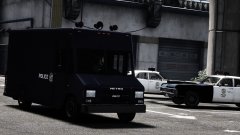 I CAN NOT WAIT FOR THIS! AND THE AMBULANCE! AND THE FIRE ENGINE! MMMMMMMMM! SO GOOD!!!
 -
-
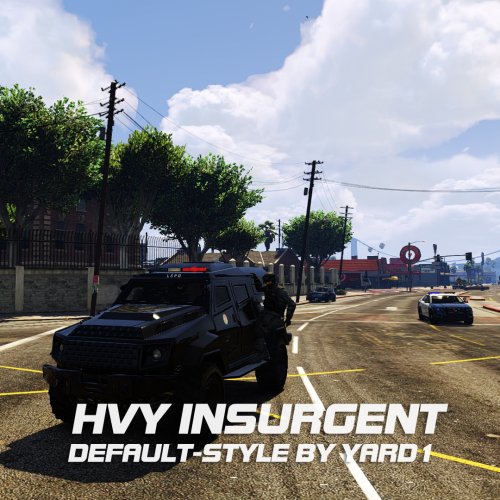 Will this be added to https://www.gta5-mods.com/misc/realism-dispatch-enhanced 1.3? Just wondering if I should download this now or wait for that to be updated.
- 27 comments
- 5 reviews
-
hmmm, I have no idea what any of that means, also, I don't think there is a way to downgrade scriptkookvdotnet, as I have just searched the internet for 15 minutes looking for it without success. :(
-
The reason it's not working for you (or me) is because we've installed it incorrectly, the instructions gangrenn gave us was extremely vague. So the way to fix this is if this guy could tell us what he did to install this, if you could do this you will be helping a lot of people, so please do :)
-
You can, see http://www.lcpdfr.com/files/file/7602-gta-v-firefighter-mod/ Instead of giving us main characters as player models, give us N.P.C. models, that way we can have yellow helmets!
-
I just reread this and found a problem, the colour of the helmet is rank, not company, in the real life Los Angeles Fire Department, and therefor most likely for the Los Santos Fire Department, yellow = firefighter, orange = captain and white = battalion chief. So if you are pointing for realism, you are going to have to change that, unless you everyone to be captains. Sorry to be the bearer of bad news, but I'm just trying to help :) P.S. You might want to give the N.P.C. firefighters helmets, because currently, they don't wear them when they are on scene.
-
Now that you can edit vehicle models and change the textures, and add them as stand alone vehicles, will you be adding engines with different company numbers and maybe based on different vehicles? As well as adding truck companies? Or will you leave this to the other modders? Also, if you need a voice actor for the dispatcher (which I recommend you do considering the computer voice is both annoying and unrealistic) I'll gladly do it for free! C :
-
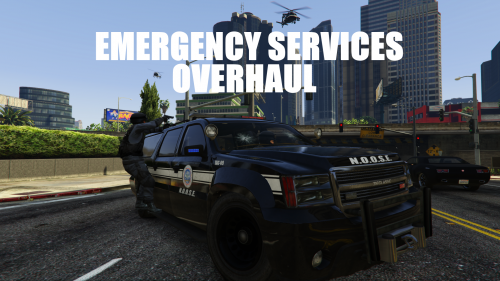 You can edit vehicle models now, you know what that means? FEDERAL SIGNAL VECTORS FOR THE S.A.H.P.!!!! YAY!!!!
- 42 comments
- 10 reviews
-
Wrong he's the best.
-
Okey, I'm sorry. It's just, what he said annoyed me, a lot.


