
Fabe
Members
-
Joined
-
Last visited
Everything posted by Fabe
-
-
-
-
-
-
 Yep I know that this is the problem for now becuase the sahp for now is still police4 .. when SAHP will be released you can use the police4 becuase all the sahp will have different names .. for example sahp 2,3,4 etc but yeah sorry right now its still the police4
- 97 comments
- 28 reviews
-
-

- 1
-
-
exactly but they can be endless big like i can make 10 vehicles for each agency so I will continue making more unmarked vehicles so there will be like fib fbi2 fbi3 and more sahp units and not onlay the POLICE4 how it was in 0.3
- 97 comments
- 28 reviews
-
Just install with the installer , it will add all the vehicles to your game no need to replace I‘m working on a fix with the seat position , it‘s not just me who has that problem with the interior... And yeah sometimes it’s like fogged jo but that is a little problem of LSPDFR 0.4 You add the vehicles to your game instead of replacing , trough the LSPD data files we were just able to add all of the vehicles there . In 0.3 it was not possible so there was just police police2 police3 police 4 sheriff sheriff2 and so on. Now as we add vehicles to the game we can also add them to lspdfr. More unmarked and marked soon The awesome thing is with 0.4 there are all the different agencies in your game , that means you will have bcso lssd fbi doa all in your game with different vehicles
- 97 comments
- 28 reviews
-
-
-
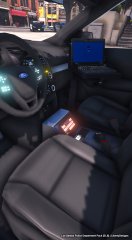 I would make that console interior2 instead of mesh
 -
-
-
Already in work bro 😃😎 btw. That pack will get a lot of updates ( policet , FBI, FBI2)
- 97 comments
- 28 reviews
-
-
- 1
-
-
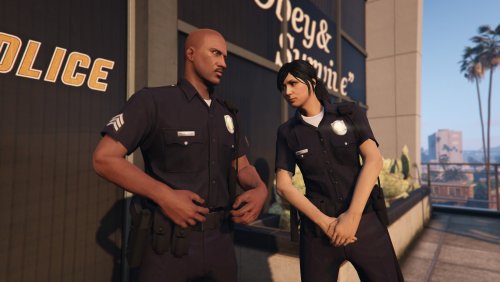
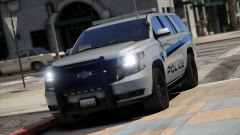
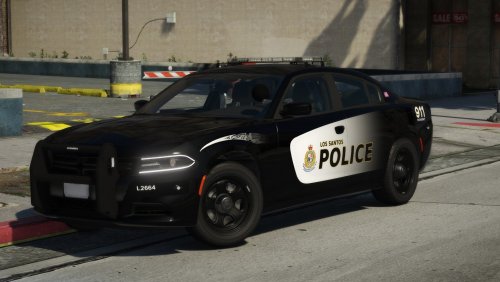
With the possibilities of LSPDFR 0.4, me and @dracuslayer were able to produce a GAME CHANGER -----> All vehicles and the vehicles that are coming are all implemented in game! No just POLICE POLICE2 POLICE3 slot anymore! -----> With Version 1.5.0 and LSPDFR 0.4 there is NO limit of LSPD vehicles! Install NOW with an automatic Installer LSPD Vehicle Pack 1.5.0 and witness every vehicle in the game! ALL of the following vehicles are implemented as police cars in your game: --------------------------------------------------------------------------------------------------------------------------------------------------------------------------------------------------------------------------------------------------------------------------------------------------------- 2014 Ford Explorer (FPIU) 2014 Ford Explorer (FPIU) Sergeant (Hubcaps) 2016 Ford Taurus (FPIS) 2016 Ford Taurus (FPIS) Sergeant (Hubcaps) 2016 Chevy Tahoe 2016 Chevy Tahoe Sergeant (Lojack) ------------------------------------------------------------------------------------------------------------------------------------------------------------------------------------------------------------------------------------------------------------------------------------------------------------ Compatibility with LSPDFR 0.4 ? YES, trough the new LSPDFR 0.4 Datas and XML's , Dracuslayer added the vehicles you install to the LSPD vehicles which are already in the game! That means there are endless slots to fill with vehicles! ------> As LSPDR 0.4 is handling the AI perfect there are No FPS Drops! (Big shouout to @dracuslayer) You need this : -------------------------------------------------------------------------------------------------------------------------------------------------------------------------------------------------------------------------------------------------------------------------------------------------------- ------------------------------------------------------------------------------------------------------------------------------------------------------------------------------------------------------------------------------------------------------------------------------------------------------- Highly recommended: INSTALLATION - All vehicle installation is done through OpenIV's "Install Package" function. - ELS lights must be installed manually. Copy ELS folder to GTA V Directory. - Copy lspdfr folder to your GTA V directory. TERMS OF USE AND DISTRIBUTION - The contents of the archieve file containing this file and the product and its derivatives must not be modified or tampered with. - This file must remain in its original state and must not be modified in anyway. ATTENTION DO NOT ATTEMPT TO MODIFY, RIP OR CONVERT THIS MODEL AND/OR TEXTURE WITHOUT PERMISSION FROM ME (Fabe)! By downloading this file you agree to the TERMS OF USE AND DISTRIBUTION, If you can not abide by those terms then do not download this file.
- 97 comments
- 28 reviews
-
-
-

- 18
-
-
 👍
👍 -
-
-
 JJ dawkins himself is here 🙂
 -
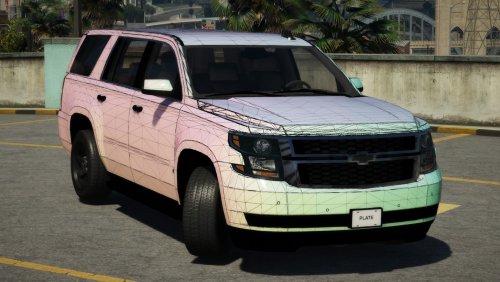 carporn?
 -
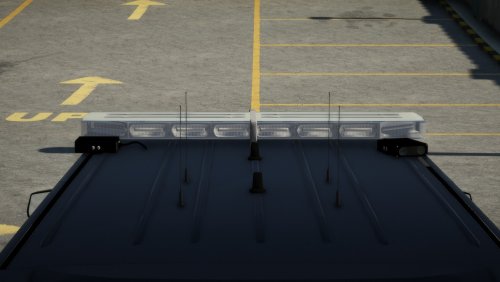 [DEV] Whelen Liberty II HQ Whelen Liberty II Enjoy. Credits: - Whelen Liberty II by Dannyboy1909 - Converted and edited for IV by IronicRainbow - Materials and Textures assembled by Fabe
 -
[DEV] 2016 Chevy Tahoe PPV After a lot of tweaking I decided to release the 2016 Chevy Tahoe PPV as a DEV. Enjoy. Credits: -Orignal suburban Scratch modeled by Shadydk311 -Converted and edited to V by BritishGamer88 -Converted to Tahoe by Thehurk & Allaboutk9 -MAJOR edits by Thehurk -Convert to PPV By Thehurk -Rims purchased by Him1250 -Normals and wireframe fixed by Thehurk -Textured by Thehurk - All material and textures assembled by Fabe
-
-
 1. Launch OpenIV.2. Navigate to: update/update.rpf/common/data/levels/gta5.3. Open vehicles.meta4. Go to the (policeX) line.5. Replace the diffuseTint value to : <diffuseTint value="0x00FFFFFF" />6. Close and save.
- 22 comments
- 8 reviews
-
-
- 1
-
-