


KaneJr
Members
-
Joined
-
Last visited
Everything posted by KaneJr
-
-
-
-
-
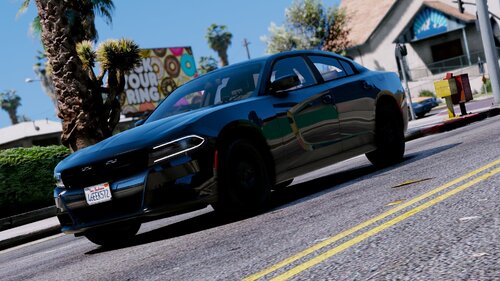 Fantastic! Very well detailed. It's set up almost exactly like my IRL Charger.
- 11 comments
- 6 reviews
-
-

- 1
-
-
I deleted GTA and redownloaded. I tried what @BadBrad134 suggested. If I give GTA5.exe admin perms I get this game error message that I attached, but when I don't give it admin perms GTA will run just fine. And that is by running RPH as admin. I also don't have a crash log as i just reinstalled.

-
I deleted the game a few days ago when everything updated. I then redownloaded the game and just installed RPH and still am getting the same message. There for a while it would work just fine right after a restart, but now not at all. I tried messing with the permissions, too.
-
The lads over at RPH Discord are swearing up and down I have an anti virus that is preventing RPH from launching, but I don't have one. I've been playing LSPDFR since the .3 days without any problems and then Rockstar rolls out the new Social Club and I can't get RPH to work in a few months.
-
There isn't. I never had any problems with RPH until about two months ago. I didn't change any settings. All of a sudden it just started giving me that message. I've been playing LSPDFR and RPH since the LSPDFR .3 days.
-
Tried it and it didn't work. I restarted my PC and it worked, but I left the game and tried again and did not work. I guess it's something and as long as it works after a start up I have no complaints. I thank you for your time and support!
-
As an Inbound Rule?
-
Sorry. This is all i have.
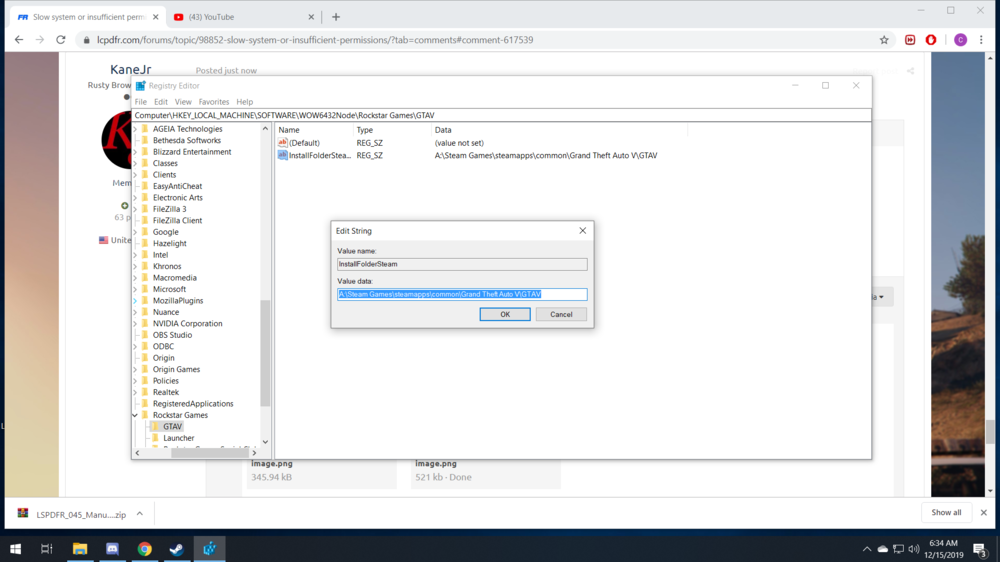
-
This?
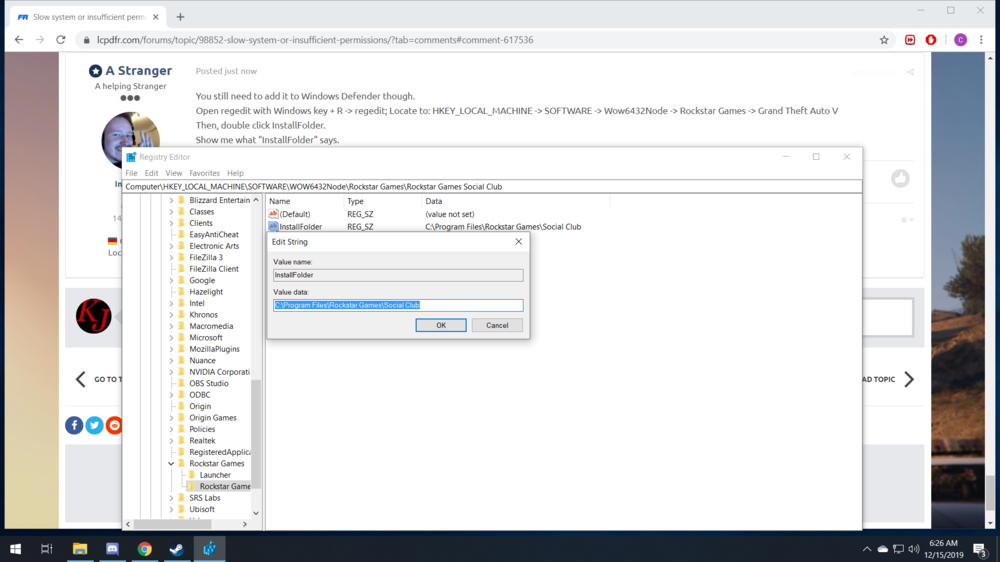
-
I added an exception in Malwarebytes anyways a few days ago to no avail. Other than Malwarebytes I don't have an actual antivirus.
-
I just have Malwarebytes and Windows Defender.

-
I attached the file path. How can I send my exceptions? XD I do ran "as admin" though.

-
I have three GTA V game folders: 1 for LSPDFR (Grand Theft Auto V) 1 for 5M (Grand Theft Auto V - 5M) 1 vanilla copy (to go online with no mods or to copy and paste in case the lspdfr or 5M folders get corrupted so I don't have to re-download the game (Grand Theft Auto V - vanilla) What I've been doing is copy and past the folder "Grand Theft Auto V - vanilla" which becomes "Grand Theft Auto V - vanilla copy" and renaming it to "Grand Theft Auto V" and then installing LSPDFR and RPH.
-
Same thing unfortunately with the latest updates.
-
No worries! Thanks for taking the time to respond! Yes, I've tried that as well a few times. I've forced window mode, DX11, DX10, set a command in Steam to launch GTA V as DX11. I'm hoping I'll have better luck on the next RPH update.
-
Thank you, but that's how I always run it. I have no idea what it could be.
-
At first it was just GTA V and then it started happening on other games. At the time I had the issues, GTA V was the most demanding game I played at the time and the issues happened more in GTA V than the other games.
-
Hello! I had something similar happen to me a while back. Instead I lost all sound and then my game would tend t start freezing up every so often after about 10-15 minutes of gaming. I tried updating drivers, other sources of audio (another head set and external speakers) and the usual making sure the audio device is connected properly. None of these worked. Unfortunately the ultimate problem was my motherboard of nearly 3 years slowly dying. I hope this isn't the same case for you.
-
I fiddled around with it a little bit and got something. I tried force Window Mode and and got nothing. I also checked DX11 in the command line switches and it worked at first after a restart, but that was it. I then added the command through steam to launch GTA V as DX11 and it worked at first again, but not after that. I've also disabled Malwarebytes, Here is my log: RagePluginHook_11122019_060302.log
-
Yes, DX12.
-
Hi, I've been playing lspdfr since version .3 and never had any problems up until .4.2. and I started getting the "slow system or insufficient permissions" message as RPH fails to hook game instance. I know this usually means something as in an anti virus is preventing this from happening so I disabled mine and am still getting the message. I then deleted my entire game folder and started over with a fresh, up to date copy of the game and just installed RPH and am still getting the same message. If anyone knows any suggestions please share. I haven't been able to play lspdfr on my desktop in months. Thanks.



.thumb.png.886378e81d78d3d658c28168c8dc4374.png)


