
Caramel Please
Members
-
Joined
-
Last visited
Everything posted by Caramel Please
-
-
-
Hey there, I saw a thread mentioning this issue from a couple days ago but it is now closed so I can not comment on it. The files are downloading instantly but are very small in size (0kb) and contains nothing in them. I get "Can not open file xyz as archive". I have tried multiple files from different categories, I have tried Chrome and IE, I have disabled anti virus. Looking the comment section of some mods I saw others have this issue as we speak but I did not see a recent thread on this in this section.
-
 Is this update coming out as in this weekend or the weekend coming up? It is Monday where I live, America and Canada is just hitting Sunday night. I am excited to download this pack but I won't download it right now if an update is coming soon. Thanks for your work!
- 964 comments
- 158 reviews
-
You getting a brain aneurysm aswell?
-
Excuse my ignorance, Is their a reason they left it out? What is the character called?
-
Yep I am so sick of this violent video games means violent people. I have played video games for years and I have not gone out of my way to harm anyone. I do not see how this correlates together. I am still shocked to see how they even think LSPDFR is about killing cops or hatred to cops? It is the complete opposite, GTA allows you to kill cops not LSPDFR. The developers and mod authors have created this modification to turn the tides and allows people to play as the police. Yes you can arrest someone then shoot them in the head if you wish, that is not LSPDFR's fault, that is Rockstar for allowing that. Yet we as a community gets "targeted" for this. I said before, I am just a person who enjoys what people create for LSPDFR. I am not a modder and I can only imagine what frustration they must feel for making their work feel like an act of so called "hate towards cops".
-
WTF! how is this a hack? How many times do they have to say hack? Well in the past 24 hours we all have become underground hackers who use a blackmarket version of GTA 5. I nearly had an aneurysm watching this. This is becoming much more of a joke then anything now. GTA Generation I should say, playing this mod to pretend I am a police officer must make me anti police and want to shoot everyone I see on the street. It is very obvious they have seen a police mod for the terrible violent franchies such as GTA and put 2 and 2 together and got 5612839. They have done no research what so ever, not even something simple like googling lspdfr or you tubing it to see everyone play it properly.
-
I am just one person who plays this mod and enjoys the community around it. I am not a mod author, yet alone a mod author that makes NSW/Australian mods. I feel angry that the people who makes these mods to roleplay as their own PD are being frowned upon. People do not play LSPDFR to run over cops or kill cops or basically do anything that is "questionable". Most people rolepay as a law enforcement officer and I would even say we are all pro-police. It sucks that they have twisted the story for what ever agenda they are trying to push. Thank you Australian modders that produce the content for us to enjoy. I hope nothing actually comes of this. It must suck putting the effort into your work to be then shown to the public as the completed opposite of what you set out to do.
-
 GRC has set this mod up with modified sirens already, you can install it as it is and it changes GTA 5 base sirens. He has also included sirens for us to customise if we wish. So it can be installed as is or you can change the sirens to your liking.
- 221 comments
- 40 reviews
-
 All that does it turn of sirens 2-4 from "pushing" traffic away from you. This effects suspects such as traffic stops and also pursuits. Hopefully they will implement something in ELS that "checks" to see if the vehicles is marked as a pursuit or traffic stop and it wont effect them. I loved using the horn and sirens to clear intersections. Really? I swear I didn't know that. All I have experienced with the horn with traffic policer/base lspdfr is when you pull someone over and they stop, you honk and they move a few feet then pull over again. If you mark them for pursuit at traffic lights and you honk they move through it yes. But it only effects the marked car not the AI around you. I was under the impression Singleton was referring to the cars around him rather then the "marked" car, I could be wrong though.
- 1,743 comments
- 172 reviews
-
That is ELS traffic control feature. It can be disable by going into the ELS.ini and change "ElsTrafCtrlOn = true" to "ElsTrafCtrlOn = false". This will stop the AI from driving straight and crashing including suspects you are chasing.
- 1,743 comments
- 172 reviews
-
 @PeakPoliceNo you dont. I just thought you might have been using it. Can you re verify where you put the visualsettings file?
- 337 comments
- 72 reviews
-
Are you using Visual V? If so you may have forgot to install the patch to make them compatible. You should install Visual V then install Radiance V then install the optional patch.
- 337 comments
- 72 reviews
-
Wow thanks for letting me know, I have checked him out and really enjoy his content. I have subscribed and will add him to the LSPDFR Youtube watching routine
-
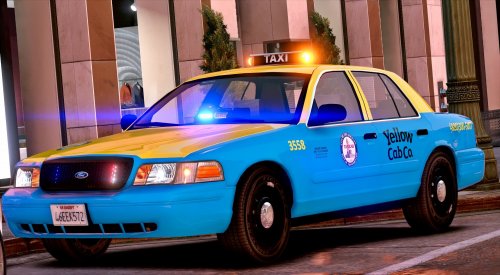 I think it is made for this model: https://www.gta5-mods.com/paintjobs/la-crown-victoria-taxi
- 33 comments
- 8 reviews
-
-

- 1
-
-
If you are talking about the normal traffic stop behavior where they pull over and you use the horn for them to move to a different stop, then the following is irrelevant and can be ignored. Go into the ELS.ini and make the "ElsTrafCtrlOn" to false. This will stop cars driving straight when changing tones and honking.
- 1,743 comments
- 172 reviews
-
Reading the recent comments on this thread will inform you...
-
-
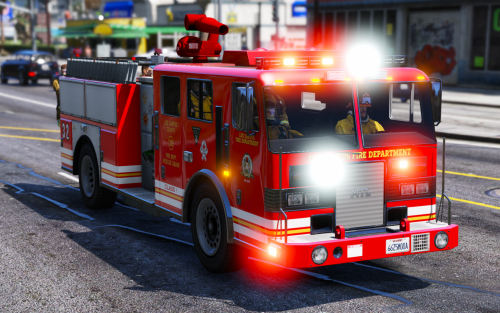 Currently ELS only has access to the following siren tones: • SIRENS_AIRHORN (Main air horn, 0x0EA58C7C.wav) • VEHICLES_HORNS_SIREN_1 (Main wail, 0x0D329446.wav) • VEHICLES_HORNS_SIREN_2 (Main yelp, SIREN_2.wav) • VEHICLES_HORNS_POLICE_WARNING (Main priority, POLICE_WARNING.wav) • VEHICLES_HORNS_AMBULANCE_WARNING (Ambulance priority, AMBULANCE_WARNING.wav) • VEHICLES_HORNS_FIRETRUCK_WARNING (Fire truck horn, 0x14BFBCE3.wav) So currently we can not set vehicles to use different sets of tones like normal vehicle mods. The only way to get an ELS vehicles to use a specific tone is to rename the audio files to the corresponding audio file name. But doing this will make every ELS vehicle use that new tone. I assume overtime we will have access to all the audio strings as in the ELS guide it is phrased as this: "At the time of writing this guide, only the horn and siren audio strings listed below are known. These are meant for use in the SOUNDS section of the VCF. "
- 24 comments
- 14 reviews
-
Not going to get involved in the bickering but would like to say thanks for releasing this for others to use, much appreciated.
- 33 comments
- 8 reviews
-
-
- 1
-
-
Yes there is. Not being an asshole but reading the mod page can go a long way :)
- 221 comments
- 40 reviews
-
Oh I understand :)
-
That is what I was implying...
-
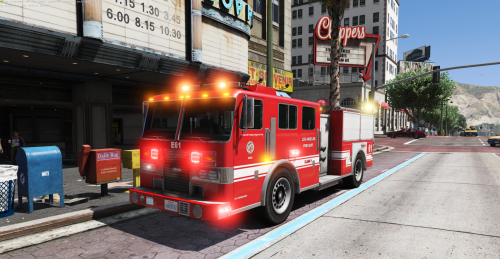 Currently ELS only has access to the following siren tones: • SIRENS_AIRHORN (Main air horn, 0x0EA58C7C.wav) • VEHICLES_HORNS_SIREN_1 (Main wail, 0x0D329446.wav) • VEHICLES_HORNS_SIREN_2 (Main yelp, SIREN_2.wav) • VEHICLES_HORNS_POLICE_WARNING (Main priority, POLICE_WARNING.wav) • VEHICLES_HORNS_AMBULANCE_WARNING (Ambulance priority, AMBULANCE_WARNING.wav) • VEHICLES_HORNS_FIRETRUCK_WARNING (Fire truck horn, 0x14BFBCE3.wav) So currently we can not set vehicles to use different sets of tones like normal vehicle mods. The only way to get an ELS vehicles to use a specific tone is to rename the audio files to the corresponding audio file name. But doing this will make every ELS vehicle use that new tone. I assume overtime we will have access to all the audio strings as in the ELS guide it is phrased as this: "At the time of writing this guide, only the horn and siren audio strings listed below are known. These are meant for use in the SOUNDS section of the VCF. "
- 11 comments
- 9 reviews
-
-
- 2
-