




AlconH
Members
-
Joined
-
Last visited
Everything posted by AlconH
-
@Kevin - Translation: "Slimory, I've found this link, if it is an unlocked model, we can try and make a police version".
-
Windows XP is currently NOT supported, Sorry This is my most recent project, an Automatic License Plate Recognition system for GTA IV. The system can be used to scan the license plates of nearby cars and you will be notified of any flags, such as Wanted Owner, Drugs Flag, Weapons, Expired Insurance etc. The database contains over 10,000 names include those of all the staff (Sam, Jay, Break, Molten, Jam etc) Don't like being able to see the task-bar? You can hide the task-bar by right clicking it and selecting properties then checking "Auto-Hide the taskbar" when your done, just untick it again. Enjoy! -Tom Notice: Please do not re-upload, edit, reverse engineer or claim my work to be yours. This download is exclusive to LCPDFR and I wish to keep it that way. - Thanks Suggestions, requests, bugs and feedback -
- 82 comments
- 26 reviews
-
-
They are british.
-
Just backup your files and try it!, if it crashes then you can just replace the originals.
-
Thanks Guys, I'm going to use it in my next video.
-
Does anyone know where the building is that you get the immediate wanted level and it has flags out the front? It looks like a embassy of some sort....
-
You don't want to use Ivaud to replace siren packs, use SparkIV to open the resident.rpf and then to replace the Horns.ivaud.
-
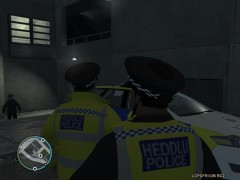 Did these ever get released?
 -
These aren't the exact same ones, but british ones like in the video are included in this pack:
-
For my game I have LCPDFR and ELS V6 with about 7 ELS enabled cars and around 20 civilian modded cars. I have a medium rig so if your computer isn't as good, it may not be able to handle it.
-
Nope, I believe that all the 0.95 releases are only compatible with 1.0.7.0, having said that, I may be wrong. I'll keep an eye out for you and if I find a link I'll let you know.
-
I wasn't saying that he wasn't allowed to, just he already has a thread regarding this issue, and I'm always seeing people getting in trouble for bumping old threads so I thought I'd just let him know.
-
You have to buy the game or we cannot help you.
-
It works fine.
-
That is fantastic! How can you afford such a beast? :)
-
Just a quick question, you do have either a copy of GTA IV or EFLC installed right?
-
I'm not sure, I think that all the pushbar lights are on one square meaning if you change it's color, it will affect all of the lights on the rambar. Having said that though, I'll have a look now and see if I can do it.
-
I wouldn't trust that link if my life depended on it. Here's a more trustworthy link from R* themselves. http://www.rockstargames.com/support/IV/PC/GFWLupdate/
-
We already have a thread for creating matches on the fly:
-
-
-
Damn!
-
You've just bumped a 3 month old topic.....
-
Nope, you have been mis-informed. All the 0.95 releases run the best on 1.0.7.0.


