
Techengage
Members
-
Joined
-
Last visited
Everything posted by Techengage
-
 Here, try my carvariations I use for the truck. Don't forget to change your model name and sirensetting values. Also, check your vehicles.meta and make sure it has this flag: "FLAG_HAS_LIVERY"
- 117 comments
- 28 reviews
-
 Amazing Callout mod so far. The immersion is incredible, and you can never go wrong with worthwhile calls! Two thumbs up right here. I can't wait to see more content.
- 166 comments
- 75 reviews
-
-

- 1
-
-
 It will change each model individually. Changing the sirensetting for "<modelName>police</modelName>" will change the lighting for "Police" only. You can add a new line for each car, and make them each whatever you want. For another example, my Sheriff/2/3/4/5 cars use sirensetting=20 and my police2/3/4 cars use sirensetting=14. Then my fire battalion SUV uses sirensetting=15 for all red lighting, etc. etc. I don't use RDE, but I doubt they would conflict. My Mod is meant to be compatible with everything. You can even replace the visualsettings.dat with the one offered in VisualV to attain better lighting/effects. If RDE has a carcols.ymt/visualsettings.dat, you can just use mine instead and edit the templates for the RDE add-on cars.
- 110 comments
- 23 reviews
-
 I would give it another 5 Stars if I could. I'm loving the new update even more than the original. Also, thank you for the excellent response time.
- 311 comments
- 39 reviews
-
-
- 1
-
-
Looks great so far, man. Make sure to add a changelog with every update, though!
- 166 comments
- 75 reviews
-
Not with this mod. I don't have any "brighter than satan's butthole" issues.
- 110 comments
- 23 reviews
-
-
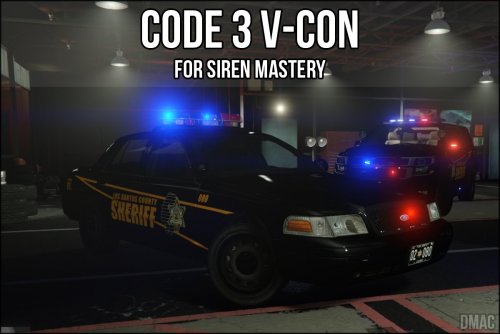 Why are you using Open IV to add these...? Open your GTA5 directory and put them in Grand Theft Auto V > plugins > Sirenmastery > Customsirens. Whatever you're doing with siren audio and Open IV is wrong and you're going to mess your game up.
- 2 comments
- 1 review
-
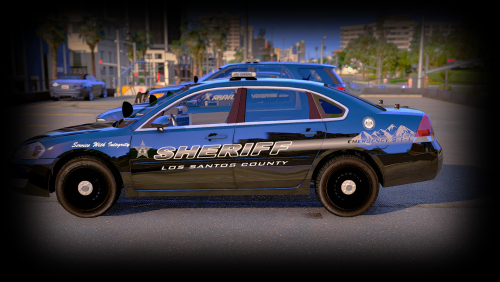 I can't review twice, so I'll just leave this here. THANK YOU!! They look f'in amazing!
- 10 comments
- 4 reviews
-
-
- 1
-
-
-
-
 @TheDmac I just noticed this, but I would try to adjust the balance for the Yelp. It plays out of the right speaker far louder than the left.
- 7 comments
- 1 review
-
-
I like the wail and yelp as dualies. Didn't think to do that before, but it sounds great. :0
- 7 comments
- 1 review
-
-
- 1
-
-
 Yep, that's fine. Thanks!
 -
Any chance you can make some LSSD variants? They look great.
-
 @alexguirre Can you please make a version with taillight wig-wags re-implemented? My new mod, along with others, use much faster ELS-style lighting and it removes the already present wig-wagging.
- 246 comments
- 45 reviews
-
Did you keep some of the original GTA5 ones, as well? I don't think I've heard any of them. Most might be pretty blah, but there are some good ones that would add more variety, if nothing else. Thanks for the quick response, too!
- 311 comments
- 39 reviews
-
-
- 1
-
-
@Steele1925 I love the new audio, but I seem to hear something along the lines of "I just pulled up, I'm at your 6" constantly.. Can you possibly add some more options or change how often that one comes up? You don't have a PoliceRadio folder because you don't have the Police Radio plugin.
- 311 comments
- 39 reviews
-
 I've been using these for months now and I LOVE them. I mainly use EUP, but all AI police have these textures. I would like to see more officers with some hair, though. Great job, either way!
- 273 comments
- 61 reviews
-
-
-
No problem at all. Throw me a review, if you don't mind. It'll help convince people to give it a try, too.
- 110 comments
- 23 reviews
-
The .oiv apparently makes line changes with your vehicles.meta, etc. I didn't want any of mine touched, so I made my own DLC called lspdpack. But make sure you are using the "sirensetting=37, 38, or 39 like Captain had it. Use the carcols I added below to replace yours. Mine are made for all blue lighting, but everything else is the same, if that is what you were trying to do. carcols.meta
- 110 comments
- 23 reviews
-
Add Captain14's pack as a DLC. Otherwise add the carcols lines to your current carcols to implement them.
- 110 comments
- 23 reviews