
fstlaneukraine
Members
-
Joined
-
Last visited
Everything posted by fstlaneukraine
-
I had the EXACT same issue. When I first installed 0.4, everything worked fine. Then I started installing plug-ins, new versions of RPH, etc. a few days later and it stopped working. As soon as I set the options in RPH to force window mode and borderless window, it started working again. Prior to that, my game too was launching a completely vanilla version (albeit with the native vision remaster mod). EDIT: But I seem to have lost control of my character. I can use the pause menu, but can't move my character. I'll give it a few more weeks for some additional RPH versions to come out...100% seems like RPH issues to me.
-
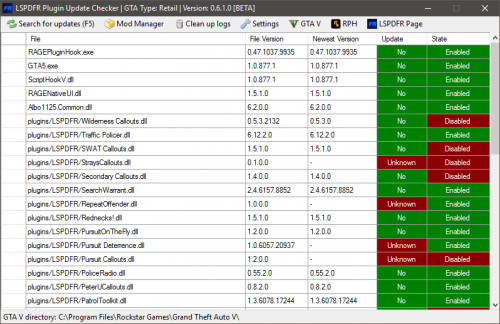 Works fine. Steam version here. Point it to the root of GTA V and it should be fine. If it isn't, it's something on your end cause it works gloriously here.
- 136 comments
- 30 reviews
-
This is excellent. Simple, yet effective. Hopefully more plugins/mods are supported in the future (probably has to do more with the authors and not this tool).
- 136 comments
- 30 reviews
-
-

- 1
-
-
 Any idea why this randomly stops working mid-game? At the beginning, all is well with F7. 20 minutes into the game, no crashes as far as I know, and F7 does nothing.
- 59 comments
- 6 reviews
-
Last update: Backed everything up, installed RDE, tried to launch the game and same issue. So then I put the gameconfig.xml file you linked into mods/update/update.rpf/common/data and tried again and it worked, as you said. Thanks for the tip man! I'm ballin now.
-
Update: So, I completely rebuilt my plugin library and reinstalled everything and the ONLY thing I left off was RDE. Game launched with all of my plugins, etc...so now going to make a backup and try RDE one more time.
-
Well, before I saw your post I was messing around with "GTA Mod Manager" which was referenced in the RDE readme and it completed blew away my Mods and Plug-ins folder so....I'm starting to scratch evidently. I'll do everything but RDE that I had before, backing up as I go, and then see what happens.
-
Okay, so that worked. I renamed the mods folder to mods.bak and the regular GTA V started without a problem and plays fine. So it's definitely something to do with the mods that I updated and/or added. How do I verify that file for RDE? Or better yet, how do I cleanly remove RDE (just RDE) to see if that is my issue? I honestly don't think it's any of the other mods as they were all updated and/or standard installs like all the rest. RDE was the only one that was entirely new to my setup or drastically different than anything I've installed before...so my hunch is that RDE screwed my game up.
-
I'm going to try the verify game feature in Steam and see if that helps...don't get what happened if it's not RPH or LSPDFR...there were no new game updates... EDIT: All files checked out by Steam. Weird.
-
Computer is a beast and I've been playing w/ RPH for a few weeks now. This is a new issue. Windows 10 Pro x64 Intel i7 4770k 32GB DDR3 4GB GeForce GTX 980 The game crashed when I tried to run it without RPH. When I ran OIV, I made sure to install the package into the mods folder...so the game itself shouldn't have been effected. Prior to updated the various plug-ins and adding a couple (such as RDE), the game worked fine (I played it yesterday for a good hour or two). Here is the log from the event viewer: --------------------------------------------------- Fault bucket 120511009959, type 4 Event Name: APPCRASH Response: Not available Cab Id: 0 Problem signature: P1: GTA5.exe P2: 1.0.791.2 P3: 577cc8ce P4: GTA5.exe P5: 1.0.791.2 P6: 577cc8ce P7: c0000005 P8: 00000000005863ad P9: P10: Attached files: C:\Users\Ilya\AppData\Local\Temp\WERCBFD.tmp.WERInternalMetadata.xml These files may be available here: C:\ProgramData\Microsoft\Windows\WER\ReportArchive\AppCrash_GTA5.exe_54e9bfaa269a9d7505f221a8e884ba86cfc2bd8_af68876b_2300eb7c Analysis symbol: Rechecking for solution: 0 Report Id: 73273eff-64e6-46f4-9b75-02033ced5f5a Report Status: 0 Hashed bucket: 736b03e3f04d0359a96150ce10c19133 ----------------------------------- Faulting application name: GTA5.exe, version: 1.0.791.2, time stamp: 0x577cc8ce Faulting module name: GTA5.exe, version: 1.0.791.2, time stamp: 0x577cc8ce Exception code: 0xc0000005 Fault offset: 0x00000000005863ad Faulting process id: 0x9bc Faulting application start time: 0x01d1f40b45f3b7bd Faulting application path: F:\Games\Steam\steamapps\common\Grand Theft Auto V\GTA5.exe Faulting module path: F:\Games\Steam\steamapps\common\Grand Theft Auto V\GTA5.exe Report Id: 73273eff-64e6-46f4-9b75-02033ced5f5a Faulting package full name: Faulting package-relative application ID:
-
Try this: https://justpaste.it/x7zs
-
Trying but it won't finish posting it...website times out. Can I attached text files here? EDIT: Tried to attach a text file and upload failed. Upload also fails when trying to attach screenshots. Per twitter this site has been having some issues since the 7th or so...
-
All I've done recently is update some plugins such as: - Better EMS - Search Warrant - Arrest Manager - Traffic Policer - ClearTheWayV I also re-installed/replaced EUP. I installed (via OIV) RDE. I did run Albo1125's troubleshooter which did find 3 issues and fixed it... I did not remove any plug-ins/mods but did disable some in RPH. There are way too many to remove and honestly I don't think I'd be able to remove some of them cleanly as they were installed via OIV, etc. I then tried to run RPH without loading any plug-ins and it still crashed...so my guess is it's something to do with perhaps RDE? But I don't know how to remove it... EDIT: Having issues posting the thread...will try to attach log later. Can't upload images either.
-
Oof, that's nice. Good stuff.
-
Yeah that's what I'm doing now. Glad to see RPH got updated to fix that stuff with 43.
-
Pardon the question but are all scripts written in such a way where they notify you if a new version is available? I saw a message once for the albo dll that a new one is available but don't seem to notice it for anything else. If they aren't...is there a tool or something that will easily go out and search for updates? Or do you basically have to book mark all your mods and manually check every few weeks? EDIT: Partially answered my own question with some additional searching: Only a few plugins are supported but it's a start.
-
Thanks guys. And sorry for putting this in the wrong forum.
-
Yep, I changed my mouse setting just before I saw your post (cause I noticed it was happening when the console was open too) and that was it. Thanks! And thanks for confirming the other details...much appreciated.
-
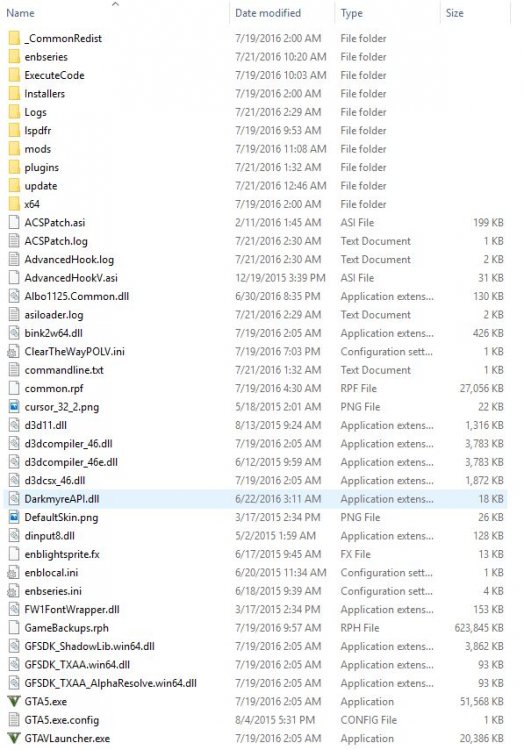
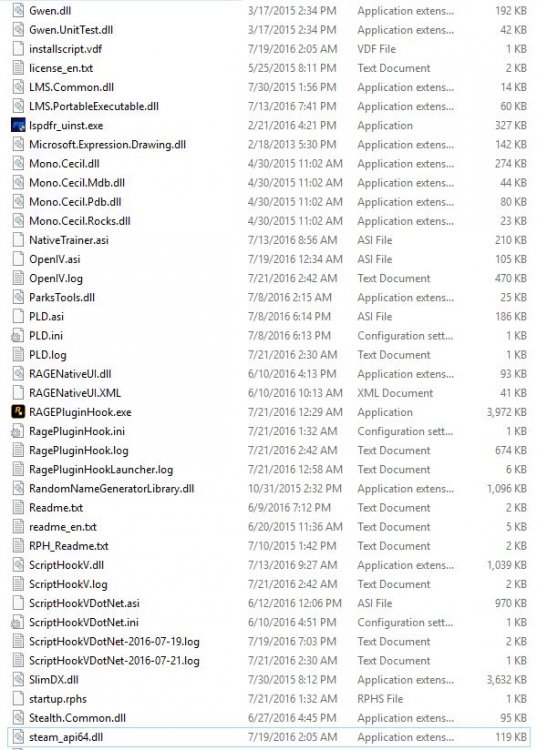
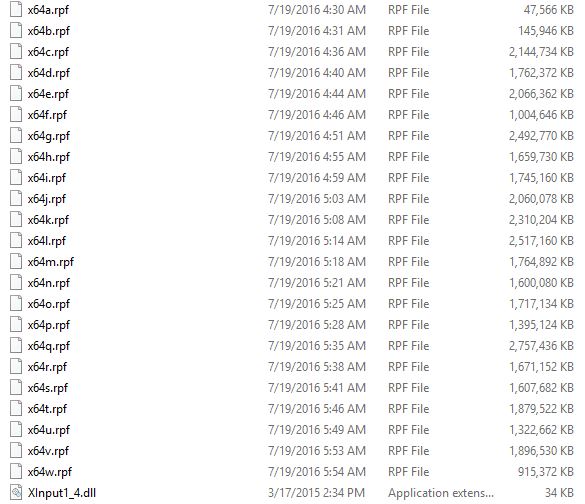
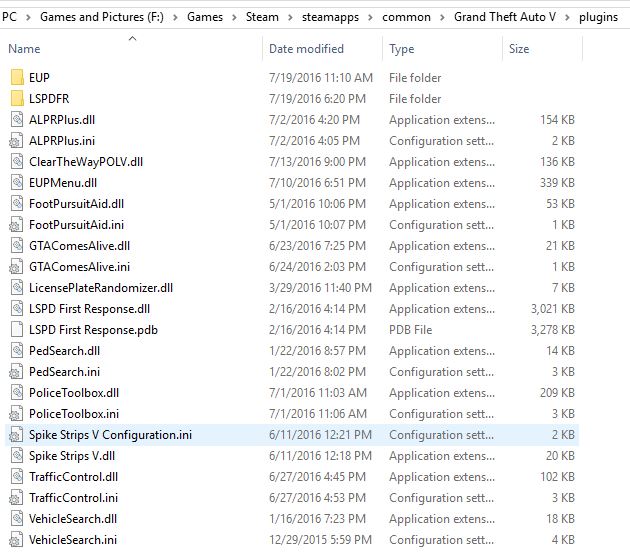
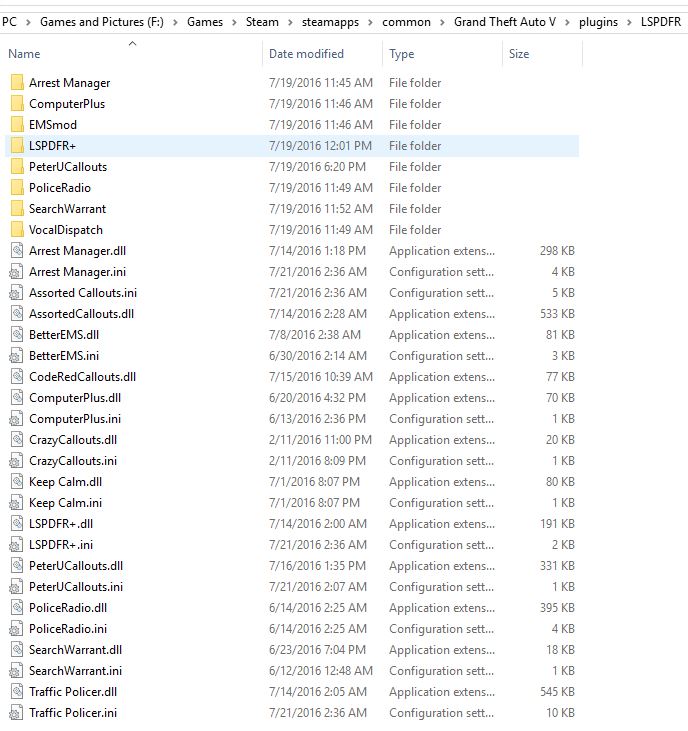
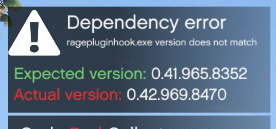
So, after beating GTA V on the XBox 360, twice on the XBox One...I have finally got it for PC pretty much strictly for the sake of LSPDFR (Steam Version). So, that being said, my game version is 791. I will preface this with the information that I am a systems engineer for a living so this type of stuff generally isn't hard for me. For example, I had a random crass of GTA V when running with RPH which turned out to be my AV...so I can do my own troubleshooting but I can't seem to figure out the following issues. My Issues (my setup will be listed below): - When opening the police computer (Computer+), I can't use it or exit from it. The mouse keeps dragging itself back to the center quickly. Can't manage to click on anything. In order for me to go back to playing the game, I need to relaunch the entire game. - The police radio sometimes flickers. Can anything be done about this? I'm running the latest NVidia GTX 980 driver (368.81). Also running MSI Afterburner (GPU overclocked a tiny smidge) and Asus AI Suite 3 (CPU overclocked a tiny smidge). - RPH is reporting an incorrect version although I have the latest RPH, latest LSPDFR, and latest Steam version which matches the RPH requirement (v791). Game seems to run well enough...but when I first go on duty it says: - Took me a while to figure out but I think I got most of the other key bindings figured out for how to arrest people, search, use the police radio, etc. Is there a guide with a most of them? I have not altered any INI's. Or is there a list of suggested bindings? Reason I ask is because some of the mods seem to open menus at the same time (same mapping) and it's annoying. For example, when I press F4 for the console, I also get the native trainer (which I can't navigate, BTW). My setup/screenshots: OS: Windows 10 Pro x64 GPU: NVidia GeForce GTX 980 Game Version: Steam (v791) Other Info: - Only Windows Defender installed (AVG and Avira were posing issues so I've gone to MS's offering) - ASI Loader, OpenIV.ASI installed