HazeMate
Members
-
Joined
-
Last visited
Everything posted by HazeMate
-
 Is there any way to change the UI size? Playing on a 4k UltraWide monitor and struggling to read the UI, changing font size doesn't help either just makes it worse.
- 1,743 comments
- 172 reviews
-
-

- 4
-
-
-
 #CanineLivesMatter Seriously? He packed the items into the folders that they should be in, simple copy and paste of all items in the .rar file. Disappointing that someone cannot see how simple this is to install.
- 329 comments
- 53 reviews
-
-
- 1
-
-
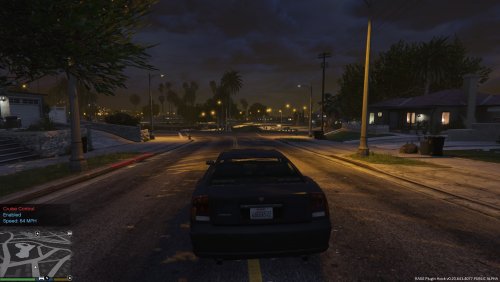 Adds an element that should have been standard in LSPDFR. Great work!
 -
No thanks needed! Credit where its due mate and you done well with this . I just don't like the vicious dog callout though, makes me feel like absolute sh*t when I have to shoot it because it wont stop! But it is an everyday occurrence for police so needs must .
- 329 comments
- 53 reviews
-
-
- 1
-
-
 Downloaded and installed but the Chevrolet Impala's steering is extremely sensitive, turning makes it flip over. Any advice to fix it?
- 779 comments
- 187 reviews
-
This is a must have callout plugin, it blends in with the rest of LSPDFR. Defo worth the download.
- 329 comments
- 53 reviews
-
I don't expect it to stay the same, I didn't expect it to impact the industry the way it has.
-
Unfortunately this is the way of the world, look at every digital industry now. I remember being able to buy Adobe Suite for a flat price, now you need to pay monthly (£45+). Being realistic about the future of gaming, I think we all know nothing is going to change. It will just keep getting worse and worse as more kids buy into the hype and digital currencies. I miss the 90's, I miss the GTA's that focused on the story and didn't even have Online.
-
 Tried to load it in game also, and it loads at startup no problem. No error outputs in the logs either.
 -
Got this installed but the props still block my view, 3rd person with props to 1st person repeat and can still see the props. Any chance you can update this?
-
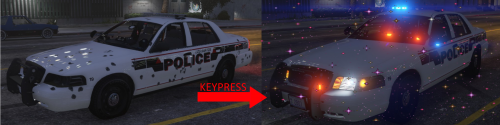
 Excellent model and great work making it compatible. The only downfall in MY opinion is the install instructions, these could be vastly improved and fixed as the README is missing an install path for the vehicles.meta and without referencing the comments and poorly spaced description I wouldn't have gotten this to work. That is my only criticism, as I said the bike itself is amazing.
- 218 comments
- 42 reviews
-
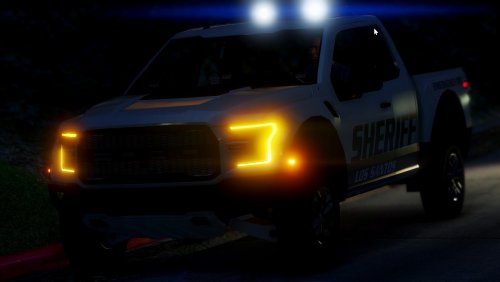
 Downloaded and installed, when going on duty the uniform changes are there but I can't select any of the new vehicles that have been added. Do I need to load them in from trainer?
- 1,524 comments
- 85 reviews
-
 But there are people, like myself, who do not already know it :(. I will wait until the next update to give it a try though :).
- 19 comments
- 5 reviews
-
-
Shouldn't you make a bit more of an effort to present your mod so people don't need to install it to see the outcome?
- 19 comments
- 5 reviews
-
Never mind, I found this by using a developer mod and targeting them. It isn't classed as Vagos like the female model so that is where it threw me off. This can be deleted.
-
Hi there I am currently in development of a Gang Activity callout plugin and sourcing models for use within this mod. My problem is that I can find every gang except Vagos within the PedModels supplied by https://ragepluginhook.net/PedModels.aspx . If anyone can help me out with sourcing these models I would be very appreciative. HazeMate