sixium
Friends of LSPDFR
-
Joined
Everything posted by sixium
-
-
From the album: Los Santos Views
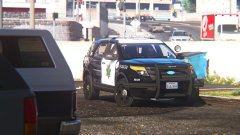
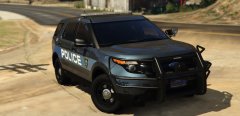
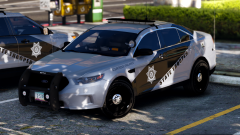
Go LSPD! This is how my "Frozen" skin looks like on an FPIU (for context, look at my previous image). I like it! Inspired in part by Fresno PD, star is a modified San Jose PD star. Enjoy! Charger might be next. Oh yeah, FPIU by thegreathah! -
 lol, it's not Whelen, FedSig, or Code 3 right? off brand.
 -
-
It's Helvetica Condensed, with a line through the letters haha.
-
From the album: Los Santos Views
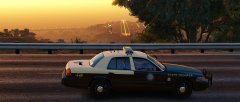
Go LSPD! First time trying out the Forza CVPI (Frozen CVPI hehe). The skin I whipped up just so I can see what the frozen CVPI looks like in-game (in my game). Very detailed, I like it, although it rides kinda high, especially in the back, like it's raked. Probably on airbags! Enjoy the images. Forza CVPI by Pricefield. Skin by me, inspired in part by Fresno PD. I like it! Although, I really still prefer the DSF (and secretly, Bxbugs's). =P About the skin, you like it? Should I make a pack? =) -
This topic has been moved to the appropriate forum. Please post in the correct location in the future.
-
Do you have your browser set to clear cookies every time you exit?
-
Woot woot
-
 It is San Andreas, right? Should make it "COURTEOUS NEGLIGENCE" haha
 -
-
This topic has been moved to the appropriate forum. Please post in the correct location in the future.
-
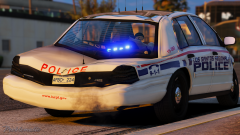 Haha, how did you make glass stretch like that lol
 -
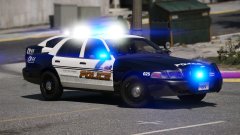 Lundy's settings were intended for halogen lights.
 -
-
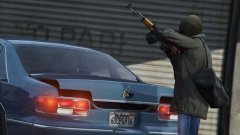 That's what i thought too
 -
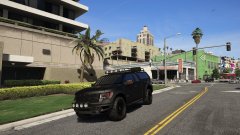 has this been released somewhere? that's an awesome truck
 -
There are some tutorials both on YouTube and here at LCPDFR that can help you. You may also feel free to ask [nicely] of other modders for some help if they are open to it. However, keep in mind it is against Community Guidelines to offer payment of any sort here in exchange for help.
-
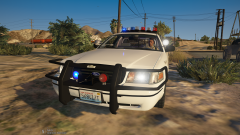 That's what I thought too, until I saw the "Crown Victoria" badge, which is only on '98s and SAP Vics. Of which this one is neither. Unless the department swapped out the badge of course haha, which I guess is plausible.
 -
This topic has been moved to the appropriate forum. Please post in the correct location in the future.
-
Is this CVPI a '98 or a '99? It's confusing, it has elements of both.
-
This topic has been moved to the appropriate forum. Please post in the correct location in the future.
-
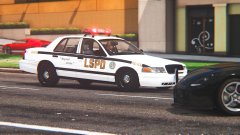 Lol, that's midnight club, the roof number is 420, the trunk says "L A P D", has an MX7000-clone.
 -
The hell, is that midnight club 2????
-
From the album: Los Santos Views
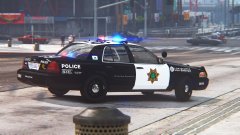
Modified for Los Santos. For context, look at my previous gallery image. =DDD Fixed roof and trunk numbers, handmade "JOINLSPD" bumper sticker. NYPD CVPI by Walters. Woohooo1!!!