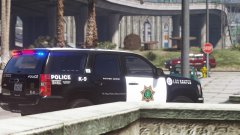
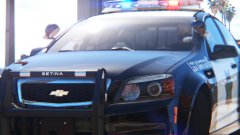
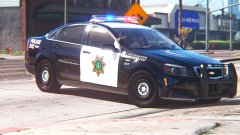
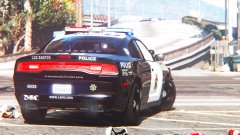
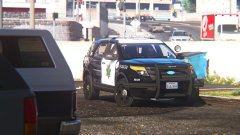
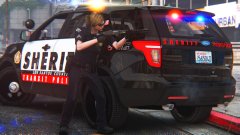
LSPD! LSPD! LSPD! Share https://www.lcpdfr.com/gallery/image/90111-lspd-lspd-lspd/ Share on Facebook Share on X {lang="reddit_text" More sharing options... Followers Go LSPD! This is how my "Frozen" skin looks like on an FPIU (for context, look at my previous image). I like it! Inspired in part by Fresno PD, star is a modified San Jose PD star. Enjoy! Charger might be next. Oh yeah, FPIU by thegreathah! Credit thegreathah
nh1256 Members September 17, 20179 yr Author stats hate to be that person but what are your visual mods?
sixium Friends of LSPDFR September 17, 20179 yr Author stats 1 hour ago, nichankinson said: hate to be that person but what are your visual mods? Visual V + RADIANCE V + ENB w/ VisualV preset + ReShade w/ MemeEnhancer @ 1080p with every setting on the highest it can be.
nh1256 Members September 17, 20179 yr Author stats 5 hours ago, sixium said: Visual V + RADIANCE V + ENB w/ VisualV preset + ReShade w/ MemeEnhancer @ 1080p with every setting on the highest it can be. Thanks! Loving the skin btw the style is very fitting





Recommended Comments
Join the conversation
You can post now and register later. If you have an account, sign in now to post with your account.