
2Sierra16
Members
-
Joined
-
Last visited
Everything posted by 2Sierra16
-
-
 I have tried reinstalling and checking everything else but it seems this file keeps making my game crash, any ideas that may help? I have uninstalled everything in the pack and I can load GTA V just fine now
- 33 comments
- 18 reviews
-
Hello all, Today I went to start up GTA V through Rage Plugin Hook and it would not start, no windows or anything, I downloaded a fresh install of RPH and restarted and still nothing. I came back on an hour later and found my Windows Defender had detected several viruses in the Rage Plugin Hook Files within GTA V. Any suggestions of what to do from here and how to prevent it?
-
The problem was it wasn't just flagged it actually found 2 viruses but I don't know where their origin is from. Also the only non OIV Installer I believe I used was Code 3 Callouts, I know that there was a program on my control panel for it but I don't remember if I installed it manually or if the program installed it, and I don't think it would be the cause. I have completed deleted my mods folder, and verified my game cache and it re-installed 3 files. I believe you were both there for my post a few days ago about FiveM I think for now I am going to try that for a little before trying out LSPDFR and RPH and all my mods again. I keep re-scanning just to make sure nothing else comes up and will continue to do so for a little while.
-
***EDIT- I have no choice but to restart turns out it completed deleted my GTAV.exe file*** Hello, I am looking for some suggestions, today I opened up my GTA with RPH and my windows defender popped up and said I had a virus. Sure enough when I see where it cam from it was in my GTA folder, and it was a severe trojan virus. Should I delete and re-install GTA and delete all mods and folders related to modding? I love lspdfr but I can't risk my security over it. What does anyone else think and has anyone else recieved a virus from a mod? I only use lcpdfr.com other than one plane mod so I think it may have been from this website so be cautious
-
How do I create a second directory? is it as simple as literally finding my original and just copy and pasting? I just don't want to screw anything up lol. Thanks for the help
-
Hi everyone, I want to look into joining a FiveM community but have no idea how any of it works. Do I have to uninstall my current mods that may interfere with it or does it run separately similar to RPH? How do I log into the server of whichever community I join? I guess I just need some general information about it before I decide I want to download it, anything helps. Thanks
-
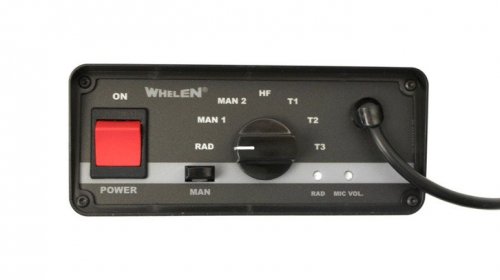 Unrelated to the siren but if you ever find out what makes that popping sound that was in your video let me know because I have the same issue
- 3 comments
- 1 review
-
 Oh okay I understand thanks
 -
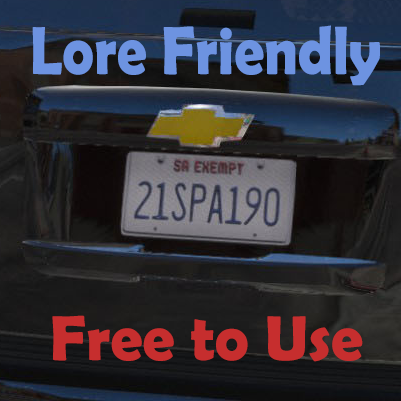
How do I apply the plates to my vehicles?
-
Hey sorry I know this may sound stupid but what do I do with the .png files? I have a few vehicles I need to put plates on as the skin I put on them made it so there is no plate.
-
I tried both ways and each time it only got to launching game via steam then it said GTAVLauncher.exe failed to start, any ideas? EDIT: Now my new problem with the NoLauncher is that it used the normal gta launch instead of the rage launch, it also said I cant use offline mode without previously logging on which I did every other time I played
-
I've even tried going all the way back to Rage 47 and it does the same thing maybe Rage somehow shut off compatibility so they aren't held liable to T2G, if not I wish they would offer support for the older version because of how it is unable to work on the new one without scripthook
-
I downloaded a bunch of stuff a few days ago thinking it I would just be able to revert it and now that I try its worthless, I was so excited to try out the new EUP. Is anyone actually still able to play? I have literally everything for the backups except rage isn't working, if only we had a new Scripthook
-
I'm having the same problem it launches the setup but it stops after its gives all the green checks and no other window pops up after it
-
Hello, I reverted my game version and re installed RAGE PluginHook 52 and I can't even finish the setup. I can't get past the part that it check off all the stuff you have, it checks them all off and that window disappears but nothing new ever comes up and I try to click on it again and its the same window and it does this over and over
-
If you wait until it starts loading things then click it, it works fine, I have the same problem
-
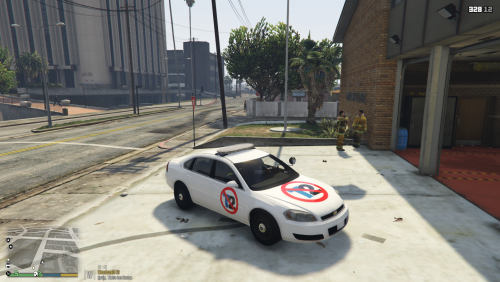 I am a little confused, can someone update me on what's happening? **Edit I read up on this bs I can't believe this, I am damn glad that I didn't get shark cards to line their fat wallets after this
- 11 comments
- 11 reviews
-
This is gonna be sweet, thanks so much guys
-
Oops you're right, I even have agency callouts I just didn't know it could do that thanks
-
Hello, I think it would be a great idea to have EMS scripts and callouts. It could run somewhat like lspdfr and you could choose EMT or Paramedic callouts, choose to drive or administer care. Anyone else think this would be a cool idea?
-
Sweet I am sure they will both be great
-
I would lovvvveee that
-
Hello, I have a great idea for a new police car in game. I would love to do it myself but I don't have the knowledge and I am busy with EMT classes and college but anyways a town over from me the PD recently got a 2015 Dodge Durango and its beautiful. I am a Durango owner myself and I am dreaming that someone could make this, let me know what you think

-
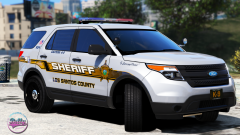 I would change all my cars around to models compatible with these skins, damn