Skip to content
View in the app

A better way to browse. Learn more.

LCPDFR.com

A full-screen app on your home screen with push notifications, badges and more.

To install this app on iOS and iPadOS
  1. Tap the Share icon in Safari
  2. Scroll the menu and tap Add to Home Screen.
  3. Tap Add in the top-right corner.
To install this app on Android
  1. Tap the 3-dot menu (⋮) in the top-right corner of the browser.
  2. Tap Add to Home screen or Install app.
  3. Confirm by tapping Install.

Noah F

Members
  • Joined

  • Last visited

  1. Noah F started following SF Raptor and SF Raptor 2
  2. Noah F started following Arty1993
  3. Honestly I agree with you however, it would also look decent if it didn't have a push-bar.
  4.    Noah F reacted to a comment on a file: Two Tone Reverse Beep sound
  5.    Noah F reacted to a comment on a file: NSWPF EUP PACK FOR EUP 8.0
  6.    Noah F reacted to a comment on a file: Nsw police Swat eup 8.1
  7. Noah F started following Joshy. H
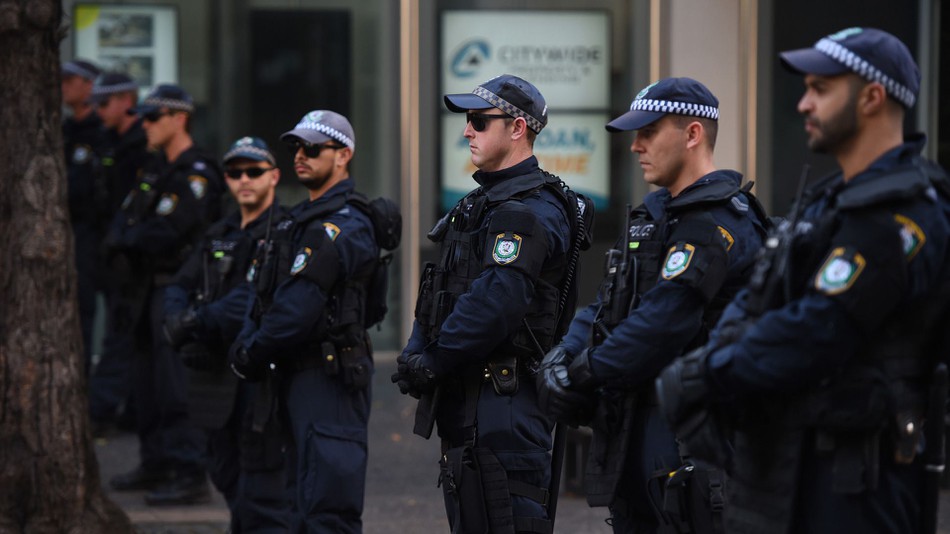
  8. It looks good however, it isn't the correct. Things that are wrong: NSW Police don't put the ANF on any part of their uniform. The wording is supposed to be semi sized font saying "POLICE" The uniform is a darker blue as is all of the NSWPF like more specialized uniforms. This isn't knocking the craft, I am glad to see more Australian items be made especially New South Wales Police as I am from NSW but then again let's make it factually correct. Unless that wasn't the original idea and way keep up the good work mate!
  9. Noah F started following Dwardo225
  10. Noah F started following Officer Tej
  11. Noah F started following Deactivated Member
  12. Noah F started following Baud0412
  13. Noah F started following Sasrical
  14. Noah F changed their profile photo
  15. Hello! So I was looking around LSPDFR today and thought I would try and find a brand new Custom Police Boat, mainly something I can put in as well as the Police default boat, and I remember this boat from Grand Theft Auto 4 and thought maybe some has converted or redeveloped it.. http://www.gta4-mods.com/vehicles/police-boat-f22292 So I was wondering does anyone know if some has converted or is possibly working on a Police boat like this? Thanks
  16.    Officer6430 reacted to a comment on a file: Chicago Fire House 51 + PED
  17. I love this pack! I can't wait to be able to add it into my game for a more realistic experience within the community.
  18.    Noah F reacted to a file: Chicago Fire House 51 + PED
  19.    Noah F reacted to a review on a file: LE Revamped
  20.    shadowdiver710 reacted to a post in a topic: Channel 7 News story on LSPDFR
  21.    Noah F reacted to a comment on a file: 2017 California Highway Patrol Mega Pack - ELS
  22. Hello Wonderful community, I was wondering is someone around to tell me how i can edit this to have - High vis Bullet proof vest - Black Vest (for reg cop) - black vest for other units - More ranks - Colour - Pant trips ---- I was wondering how do I edit that onto the ped? if anyone can help it'd be greatly appreciated!
  23.    HomerS reacted to a comment on a file: 7 News skin
  24.    xMoD reacted to a comment on a file: 7 News skin
  25.    thegreathah reacted to a comment on a file: 7 News skin
  26. You underground computer geek! :)
  27.    RobertTM reacted to a post in a topic: Channel 7 News story on LSPDFR
  28.    DivineHustle reacted to a post in a topic: Channel 7 News story on LSPDFR
  29.    Cyan reacted to a post in a topic: Channel 7 News story on LSPDFR
  30.    TheUniT reacted to a post in a topic: Channel 7 News story on LSPDFR
  31.    Darkmyre reacted to a post in a topic: Channel 7 News story on LSPDFR
  32. I'm in for Murder and Bank Robbery, I'm in for Grand Theft Auto Me- Im Pro Police and I'm a modder on GTA5 :(
  33. The default rank should be Underground Community Geek. Dam if we are the most PRO - Coppers around!
  34. you can always find friends (:

Account

Navigation

Search

Search

Configure browser push notifications

Chrome (Android)
  1. Tap the lock icon next to the address bar.
  2. Tap Permissions → Notifications.
  3. Adjust your preference.
Chrome (Desktop)
  1. Click the padlock icon in the address bar.
  2. Select Site settings.
  3. Find Notifications and adjust your preference.