



ScarletDraconis
Members
-
Joined
-
Last visited
Everything posted by ScarletDraconis
-
The search bar is your best asset, my friend, just ask it what you're looking for and it'll find it for you, we can't find stuff for you as we don't know what you'd like or not, tastes and all that :)
-
:)
-
Searchbar, my friend, searchbar, it can solve all your problems if you know what you're looking for :)
-
Because they don't spawn on their own, so it's pretty much like add-on cars, you've to spawn them yourself. It's good if you need more police slots for your own use, but all in all, it doesn't add any flavor to the game :)
-
:)
-
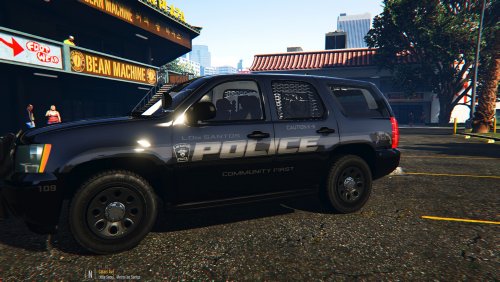 They only have one visible slot for skin, but I'm sure they're multi-livery enabled :) Also, on a side note, your title is kinda inverted. It's LSPD skins, based on Smith Falls, not the other way around :)
- 7 comments
- 4 reviews
-
-

- 1
-
-
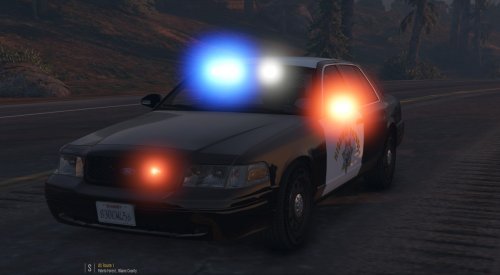
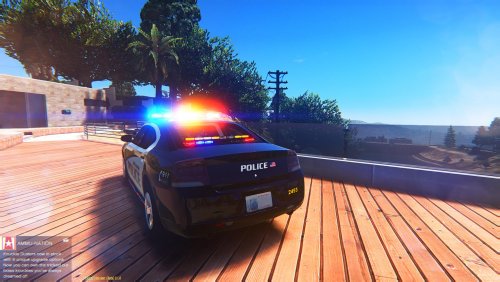 Any car with runners is a Christmas tree to me, so it's fitting in my opinion :) Though I spotted a problem of coronas on the last screenshot, the blue led seems to have a red corona :)
 -
Just copy the blue lights and paste them over the white ones using your picture editor of choice, nothing difficult :)
-
You need to have the coronas changed to blue or removed, I suggest you use the searchbar of this website to find the solution to your problem :)
-
Next time, consider researching on this website, there are well-explained guides for what you asked, it'd have avoided a lot of confusion ;)
-
I personally use Fraps, it can easily be found for free if you look in the right places :) The downside of it is that it's very resource hungry, it's recommended to have the game on a hard drive, and fraps recording on a different one :(
-
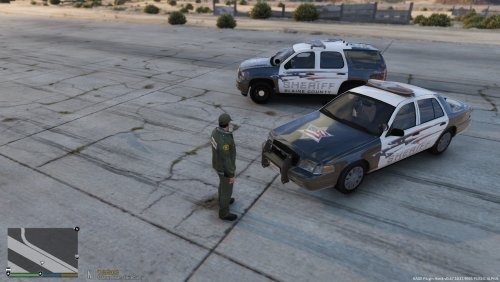 The Charger has a unique but very nice design, you should make a skin pack with only this :) Not a fan of the CVPI skin though...
- 3 comments
- 2 reviews
-
-
- 1
-
-
Most of the time it is a model-related issue, nothing you can do about it... :)
-
It's actually crazy that, in a game series where the chases with cops has always been a thing, we still don't have a game mode where a team plays the cops and another team plays the criminals. It's always criminal versus criminal, all the time, and it's not really fun, the online missions could use some more fresh air like this... :( And this car tuning is awesome, thousand times better than the lowriders and the pseudo racecars that barely go faster than their street counterparts :)
-
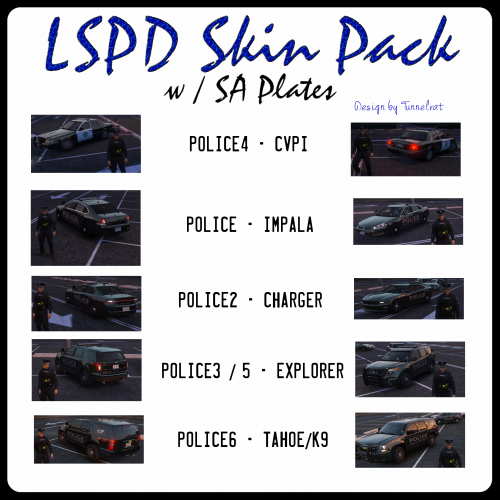 We can't see much from the pictures you posted man, you should upload bigger screenshots :)
 -
Searchbar :)
-
Sometimes, a simple research made with your little fingers on your little keyboard can be the answer to all your problems, you should consider investing a bit of yourself if you plan to solve your problems, my friend :)
-
Happens with some models, you can't visualize them in OpenIV for some reason. Also, it's EAccess, not EAaccess :)
-
 Yes. You can install all your car mods in the latest DLC folder so they're all loaded automatically.
- 24 comments
- 4 reviews
-
-
Because you're probably not installing the car models properly, including vehicles.meta, carvariation.meta, and carcol lines. If something doesn't work for you but works for most of the other people, the problem most likely comes from you doing something wrong at some point, so reinstall everything properly and it should work :)
-
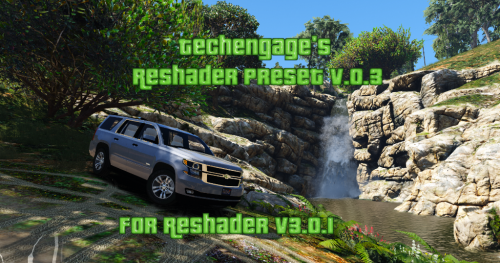 Holy moly those colors are way too oversaturated for me. Just the screenshots hurt my eyes =/
 -

Account
Navigation
Search
Configure browser push notifications
Chrome (Android)
- Tap the lock icon next to the address bar.
- Tap Permissions → Notifications.
- Adjust your preference.
Chrome (Desktop)
- Click the padlock icon in the address bar.
- Select Site settings.
- Find Notifications and adjust your preference.
Safari (iOS 16.4+)
- Ensure the site is installed via Add to Home Screen.
- Open Settings App → Notifications.
- Find your app name and adjust your preference.
Safari (macOS)
- Go to Safari → Preferences.
- Click the Websites tab.
- Select Notifications in the sidebar.
- Find this website and adjust your preference.
Edge (Android)
- Tap the lock icon next to the address bar.
- Tap Permissions.
- Find Notifications and adjust your preference.
Edge (Desktop)
- Click the padlock icon in the address bar.
- Click Permissions for this site.
- Find Notifications and adjust your preference.
Firefox (Android)
- Go to Settings → Site permissions.
- Tap Notifications.
- Find this site in the list and adjust your preference.
Firefox (Desktop)
- Open Firefox Settings.
- Search for Notifications.
- Find this site in the list and adjust your preference.