hoty528
Members
-
Joined
-
Last visited
Everything posted by hoty528
-
-
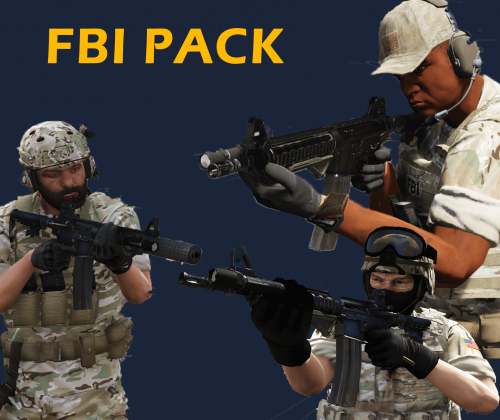 Installation: mod>x64e>model>cdimages>componentpeds_s_m_y_.rpf Credits: BLACKHACK - California National Guard 3.7 BADASS22 - FBI SWAT Agent Pack 1.2.0 YARD1- NOOSE TRU Ped Model 1.0.1 BADCOMPANY- Enhanced US Army 2.7 BAUD0412- LSSD Gang Unit MARSOC
- 4 comments
- 2 reviews
-
-

- 2
-
-
 after i install this mod,the backup police car only spawn with one texture,how can i fix it?
- 378 comments
- 23 reviews
-
 NicePed!! just want to ask when i hit 3 star,the cops will start spawn with the safety vest.how can i make it will spawn with bullet vest when i hit 3 star?
- 273 comments
- 61 reviews
-
![[WIP] V4_2](//s3-gallery.int-cdn.lcpdfrusercontent.com/monthly_2016_09/small.57e02455de64a_GTA52016-09-1914-45-47-36.jpg.ddd58f5364a04bd79e3f44e165730dc8.jpg) When will you release these awesome Peds? ^-^
When will you release these awesome Peds? ^-^ -
-
-
-
-
-

![[WIP] V4_2](http://s3-gallery.int-cdn.lcpdfrusercontent.com/monthly_2016_09/small.57e02455de64a_GTA52016-09-1914-45-47-36.jpg.ddd58f5364a04bd79e3f44e165730dc8.jpg)