




RalFingerLP
Members
-
Joined
-
Last visited
Everything posted by RalFingerLP
-
Also bei dem User ist Hopfen und Malz verloren, für manche User ist es einfach nicht bestimmt LSPDFR zu spielenIch finde es nicht verwerflich es gegen Bezahlung zu installieren,es ist eine Dienstleistung und kostet auch Zeit
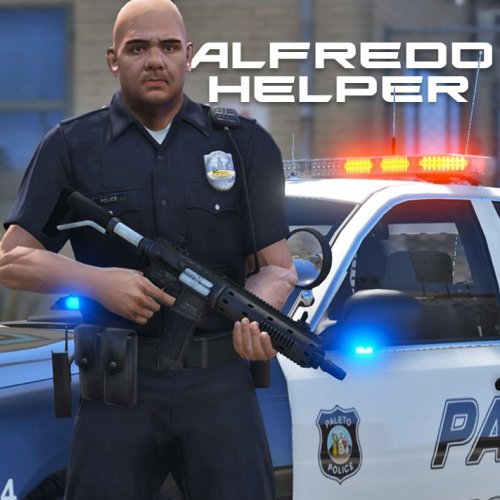 It does what it should do, so its perfect! Features i would like to have: - .ini file to change Hotkey - .ini or .xml to edit loadout - maybe other custom hotkeys for diffrent loadouts like swat, highway patrol etc.
- 42 comments
- 22 reviews
Nifty little tool which I use since it came out, a must have for easy equip when going on duty! Thank you :)- 42 comments
- 22 reviews
Wurde im übrigen mit der 0.45 gefixt :) Nice pack, would you be so kind and make it .oiv auto intaller on your next update?
- 85 comments
- 19 reviews
Bügelt einfach die .42 wieder über das Update und die Probleme sind verschwunden. Wie schon von @11john11 erwähnt ist es ein Fehler von RageHook der wohl mit der nächsten Version .44 behoben wird. Wann diese kommt ist aber noch nicht bekannt. I am not sure why, but all the PED´s in the game are hunting me down after installing this MOD. No error beside that, how can I get rid of this anger towards me?
- 1,509 comments
- 85 reviews
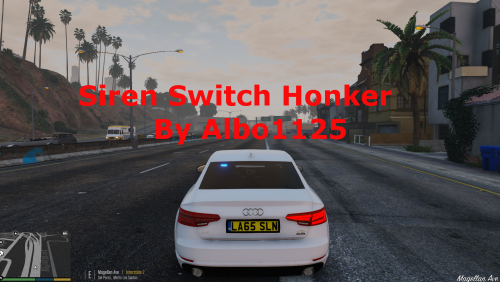 Hey guys, i binded my sirene key to the mouse and can´t figure out how to tell the .ini file where the button is located. Does anyone have an idea?
- 48 comments
- 18 reviews
Guten Morgen Rintaro, geh mal in den Tab " Advanced Settings" im Rage Plugin Hook und entferne den Haken bei " Disable DirectX Hook". Ich hoffe das behebt dein Problem. Hey Kal74, i believe so too, just wanted to tell him I am intrested so he knows people are waiting for it (should be more or less a motivational post) :)
- 204 comments
- 22 reviews
-
-

- 1
-
Hey goigle, i want to try out your calls so badly, is there any chance for a update soon?- 204 comments
- 22 reviews
Servus Daniel, ein schöner Trailer! Negativ ist mir der Zeitraffer aufgefallen, das lässt in meinen Augen das ganze sehr lächerlich da stehen und hat etwas von Klamauk. Slow-Motion hätte in vielen Fällen besser gepasst wenn es noch ein wenig in Scene gesetzt worden wäre. Ansonsten, weiter so!Hallo meine Freunde! Aufgrund meines YouTube Kanals https://www.youtube.com/user/RalFingerLP und der Videos von LSPDFR bekomme ich täglich Anfragen ob ich denn Videos machen könnte, in denen ich erkläre wie einzelne Scripts und Plugins funktionieren, so wie man diese Intalliert. In dieser Rubrik werde ich in unregelmäßigen Abständen Scripts und Plugins vorstellen. Aktuell ist jedes Video wie folgt aufgebaut: Intro mit Namen des Scripts / Plugins Vorstellung der Funktionen und Menü´s im Spiel Besuch der Webseite www.lcpdfr.com und Erklärung zum Download so wie Übersetzung des Textes Erklärung der Datein aus der .rar Datei Bearbeiten von .ini und .xml Datein Ich hoffe mit diesen Tutorials der deutschen Community ein wenig behilflich zu sein und es euch zu erleichtern alle Funktionen der Plugins zu nutzen. Natürlich möchte ich auch damit Werbung für meinen Kanal machen und vielleicht habt Ihr ja auch Spaß an weiteren Videos von mir. Like most of Albo´s Scripts this is in daily use. There are a lot of features i use on daily basis and are very helpfull going on duty. I also made a (German) tutorial on how the MOD works, how you can modify the .ini and .xml and how the menu´s work ingame. Enjoy!
- 1,915 comments
- 242 reviews
-
-
- 1
-
This is something i always wanted, can´t wait to see your first release. Keep up the good work and thank you for better EMS, never playing without it!

Account
Navigation
Search
Configure browser push notifications
Chrome (Android)
- Tap the lock icon next to the address bar.
- Tap Permissions → Notifications.
- Adjust your preference.
Chrome (Desktop)
- Click the padlock icon in the address bar.
- Select Site settings.
- Find Notifications and adjust your preference.
Safari (iOS 16.4+)
- Ensure the site is installed via Add to Home Screen.
- Open Settings App → Notifications.
- Find your app name and adjust your preference.
Safari (macOS)
- Go to Safari → Preferences.
- Click the Websites tab.
- Select Notifications in the sidebar.
- Find this website and adjust your preference.
Edge (Android)
- Tap the lock icon next to the address bar.
- Tap Permissions.
- Find Notifications and adjust your preference.
Edge (Desktop)
- Click the padlock icon in the address bar.
- Click Permissions for this site.
- Find Notifications and adjust your preference.
Firefox (Android)
- Go to Settings → Site permissions.
- Tap Notifications.
- Find this site in the list and adjust your preference.
Firefox (Desktop)
- Open Firefox Settings.
- Search for Notifications.
- Find this site in the list and adjust your preference.