
B4lt1m0re1
Members
-
Joined
-
Last visited
Everything posted by B4lt1m0re1
-
-
.thumb.jpg.1db0be3e377ccefdd47e57a95ec56762.jpg) The first couple pictures have lights that aren't on the model you've included in the download.
The first couple pictures have lights that aren't on the model you've included in the download.- 239 comments
- 70 reviews
-
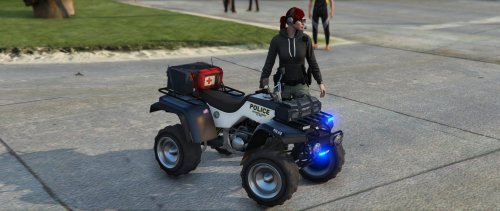 Looks awesome! I can't wait to try this out on the beach. I will review once I've installed and tried it out.
- 15 comments
- 2 reviews
-
-
-
-
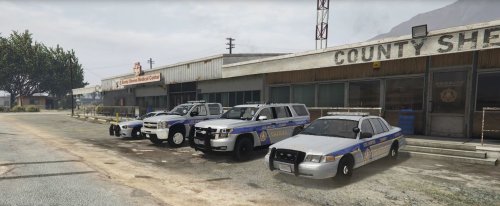 Good start! I'll try these out tomorrow. The tahoe pictured is Captain14's not Gump's as it says in the credits.
- 14 comments
- 4 reviews
-
-
 These are beautiful. So fun to do highway policing now. I added them on and made my own metas just for peace of mind but nice work on the pack for people who don't care to do meta work.
- 501 comments
- 104 reviews
-
-
-
-
 You can't go wrong with any of gumps tahoes but if you're looking for a sheriff2 replacement, this better be it
- 117 comments
- 28 reviews
-
.thumb.jpg.61de846de400ca98f85d205992527de1.jpg) Did you update the sheriff portion of the vehicle meta? It's also best to copy the lines of the particular vehicle into your meta rather than take the authors meta and drop it into your game as they likely have different vehicles than you do and you likely already have other vehicles that will be overwritten. Sounds like you need to reinstall
Did you update the sheriff portion of the vehicle meta? It's also best to copy the lines of the particular vehicle into your meta rather than take the authors meta and drop it into your game as they likely have different vehicles than you do and you likely already have other vehicles that will be overwritten. Sounds like you need to reinstall- 265 comments
- 83 reviews
-
copy the vehicle flag line from the install package. directions are in there @GabLeGamer one of the flags in there relates to keeping the extras from falling off (FLAG_EXTRAS_STRONG)
- 265 comments
- 83 reviews
-
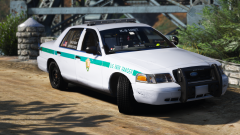 It's not yet released
 -
 open blackjesus' meta in notepad. use the find function (edit and then find) search fbi2 (or whatever model you are replacing) and highlight from <item> immediately above fbi2 all the way to </item> before the next model. paste that over the same part of your vehicles meta that's already in your folder. There are plenty of youtube videos explaining how to do this too. Good luck!
- 122 comments
- 29 reviews
-
-
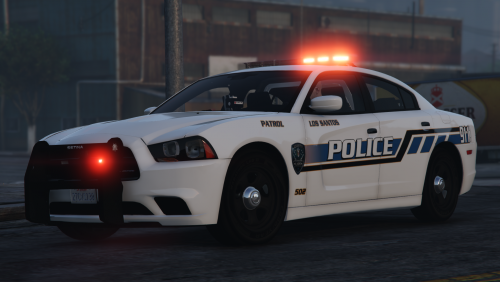 K9 would be sweet too. If you have time Desmond's explorer and gmc transport van would be awesome. Keep it up!
- 10 comments
- 9 reviews
-
-

- 1
-
-
I just got done installing your lssd pack on 10 different cars and I get on here.... If you keep making textures, I'm never gonna get to play
- 10 comments
- 9 reviews
-
-
- 2
-
-
 Sorry I know you're tired of people forgetting that. I fixed it 5 minutes ago. awesome work!
- 1,521 comments
- 85 reviews
-
-
- 1
-
-
My game crashes midway through the loading screens... any ideas? Here is my log.. Thanks! RagePluginHook.log
- 1,521 comments
- 85 reviews
-
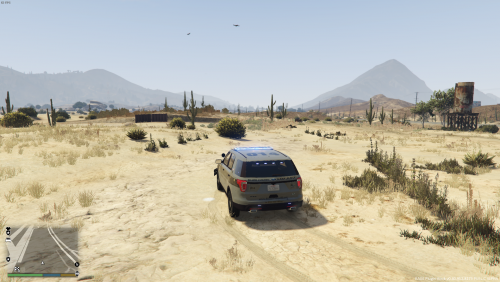 Great solution for people like me who don't know how and don't care to learn how to modify these files and settings and looks great too. Nice work
- 31 comments
- 17 reviews
-
-
- 1
-
-
 I was super excited to try this out. I have all the necessary files, but it crashes my game immediately and once I removed it, everything works fine :(
- 203 comments
- 29 reviews
-
 I use this in my police 3 slot and for prisoner transport. This is my favorite explorer. Nice work!
- 221 comments
- 34 reviews
.thumb.jpg.1db0be3e377ccefdd47e57a95ec56762.jpg)

.thumb.jpg.61de846de400ca98f85d205992527de1.jpg)