


TheZui
Members
-
Joined
-
Last visited
Everything posted by TheZui
-
 When I install Custom Backup than wilderness callouts and Los Santos protection squad don´t load in when I go on-duty
- 378 comments
- 23 reviews
-
 Don´t know if it´s the right one because i have many Ragehookplugin.log´s. Some are with the date when it got created. here is the one without a date. RagePluginHook.log
- 89 comments
- 36 reviews
-
 I think I still have the bug where I can´t get possible burglary or racing in parking lot. i only got illegal radio broadcasting :/
- 547 comments
- 103 reviews
-
I think it´s a good idea but when you install it it block wilderness callouts and Los Santos protection squad.
- 378 comments
- 23 reviews
-
I don´t get the Ragehookplugin log because it doesn´t crash ragehook. it just crashes lspdfr plugin. I only get this crashreport. It doesn´t show anything for me. MiniCrashReport_635992671875041365.rcrm
- 89 comments
- 36 reviews
-
-
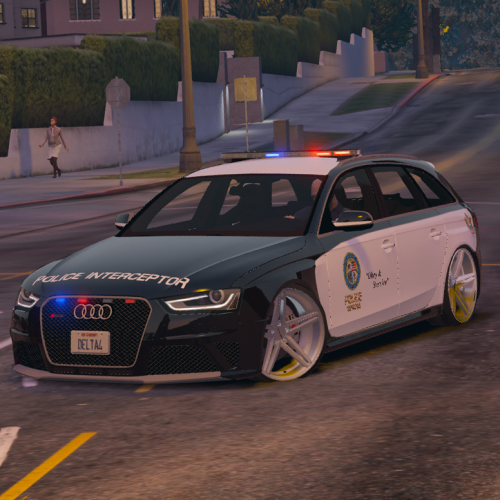 I deleted all Liveries except 2. But it is still crashing and the car looks wiered now. I renamed the 2 Liveries to "audi_sign_1" and "audi_sign_2".
- 53 comments
- 10 reviews
-
I think this car is srashing my game :/ It is a really good model but when I install it after a few minutes ingame I get a error message (err_mem_embeddedalloc_guard_4) and the game crashes. when I uninstall the car everything works fine...
- 53 comments
- 10 reviews
-
LSPDFR keeps crashing when I activate the panic button. when I reload it and the activate it it works :/
- 89 comments
- 36 reviews
-
 My problem is that i can´t automatically fix the errors. it says: Unable to obtain folder permissions. Please close all other applications before trying again. I even started the .exe as Administrator.
- 379 comments
- 113 reviews
-
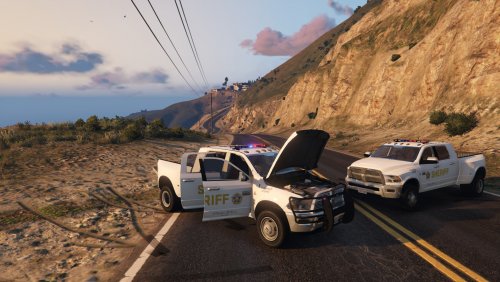 I am sorry if i am just dumb but i can´t understand your installation tutorial. it doesn´t make any sense to me.
- 54 comments
- 6 reviews
-
-

- 1
-


