


Joe C Wilson
Members
-
Joined
Everything posted by Joe C Wilson
-
-
-
 You can find the new Bomb Squad under HDU in the default backup menu, or in the Ultimate Backup menu labeled as Hazardous Devices Unit.
- 944 comments
- 23 reviews
-
I'm looking to add Bomb Squad units and set up a patrol vest config folder pretty soon. If you have any ideas or need to report a bug, make sure to let me know soon. Thanks!
- 944 comments
- 23 reviews
-
-
 Do you know if it's possible to bind the exit vehicle button to the dash key that is next to the equals key? I use this for entering and exiting vehicles and it feels very odd trying to adapt to default game controls. If you could take a look for me, I'd greatly appreciate it.
- 391 comments
- 30 reviews
-
GTA 4 LCPDFR #24 - Pursuits In Bohan | LCS '15 Charger via @YouTube
-
Some of the best of the best
-
.png.596c92c1bdfdae193887bcc35c47d5df.png) Screenshot (166).png
Screenshot (166).png
-
.png.c62bc5bdaac7004ee11709c71fbc1ad1.png) Screenshot (163).png
Screenshot (163).png
-
.png.2d69a07ae6f2f1d3757e4211f3d330b2.png) Screenshot (162).png
Screenshot (162).png
-
.png.14191ed290b206e4c3451c0e706cdaf2.png) Screenshot (161).png
Screenshot (161).png
-
.png.3bfb573032d77308b432d51099372315.png) Screenshot (136).png
Screenshot (136).png
-
.png.a3dccf9ad0a1d781630b4181731a07e3.png) Screenshot (135).png
Screenshot (135).png
-
.png.9798453385d0fbecf363c42de0d4c22a.png) Screenshot (125).png
Screenshot (125).png
-
.png.6b36c51d3fc361ad34fab378209c28ff.png) Screenshot (124).png
Screenshot (124).png
-
.png.491666334ecd97c606a89a88154cdd9b.png) Screenshot (123).png
Screenshot (123).png
-
.png.e7b35c8bbcd4451f73c9ee0a1d4b4194.png) Screenshot (103).png
Screenshot (103).png
-
.png.4d9047066ee39027c12fe07ff28c952a.png) Screenshot (102).png
Screenshot (102).png
-
.png.e3393962c392e58597df1f670210deb7.png) Screenshot (101).png
Screenshot (101).png
-
.png.e31616b5fbc460c002caac6fefa866ca.png) Screenshot (100).png
Screenshot (100).png
-
.png.c83e1b88ca057a3152003e13f4cc5a60.png) Screenshot (99).png
Screenshot (99).png
-
.png.cf2903a778384bd1b38032f42eb09150.png) Screenshot (98).png
Screenshot (98).png
-
.png.ac7b44fcdb31a5b27a6e668017c3ecf2.png) Screenshot (97).png
Screenshot (97).png
-
.png.6d31cb21d5f3890acb64991f66bb3a37.png) Screenshot (95).png
Screenshot (95).png
-
.png.4266cb1650411b0fe602b1c17b72acf0.png) Screenshot (94).png
Screenshot (94).png
-
.png.7a73a85b41d2ef760635ed87d7446cd9.png) Screenshot (93).png
Screenshot (93).png
-
.png.eb40169b60d1378a6cf0cb8f5f07b1b9.png) Screenshot (92).png
Screenshot (92).png
-
-
From the album: 2024
-
-
-
-
GTA 5 LSPDFR #82 - Snowy County Pursuits | BCSO `18 Charger via @YouTube
-
-
 Got any advice on how to make sure the dispatcher can hear me better? I've tried a couple of different mics, but the dispatcher still struggles to understand me. This has been a problem for years, and I can't figure out why. She picks up things like "code 4," "requesting plate," and "requesting EMS" without a hitch, but when I say stuff like "spike sticks," "show me in pursuit," or "requesting backup," it just doesn't register. It's super frustrating, and I'm out of ideas. It happens with both the default settings and the custom ones used by BLV's Dispatcher Revamp mod. Thank you.
- 1,359 comments
- 85 reviews
-
 Is there a way to adjust things so that suspects are less likely to run during a traffic stop? Lately, when I’m playing LSPDFR, it seems like 90% of the time, the people I pull over either take off, pull a gun, or ram my car and flee. I’ve set my chance to 15% and configured it like the old RTS setup. Also, I can’t recall ever seeing the hostage or spitting outcomes, and I’m not sure if that’s related. If you could help me figure out why almost every traffic stop turns into a chase, I’d really appreciate it.
- 233 comments
- 32 reviews
-
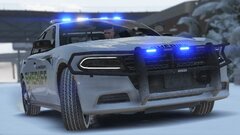
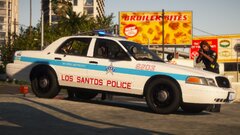
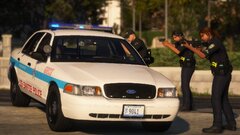
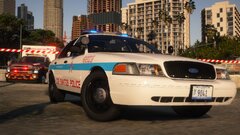
Some of the best of the best
-
 20241222195220_1.jpg
-
 20241213154808_1.jpg
-
 20241213154518_1.jpg
-
 20241213154039_1.jpg
-
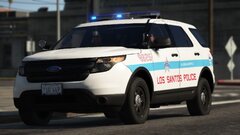 20241210163718_1.jpg
-
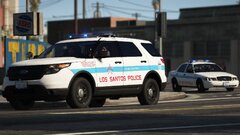 20241210163705_1.jpg
-
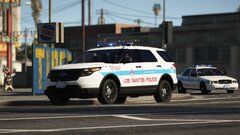 20241210163524_1.jpg
-
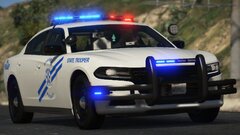 20241210163325_1.jpg
-
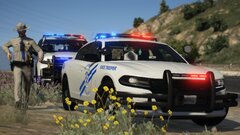 20241210163209_1.jpg
-
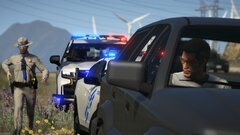 20241210163142_1.jpg
-
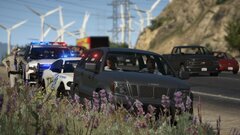 20241210163126_1.jpg
-
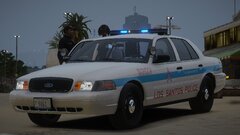 20241128204458_1.jpg
-
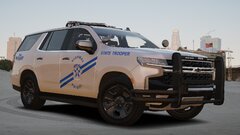 20241128204140_1.jpg
-
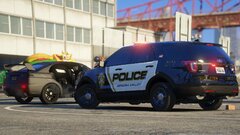 20241126155853_1.jpg
-
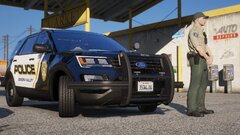 20241126154800_1.jpg
-
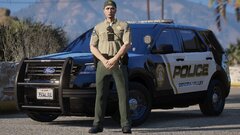 20241126154713_1.jpg
-
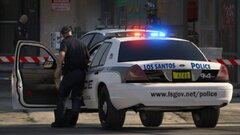 20241106210913_1.jpg
-
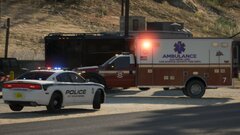 20241106210140_1.jpg
-
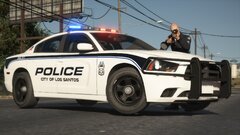 20241106205521_1.jpg
-
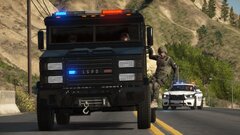 20241106205227_1.jpg
-
-
-
GTA 4 LCPDFR #23 - Pursuits In Broker | LCS '10 Charger via @YouTube
-
GTA 5 LSPDFR #81 - Drive-By Shooting | LSPD '11 CVPI via @YouTube
-
-
-
Perhaps not for GTA 5, but back in the days of GTA 4, if you didn't install the x86 version of Visual C++ 2010, the game would give you errors such as the infamous SecuLauncher bug. It doesn't hurt to try installing it anyway.
-
Did you install both x86 and x64 versions of 2010 Visual C++? I also recommend uploading your RPH log which would help pinpoint what is causing your game to crash.
-


.png.596c92c1bdfdae193887bcc35c47d5df.png)
.png.c62bc5bdaac7004ee11709c71fbc1ad1.png)
.png.2d69a07ae6f2f1d3757e4211f3d330b2.png)
.png.14191ed290b206e4c3451c0e706cdaf2.png)
.png.3bfb573032d77308b432d51099372315.png)
.png.a3dccf9ad0a1d781630b4181731a07e3.png)
.png.9798453385d0fbecf363c42de0d4c22a.png)
.png.6b36c51d3fc361ad34fab378209c28ff.png)
.png.491666334ecd97c606a89a88154cdd9b.png)
.png.e7b35c8bbcd4451f73c9ee0a1d4b4194.png)
.png.4d9047066ee39027c12fe07ff28c952a.png)
.png.e3393962c392e58597df1f670210deb7.png)
.png.e31616b5fbc460c002caac6fefa866ca.png)
.png.c83e1b88ca057a3152003e13f4cc5a60.png)
.png.cf2903a778384bd1b38032f42eb09150.png)
.png.ac7b44fcdb31a5b27a6e668017c3ecf2.png)
.png.6d31cb21d5f3890acb64991f66bb3a37.png)
.png.4266cb1650411b0fe602b1c17b72acf0.png)
.png.7a73a85b41d2ef760635ed87d7446cd9.png)
.png.eb40169b60d1378a6cf0cb8f5f07b1b9.png)


