


Reddington
Members
-
Joined
Everything posted by Reddington
-
It might be an issue with that model, try a different one.
-
.png.57aa73c33e683601a7826f7e97514b6d.png) Thanks, I'll keep an eye on it.
Thanks, I'll keep an eye on it. -
I guarantee there is no correlation between that image and the Explorer lights. Double check your other vehicles.
-
.png.bd9d45eb025e60cbeb97dc757336b1bf.png) Are these liveries that go on cars, or a pack of cars? Can you link?
Are these liveries that go on cars, or a pack of cars? Can you link? -
.png.c4b09a1ce958692ec59dc918c4198924.png) I bet you're shitting your pants right now.
I bet you're shitting your pants right now. -
.png.0b7f07b17c1fd6a083ac7a79611227a1.png) Haha! Nice to see someone else using the ELS Hearse I asked to be made.
Haha! Nice to see someone else using the ELS Hearse I asked to be made. -
Nice Florida theme. Can you link to either the vehicles or liveries? I'd love to run a Florida theme.
-
Hey there, 98% of the time "add on" cars can be used as replaced. The other 2% is when the car has special carcols, but even then, you can replace your carcol files with that one to make it work. You can even take vehicles that have their own dlcpack and take the vehicle out of said pack to use as a replace. Also, even though this is the LSPDFR community, some people make fivem based downloads that include server files and say "add-on only". That's not the case, that vehicle can be a replace vehicle. They just include server files for other fivem users. There's really no such thing as "add-on only" or "replace only".
-
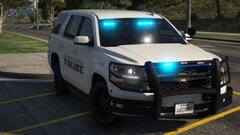 That Tahoe is sexy.
 -
Navigate to the taxi.ytd. Click "edit mode" at the top, then double click the taxi.ytd to open it. Drag and drop this texture in. Hit "save", then "edit mode" again and you're done.

-
-
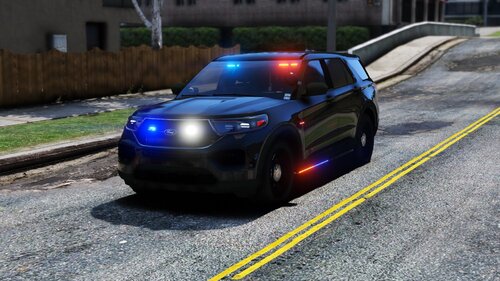 That usually happens settings are low. Make sure postfx and shaders are high or above.
- 89 comments
- 16 reviews
-
 That's weird, it should be fine. I'll be updating my file tonight so I'll re-upload Elmo's pack. Check again tomorrow. 🙂
- 269 comments
- 17 reviews
-
-

- 1
-
-
I apologize for the delay in doing this, I'm getting started on it now. What car/pack were you looking to have done?
- 269 comments
- 17 reviews
-
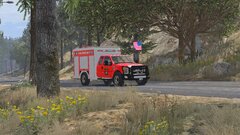
From the album: EMS/Fire duty
-
Here's a few things to try. - Disable your mods folder. To do this, rename the mods folder to _mods then go in game and see if it still happens. - Temporarily remove all your scripts and see if one of them is the cause.
-
Kids shouldn't be watching GTA videos anyway. 😛
-
I've not heard of guns firing on their own. Do you have left click issues anywhere else? I'm wondering if it might be something with your track pad or mouse.
-
You haven't been on since August, but in case you come back, what is it like not having guns as law enforcement? Do you think it's a good thing, or would you rather be able to have them? I'm curious on the British LEO perspective of this.
-
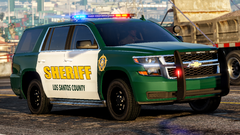 Yep, that's perfect.
 -
By less support, do you mean less LSPDFR help? If yes, you don't have to worry about that. There will always be people here willing to help out.
-
Your topic has been moved to LSPDFR 0.4 Support. Please post in the correct location in the future.
-
I've always wanted Halo on PC, I'm so excited!!!
-
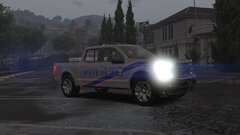
From the album: Red's LSPDFR chaos
-
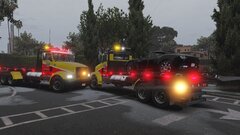
From the album: Red's LSPDFR chaos

.png.57aa73c33e683601a7826f7e97514b6d.png)
.png.bd9d45eb025e60cbeb97dc757336b1bf.png)
.png.c4b09a1ce958692ec59dc918c4198924.png)
.png.0b7f07b17c1fd6a083ac7a79611227a1.png)

