


Creators: Due to background reprocessing of files, approvals and file security checks may be delayed. Thanks for your patience.


Reddington
Members
-
Joined
Everything posted by Reddington
-
 Yeah, I wasn't too sure about doing it this way either. Even I used my own pack for adding in all blues if I ever had to reinstall. 😂 I just hated having a thousand download archives. I may end up reverting back to the old way.
- 269 comments
- 17 reviews
-
-

- 1
-
-
 The slicktop Silverado is broken, just remove the vehicle and data files for it.
- 276 comments
- 45 reviews
-
-
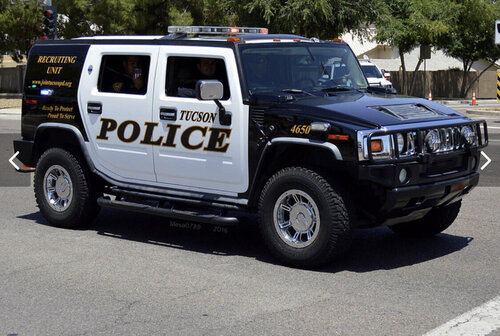 There aren't enough Hummer police cars! Could you please consider an unmarked version as well?
- 9 comments
- 2 reviews
-
-
- 2
-
-
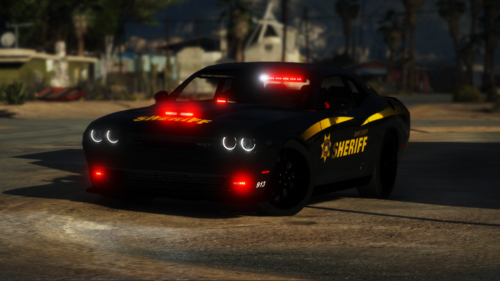 Thanks! Recently got into skinning, so now I want templates for all the things!
- 40 comments
- 5 reviews
-
-
- 2
-
-
-
Ripple, was it intentional that the reverse lights on the CVPI are connected to the primary lights and their pattern depends on the one you choose for primary lights? Also, is there any option to disable them?
- 276 comments
- 45 reviews
-
-
 What if you make it so that in order to change the tone, you need to press both the brake and the gas? Would that work?
- 262 comments
- 34 reviews
-
 Hi there. In the future, please don't post full logs, as they are quite large and cause additional scrolling. Instead, either use the spoiler tags or attach the text document to your post. 🙂
- 1,081 comments
- 166 reviews
-
You're supposed to create the scripts folder yourself, then drop in the files.
-
Small tip: While fivem ready means it has all fivem based files, it usually still contain the vehicle files in a sub folder that you can use in singleplayer.
-
Your topic has been moved to LSPDFR 0.4 Support. Please post in the correct location in the future.
-
Your topic has been moved to LSPDFR 0.4 Support. Please post in the correct location in the future.
-
This topic has been moved to the appropriate forum. Please post in the correct location in the future.
-
Your issue is not related to LSPDFR. Based off what you said your sheriff2 and pranger are causing the crash. Whatever you did recently involving them, revert it.
-
Your topic has been moved to LSPDFR 0.4 Support. Please post in the correct location in the future.
-
This idea is AMAZING! However, to expand on this, how about making it so when hitting the brake it cycles through all the tones?
- 262 comments
- 34 reviews
-
-
My assumption was that the textures for the slicktop units were ones always used. Is it all the slicktops missing a texture, or just one or two?
- 269 comments
- 17 reviews
-
It has been uploaded! Just give it a few minutes to get scanned by the security system.
- 269 comments
- 17 reviews
-
This pack is incredibly sexy. I LOVE the cars, love the liveries and for the most part the lights are nice. My only gripe is with the Legacy bar and the lack of different patterns. Most of them are just faster or slower versions of the previous pattern. However that is a small personal nitpick. This pack is just insane, and I'm very happy with the slicktop and unmarked versions of all the cars. Someone else said it in their review, but a Silverado would be a nice addition.
- 276 comments
- 45 reviews
-
-
- 1
-
-
-
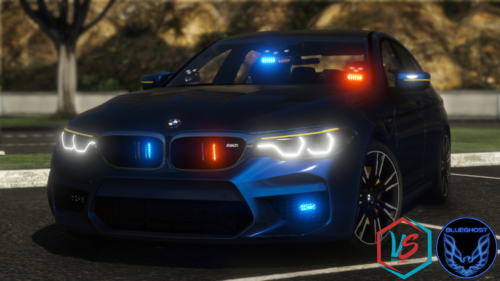 I dunno what it is, but I've recently fell in love with using unmarked BMWs, so it's a nice coincidence that you uploaded one. Beautiful car with amazing lights.
- 36 comments
- 8 reviews
-
It's because sirensetting is set to 0 in the carvariations. It needs to be set to 1.
- 36 comments
- 8 reviews


