


Reddington
Members
-
Joined
Everything posted by Reddington
-
This topic has been moved to the appropriate forum. Please post in the correct location in the future.
-
Moderator notice: Offering payments is against our community guidelines. Closing this thread as you clearly found some volunteers. On a more personal note, don't try and set up your game like he has it. LSPDFR is a much better experience when your game is personalized to you, not some youtuber. Install the mods that interest you the most and the ones you want. If you need help installing mods, please create a topic and ask for assistance. If you feel this topic has been closed in error, please report this post.
-
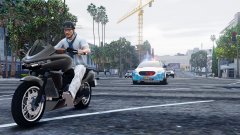
From the album: Red's LSPDFR chaos
-
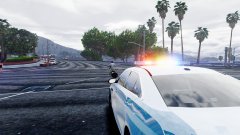
From the album: Red's LSPDFR chaos
-
If it's a Tahoe, there are plenty of unmarked ones out there that you can grab the unmarked texture off of and put on yours. Then use the carvariations to make it spawn black,
-
In terms of making a vehicle spawn without a livery, are you still wanting it to have multiple liveries, or just purely the white/black? If purely white/black and no other textures, you can try deleting the texture (blank_sign_1) in the .ytd, but on some models, that breaks the car, or makes it look like it's a dev car. If you can find an unmarked texture for the car, you can easily set it to spawn with the color you want. This topic has been moved to the appropriate forum. Please post in the correct location in the future.
-
This topic has been moved to the appropriate forum. Please post in the correct location in the future.
-
Remove the "enable MP cars in SP". This causes crashes. Also, in your main GTA V directory, check the commandline.txt. Make sure "-Enablecountermeasuresagainstonlinevehicles" is not listed. This topic has been moved to the appropriate forum. Please post in the correct location in the future.
-
Yes. LSPDFR modifications that you obtain from this website and GTA-5mods are 100% safe. RagePluginHook and ScriptHook website are also safe sites.
-
Open the ELS config. Is ELSActiveonAI set to false?
-
See my FAQs at the top of this section (GTA V support FAQs) and look for ELS. Your topic has been moved to GTA V Support, this is not LSPDFR related. Please post in the correct location in the future.
-
I don't recall which it is, but a plugin does this. By default the AI will just run marathons and your only means of catching them is in a vehicle, since you have a sprint limit and they do not. That's why this "AI trips" feature was included.
-
Rename your mods folder to _mods is everything fine now?
-
In OpenIV, go to ASI Manager and uninstall ASI Loader and OpenIV.ASI and then click install again to reinstall them. Next, restart your PC, and try loading into the game again and see if that works. If it still not working after that, please create a topic and post the ASI log and ELS log files.
-
When in game, try pressing scroll lock. Does it make any noise?
-
What happened today or last night that changed? Check your GTA directory, make sure you still have everything needed, including advancedhookv.dll
-
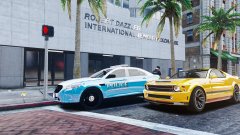
From the album: Red's LSPDFR chaos
-
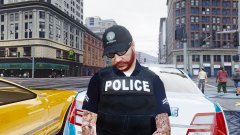
From the album: Red's LSPDFR chaos
-
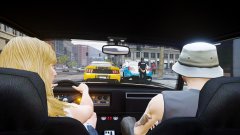
From the album: Red's LSPDFR chaos
-
You said it was fine for a few days, then this started. Did you add or change anything prior to when it started?
-
Hard to say, as I'm not an expert with hardware. My point though was that all this started after it blue screened. Check your PC settings, make sure nothing to changed or reset.
-
When you press J to turn on the lights, what happens? Does it make any noise or indicate ELS is working?
-
I'd ask the mod author about that.
-
Have you tried reverting back to the original texture? This topic has been moved to the appropriate forum. Please post in the correct location in the future.
-
Since your computer blue screened, and all the problems started after, it sounds more like an issue with your PC. Your topic has been moved to GTA V Support, this is not LSPDFR related. Please post in the correct location in the future.


