


Reddington
Members
-
Joined
Everything posted by Reddington
-
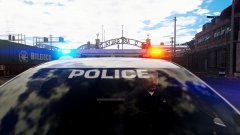
From the album: Red's LSPDFR chaos
-
Can you please try and take a video of the problem?
-
-
You would need to go into the .YTD for the file and change some of the blues to red in PhotoShop, Gimp, etc.
-
Have you tried adding tint then removing it? Have you tried removing dirt from the vehicle?
-
Double check which Rage version you have, the newest, which was just released, is 0.62.
-
No, you have to re-add them as with every GTA update. A new patchday was introduced, so add your mods to the newest patchday. This topic has been moved to the appropriate forum. Please post in the correct location in the future.
-
As with every single GTA update, mods such as ScriptHookV will break, and no, there's nothing that can be done. Just keep an eye on the ScriptHookV website for an update. Closing. If you feel this topic has been closed in error, please report this post.
-
Just to verify, do you mean GTA IV LCPDFR or GTAV LSPDFR? There was a recent update to GTA V, but as I don't play IV, I'm unaware. For now I'm moving this to the GTA V section assuming that's the game you're referring to. Doesn't belong in website feedback. This topic has been moved to the appropriate forum. Please post in the correct location in the future.
-
No, ELS requires SHV to run. The only option is just to keep an eye on the SHV site - http://www.dev-c.com/gtav/scripthookv/
-
Just keep an eye on the ScriptHookV site - http://www.dev-c.com/gtav/scripthookv/ Gonna close this as the only option is just to wait. If you feel this topic has been closed in error, please report this post.
-
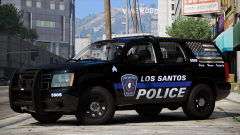 I love the texture!
 -
Your topic has been moved to GTA V Support, this is not LSPDFR related. Please post in the correct location in the future.
-
That's not surprising, as it was built specifically for ELS.
-
This topic has been moved to the appropriate forum. Please post in the correct location in the future.
-
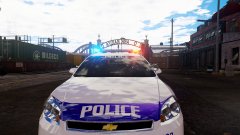
From the album: Red's LSPDFR chaos
-
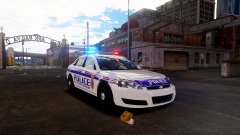
From the album: Red's LSPDFR chaos
-
RadianceV should not affect ELS in the slightest. Plenty of users have either RadianceV or other graphic mods installed without issue. Take a screenshot of your main GTA directory, please.
-
Ha ha, glad you got sorted. :)
-
This topic has been moved to the appropriate forum. Please post in the correct location in the future.
-
Sounds like it might be a driver issue. Is it only with GTA?
-
You're choosing not to partake because you have no counter argument, you know I'm right. Hustle, you can't pick and choose what you decide to respond to. If you're going to go all out in this debate, you damn well better have a response ready for when someone makes a valid point. At this point, there's no reason to even continue debating this. Debating with you just goes around in an endless loop with everyone saying the exact damn thing.
-
This topic has been moved to the appropriate forum. Please post in the correct location in the future.
-
You already have a topic for this. Please don't create multiple topics for the same thing. If you feel this topic has been closed in error, please report this post.
-
I don't know. Personally, I stick with manually installing my standalone cars and don't bother with anyone's "ease of use" mods. I prefer keeping track of everything.



