osefjygyuh
Members
-
Joined
-
Last visited
Everything posted by osefjygyuh
-
 The citation window doesnt fit in the game window, so i cant scroll down to select citations is there a way to resize it.
- 1,743 comments
- 172 reviews
-
 cant figure out whats wrong plz help if possible crashes when i go to interact with or without lspdfr + [12/14/2019 7:42:11 PM.063] LSPD First Response: UNHANDLED EXCEPTION DURING GAME FIBER TICK [12/14/2019 7:42:11 PM.063] LSPD First Response: ------------------------------ [12/14/2019 7:42:11 PM.063] LSPD First Response: Origin: Game fiber "<UNNAMED THREAD>". [12/14/2019 7:42:11 PM.063] LSPD First Response: ------------------------------ [12/14/2019 7:42:11 PM.063] LSPD First Response: Exception type: System.AccessViolationException [12/14/2019 7:42:11 PM.063] LSPD First Response: Exception message: Attempted to read or write protected memory. This is often an indication that other memory is corrupt. [12/14/2019 7:42:11 PM.063] LSPD First Response: ------------------------------ [12/14/2019 7:42:11 PM.063] LSPD First Response: Inner exceptions: [12/14/2019 7:42:11 PM.063] LSPD First Response: ------------------------------ [12/14/2019 7:42:11 PM.063] LSPD First Response: Stack trace: [12/14/2019 7:42:11 PM.063] LSPD First Response: at Rage.Native.NativeFunction.CallByAddress(IntPtr address, Type returnType, NativeArgument[] arguments) [12/14/2019 7:42:11 PM.063] at Rage.Native.NativeFunction.CallByHash(UInt64 nativeHash, Type returnType, NativeArgument[] arguments) [12/14/2019 7:42:11 PM.063] at Rage.Native.NativeFunction.CallByHash[ReturnType](UInt64 nativeHash, NativeArgument[] arguments) [12/14/2019 7:42:11 PM.063] at Rage.Player.set_WantedLevel(Int32 wantedLevel) [12/14/2019 7:42:11 PM.063] at Arrest_Manager.EntryPoint.<>c.<choice>b__202_0() [12/14/2019 7:42:11 PM.063] at Rage.GameFiber.Main() [12/14/2019 7:42:11 PM.063] LSPD First Response: ============================== [12/14/2019 7:42:11 PM.063] LSPD First Response: [12/14/2019 7:42:11 PM.072] LSPD First Response: [TRACE] Started new menu thread MenuBase #9 [12/14/2019 7:42:11 PM.079] LSPD First Response: [FATAL] Forced termination [12/14/2019 7:42:11 PM.079] LSPD First Response: [TRACE] Released 0 entities from DefaultContentManager [12/14/2019 7:42:12 PM.334] LSPD First Response: [INFO] LSPDFR has shut down
- 1,178 comments
- 137 reviews
-
 SQ jpeg for computer +. replace in Rockstar Games\Grand Theft Auto V\Plugins\LSPDFR\ComputerPlus\backgrounds. Make multiple copies and rename accordingly. lspd,lssd,bcso etc.
 -
I was updating my scripts, albo1125 and darkmyre, and then darkmyres stuff disappeared and i cant search for it anymore. police partner, search warrent, and agency callouts, or any of the british scripts even
-
-
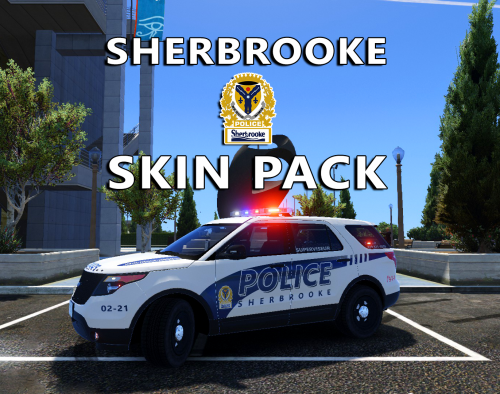 I wanted these so bad but i figured the work for it wouldnt be worth it so thanks for taking the time for this one. my home town so i always wanted these skins. i have your longueuil and laval ones too, really great stuff bro!!! i dont know if you can but ill ask anyway, could you make a generic one for transport (vanilla model), just sq is fine but if you can for others thats cool too. Thanks again great work!!!!
- 10 comments
- 3 reviews
-
OMG YES PERFECT!!! THANK YOU A MILLION TIMES OVER HAVENT OPENED YET BUT 5 STARS NO DOUBT
- 10 comments
- 3 reviews
-
 it crashed heres the report was able to reload after anyway. it asked to send report so here you go if its not what you need let me know. theres others in the file the last two are the traffic control crashes love it! crash logs.txt
- 338 comments
- 46 reviews