Hullian111
Members
-
Joined
-
Last visited
Everything posted by Hullian111
-
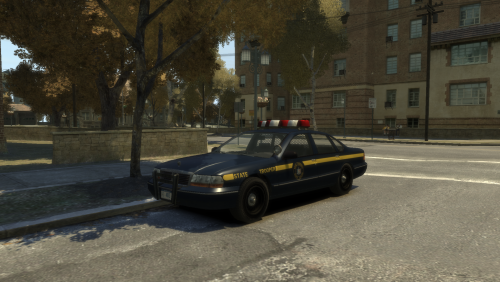 Well, my last release of 2017. Hopefully, this will fill a hole some people have been needing. Oh, and Abdi, I'm planning on doing that ASP one as you requested. Don't count on it, though - pretty dodgy number plate to deal with. This is ThatOneHick's Declasse Premier (Non-ELS), modified to give the appearance of a 1990s NLSP car, with realistic number plates. Using resources from the NLSP Stanier (thanks, Abraxas!), and many reference images, I have made the texture as accurate as can be with the limitations GTA IV texturing has. There's a chance that the liveries may be slightly incorrect because of said limitations, and my skills, for example, the door handles are not cut away, as they would have been a pain to do, so if any problems or inaccuracies show, tell me. The original model is located here (much credit goes to @ThatOneHick for a perfect police car - now we wait for the Merit Classic!) Please do not redistribute without my permission. This mod is exclusive to LCPDFR.com. Enjoy, and have a happy 2018!
 -
From the album: Hullian111's Gratuitous Misadventures
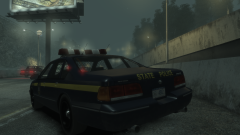
Okay, it's not really a project. It's nearly finished, I've just got to get permissions issues out of the way, if possible. Also, yes, the door handles aren't cut away. I really don't want to do those - they're a right old pain. And here, we have a New Liberty State Police Premier in the fog. I'm planning on putting this out, eventually, and maybe also putting out an Aldenrey State Police Premier, too. If only Abraxas was still around to make these types of liveries...© Hullian111
-
.png.623eb1e878669872e85101afceb702e2.png) *You're
*You're -
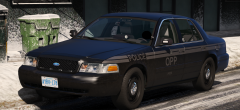 I'm speechless.
 -
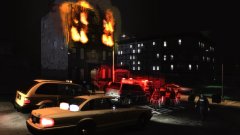 I see someone's using an unmarked taxi. Good taste. What's not so good is that filter you have on it. It...doesn't really look too great.
 -
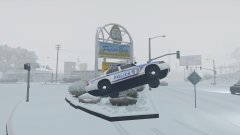
-
 As the Italian police would say.
 -
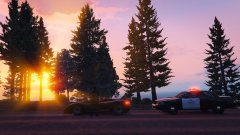
 I don't think these types of requests, especially being worded this way, get you anywhere.
 -
-
Who the hell still uses 'XD' these days?!
-
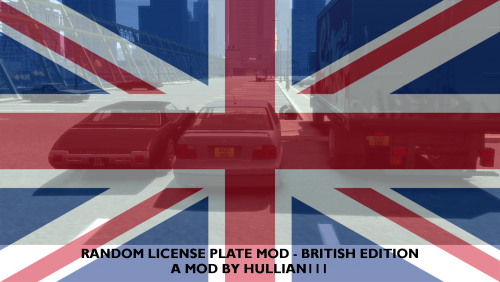 Merry Christmas once again, LCPDFR! This mod has been a long time coming, and now, it will be my second Christmas gift. So, you've downloaded DoubleDoppler's British plates mod, but are you tired of seeing the same, unrealistically-assigned number plates on patrol around fictional Liberty City/London/wherever? Well, fear no more, as there is now a mod to rectify that - the Random License Plates Mod - British edition! Taken from the original lore-friendly American version of this mod (if you want to download, put on a pop-up blocker, seriously), I have painstakingly edited every .wtd file (except for the Boxville, that is, for some reason, hopelessly broken) to have British number plates, with years and characters as accurate as possible - some silver-on-black plates are included in this pack - and using the right fonts and colours. A few in-jokes about the cars, British society, and other things are included in this pack, try to spot them! An important fact, however, is that these plates will very much likely apply ONLY to the original car - if your car is a completely different model, or has been slightly edited with new bodykits or 'shoes' (which means wheels in the strange Russian community), these plates will, unfortunately, likely not work, and you will have to use the original vehshare plates. I cannot edit models, so I can't easily apply custom genericdetails to different cars. You may also notice that vehicles such as the Rancher, Rebla, Solair, and other vehicles do not have custom plates. That is not of my doing - the original author forgot to include plates for those, and I believe he has not updated since then, so I don't think I'll be able to add those. Sorry. But this should, therefore, quench a thirst for individual number plates that you may have. While obviously, the system does not work like the number plate system in GTA V, you should see individual number plates from here on out, and not the bog-standard vehshare number plate. Before you download, I would recommend you download DoubleDoppler's number plate replacer to ensure the most authentic British experience where I couldn't replace some cars: So in all, I wish you a very Merry Christmas, and a Happy New Year to the community. Normal uploads will resume soon - for now, I am on a Christmas break until the 27th. Here's hoping 2018 will be a good one! Enjoy!
 -
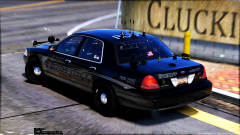
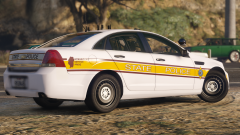
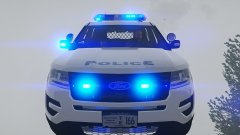 What's wrong with this perfectly-normal FPIU, you may ask?
 -
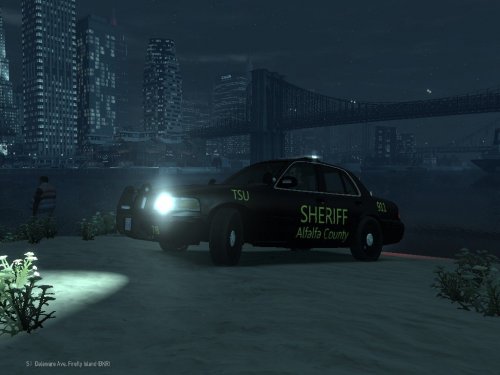 Agh, CALIBRI! Please don't use that font! Also, I'm pretty sure that there's no such car for that county. What exactly are you basing this from?
 -
 These are literally thumbnails.
 -
 Sort out the UI, and maybe, it could work out really well as one. Just make it look vaguely like a Touchmaster, and we're set.
- 133 comments
- 13 reviews
-
-

- 3
-
-
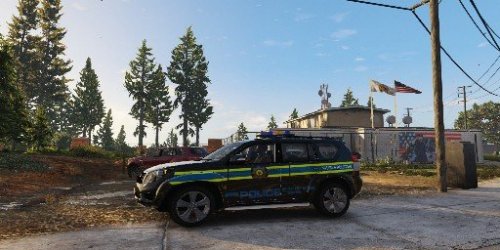 Just a quick note, I don't really like squinting to see the details. It also makes the image look really g r a i n y .
 -
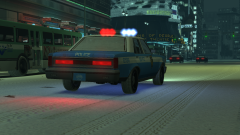
From the album: Hullian111's Gratuitous Misadventures
Technically, it's Festivus. I've had a whole lot of problems about this year, and now, you're going to hear about it! This year, I've had many ups, and many downs. From the start of the year, despite the upcoming GCSE exams, life had felt pretty fine - I had quite possibly the best day of my life, I went to prom and lived it up, and I've got (almost) the results I've wanted. But since I've started college, and with recent events such as the Manchester bombings, Grenfell, and with personal problems such as trying not to get my disability allowances stripped unfairly, I've been feeling pretty down and out lately, and it really showed on Friday. Maybe the winter blues have finally caught up with me. But with the end of the year coming soon, maybe next year will be a fresh, more uphill start. Sure, I'll miss school, and sure, it hurts to see what's going on around the world sometimes, but maybe, 2018 won't be so bad. And in terms of GTA modding and all, I'm planning on getting a few more mods out before the winter season is done. I would just like to share to this community, even though it sometimes seems that I don't stick around in it very often, that I feel pretty good about being here, especially now that I have learned to screenshot and publish my little fantasies in the gallery. It sort of feels like I'm putting myself out there on the internet for once, and in a good way. It's the sort of thing that makes me come back to GTA modding, even though I can't play GTA V because I broke it. And with that, I wish you all a Merry Christmas, and a Happy New Year.© Hullian111
-
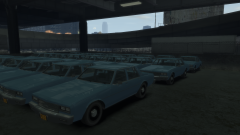
From the album: Hullian111's Gratuitous Misadventures
Okay, its a bit of a divergence from the current theme, but everything has to stop. The Merit Classic by GCT is out! Prepare to see this in fleet form very soon! Here, at the LCPD Workshops in Algonquin, multiple 1983 Declasse Merit Classics were seen parked up in the lot, ready for their police conversion. Following an evaluation upstate, the Commissioner guaranteed that this would be a huge hit with police forces across the United States.© Hullian111
-
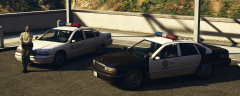 OH MY GOD, THE MERIT CLASSIC IS OUT! Oh, I can't wait for the police version...
 -
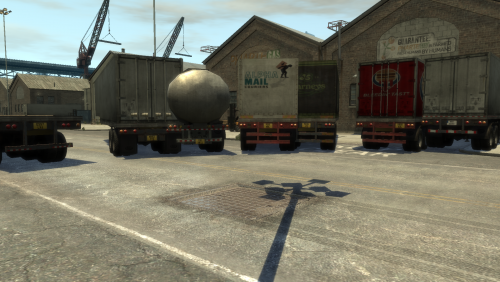 Have you ever noticed that the trailers in GTA IV have license plates with actual markings on them, unlike the normal car license plates? Well, these number plates are applied on all different types of trailers in game, so I made a mod to make them British! (except for a Polish one, because why not) All trailer .wtds contained will have different number plates within, and they will all spawn on the corresponding trailers dotted around Liberty City. Installation? Uh, go into your drive for GTA IV, and search for industrial.img. I can't remember where the folder is. A bit of a hint of what is coming for Christmas! Stay tuned in three days. (sorry about how poor the screenshots are, I couldn't be bothered to go search for them all in-game)
 -
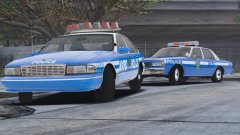 Maybe the reflections are a bit bodged, I don't know. But they certainly don't look too appealing in that light. Could be the default GTA V lighting, who knows.
 -
They're a bit bright.
-
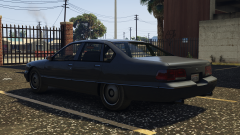 I spy...fender thing?
 -
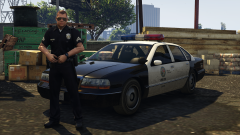 Ugh, now I'm inclined to make one of liveries again...
 -
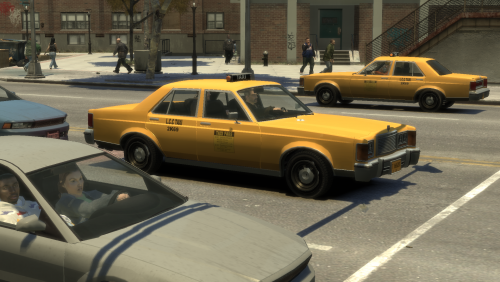 A couple months back, I stumbled upon a screenshot by 11John11, which featured ThatOneHick's police Marbelle in taxi form. I inquired about it, and with ideas in mind, I created a proper 1980s-style taxi livery out of it. And now, it has a permanent place in the 1980s Liberty City save I have. Thanks, John, this mod - 'my' first vehicle model - would have never happened without you. This is ThatOneHick's Willard Marbelle, modified to become a 1980s New York-style, lore-friendly L.C.C. taxi. Using resources from both real life and in-game, I have made the liveries as accurate as can be with the limitations GTA IV texturing has. What proved to be the most difficult, however, was the license plate, as no good-quality pictures of 1980s New York State taxi plates exist, so please excuse any irregularities with it. I have selected this mod to replace the Taxi slot, however, if through some serious manual labour, it can be modified to fit into Taxi2 or Cabby, or with the right expertise, it can be added as a completely new car altogther. The template from the original Marbelle has been included for other creators to make their own liveries out of it - I hope to see what comes out of it in the near future. There is one glaring issue, however - when the player enters this taxi, the destination selector is covered up by the dashboard. Since the model is optimised for the original Stanier dashboard, the model could not be moved without some serious model editing, which, I'm afraid, is not possible from me. So you will have to rely on the minimap, should you want to go anywhere in this, but I think this can easily be played off because the destination selector thing probably didn't exist in the early eighties. The original vehicle to match the taxi is located here (much credit goes to @ThatOneHick for the original, so-80s Marbelle model) Please do not redistribute without my permission. This mod is exclusive to LCPDFR.com. Enjoy!
- 4 comments
- 1 review
-
-
- 6
-

.png.623eb1e878669872e85101afceb702e2.png)