


EyeBeeBallin
Members
-
Joined
-
Last visited
Everything posted by EyeBeeBallin
-
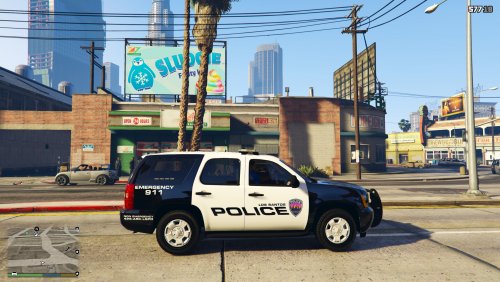 Very nice man! Finally someone made one for Houston. Nice work! Please make more! :)
- 1 comment
- 2 reviews
-
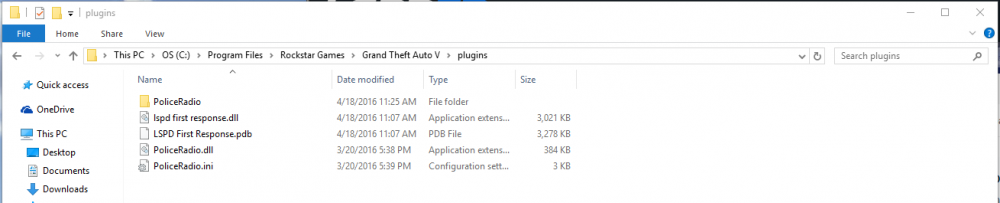
Alright so this is what my plugins folder looks like. I have downloaded from Chrome, before I had downloaded from IE. Tried going in and loading the game then going on-duty. I have also manually tried to load plugin through console, and still nothing. Any advice? FINALLY! I figured this thing out myself! So if you look in the pic above, I have created a separate folder named "LSPDFR" and took the Police Radio folder, PoliceRadio.dll and PoliceRadio.ini and placed them in there. Loaded the game and ForceDuty and it works! WHOOHOO!
-
I have tried that also. Using ForceDuty and also going to an actual police station Trying this now. Will update when finished.
-
I'm trying to install Traffic Policer 6.7.0.3 and the readme is saying to just put into the folder "plugins\LSPDFR" I'm not sure if this makes a difference but I purchased my game through Rockstar. The folder I have is "Rockstar Games\ Grand Theft Auto V\plugins\" (there is no LSPDFR folder) I have tried making a LSPDFR folder inside plugins to get the right root directory, but when Rage loads, it doesn't get any of my plugins. Already have the setting to load all plugins on startup. Can anyone help me with this? Thanks
-
I'm trying to add the Ford Police Interceptor 2012 model. 1.6.0 and when I am looking at the readme, it says I need to open a file path "(mods)/patchday4ng/dlc.rpf/x64/levels/gta5/vehicles.rpf" but I never created a mod folder and am not sure how. Also the install path is "(mods)\Update\X64\Dlcpacks\mpheist\dlc.rpf\common\data" which I don't have either. Can somone direct me to where a tutorial is for beginners or help me out on what I need to do. If anyone has time to write out a complete step-by-step I would appreciate it. Thanks!

