



RustyNail272
Members
-
Joined
-
Last visited
Everything posted by RustyNail272
-
-
If this is for LSPDFR. When its done do you think we could get it put in LCPDFR. Cause Im killing to have an older P71 in my fleet.
-
Hopefully we can get this fixed!
-
Good Luck. Only a few people play LCPDFR anymore and only one or two play who know what they are talking about. Even though im 99 percent sure you already tried. Maybe look at this?? http://lmgtfy.com/?q=gta+4+RMN10+fatal+error+fix Btw this error means. RMN10 Failed to read file - Please re-boot your system
-
^^ That one has more information but try this one as well (Skip the first half unless help needed on installed LCPDFR) https://www.youtube.com/watch?v=B-u9nf8_oNk
-
Check to besure your cars are using the same version of ELS that you have downloaded. EX (2008 CVPI {ELS V8}) So if that was the case besure you have ELS V8. Your pc has way better specs than mine. So the els lighting cant be overloading the game causing it to crash. IDK if this will help fix it or if you already have everything like i stated above but maybe it will help.
-
Depending on if you ONLY put -norestrictions in the commandline and if it was a .txt file in the Directory. You'd also probably want to (IF ON STEAM) Put most of the same things into the Set Launch Options part of the Game. Here is what i have in the Launch options on Steam. -availablevidmem 2.0 -NORESTRICTION -NOMEMRESTRICT -AVAILABLEVIDMEM 6.0 -PERCENTVIDMEM 100 and for my .txt file in my directory here is what I have. Just replace this one with your current https://www.dropbox.com/s/zbtqrf51v83qmqi/commandline.txt?dl=0 PS: I've never got this error that I know of. But hopefully this will help.
-
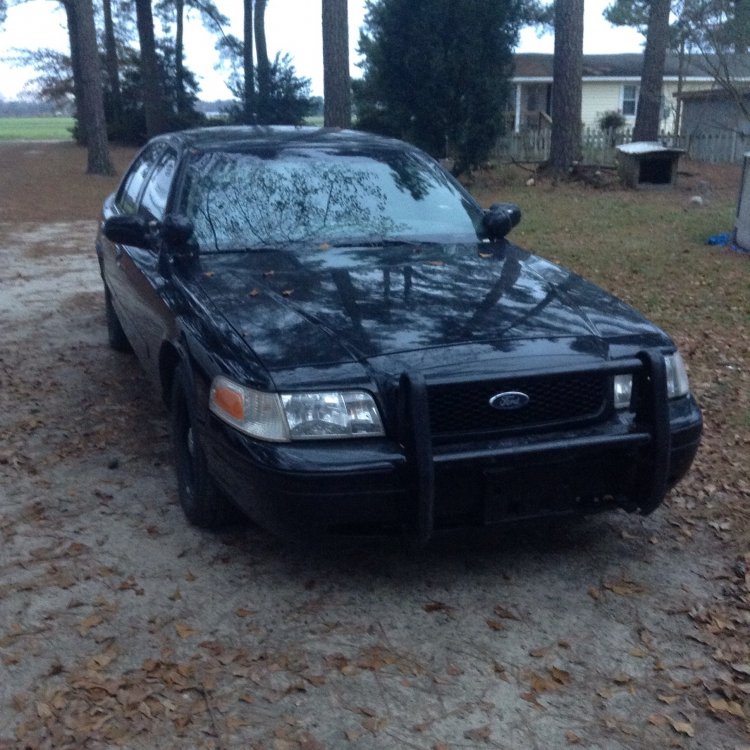
Crown Vics are good Cars. We own 2. A 2002 Detectives Car. and a 2002 CHP Unmarked Slicktop (With Rambar) They both are very reliable and not expensive. Although there are a few years that you want to try to avoid when buying the car. Idk what ones but I do remember hearing about it. Watch this This is not my video.... A bit off topic. Here is the CHP CVPI we own.
-
What version are you using. You may have made a simple mistake if you're using 1.0 or up are you using manual or automatic? Also you did download LCPDFR not LSPDFR right. Just checking
-
This is probably the dumbest question you'll see on this Forum. But it would help me out alot. My Connection here is bad. And I have a Steam and Hard copy of GTA5. The steam copy is like 73gb to install. So yea. The Disk Copy works fine and all but i havent been able to play it. As for it has like 63gb of Title Updates and what not. If someone could do me a favor and take all of the updates and .zip them and upload them and PM me a link. It my not sound legit. But I can come up with proof if needed. If you're wondering on why im asking for someone to do this so I can download them. I plan on downloading them on a different network as im on a desktop. And transporting them on my Flash Drive. Hopefully you understand. PS: Admins I hope this is in the right place and hope this isnt vilating any terms or anything. Have a good day.
-
Good Truck. Was needing something to replace my Nstockade which was a mack. Im going to miss it lol
- 20 comments
- 7 reviews
-
Title says all.

