


SoarHawk
Members
-
Joined
-
Last visited
-
Currently
Viewing File: (ELS) Blaine County Sheriff's Office MEGA Pack (Addon)(R/B/W)
Everything posted by SoarHawk
-
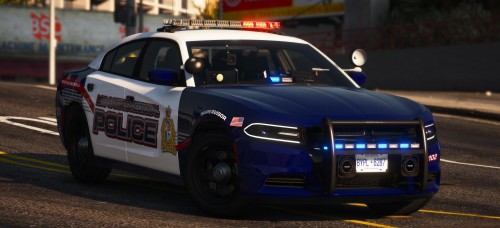 @Maurice97 Awesome pack. I have pretty much every car installed. Only issue I have is on the slicktop 13 Explorer there are floating red/blue coronas on top of the vehicle when you walk away from it. Could you fix this in the next update?
- 36 comments
- 11 reviews
-
Like the others have said, the processor is really not the greatest. Definitely recommend an Intel versus AMD. Just to give you an idea regarding the graphics cards.. I have Dual 1080's and I still experience graphics issues from time to time with LSPDFR. Granted, I have tons of add on cars, plugins, callouts, etc. However, I definitely would not recommend the 1030 if you want to run LSPDFR with High settings. Try a 1080 with an Intel i7 if you want a decent experience. Additionally, I have had major issues with iBuyPower in the past where they would send me computers repeatedly with the same problems. I wouldn't recommend them either.
-
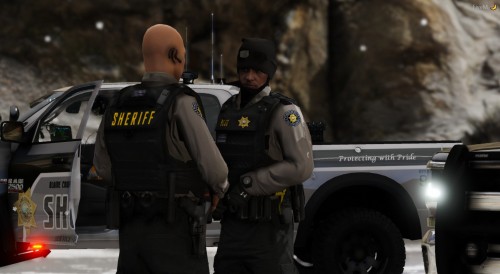 Did you have to rename them all and replace BSCO or did you just leave it replacing SAHP?
- 159 comments
- 7 reviews
-
And how are we supposed to know what to replace? Especially because this wasn't updated for EUP 8.1... makes it extremely difficult to install, going back to @Maximilian89's point. Really, there should be an OIV package given the sheer amount of textures... or at least have accurate paths and correct names corresponding to Sheriff uniforms. Such a nice pack, but just way too difficult to install.
- 159 comments
- 7 reviews
-
-

- 4
-
-
What issues are you referring to..? You can also actually find the release notes detailing everything they have updated here.
-
Hi There, LSPDFR 0.4.1 is notorious for causing FPS drops primarily because of the new features involved in the update, including more police models roaming the city, free roam events, etc. You can turn these off by including these lines in the LSPDFR ini: Networking.DisableServerCommunication = True Networking.DisableDiscordRichPresence = True Main.DisableAmbientScriptHooks = True AmbientSpawn.MaxCopsInArea = 0 WorldEvents.IntervalMultiplier = 0.0f Ambient.DisableAmbientGameCopSpawnBlock = false AmbientSpawn.MaxCopsInArea = 0 Separately, I just want you to know you're not the only one. I have a computer with 32 gigs of ram, an i7-8700k, and dual GTX 1080's and I still face major performance issues when I go on duty. Adding those lines will definitely help. Also, make sure all of your plugins are up to date and compatible with the latest LSPDFR version.
-
-
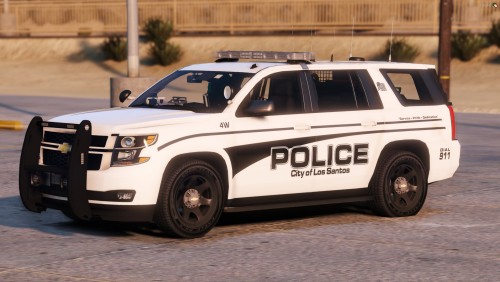 Can you link his contact info or site please?
 -
@DJCaveAgreed.. pack looks sick. Can I download it anywhere for personal use?
-
Do you have any additional plugins installed?
-
When EUP is updated, as are the places where the EUP items are installed. For instance, the previous EUP version may have had a different placeholder for the LSPD short sleeve shirt. When you load an outfit from an older version of EUP, it can show random clothing items instead of intended items that you had in the older version.
-
Have you tried using the most updated game config to support addon vehicles?
-
Really, there are two ways to control where a vehicle is stopped. The first is with Traffic Policer using the mimic function, this is toggled by pressing Control R by default. If you want AI to simply find a new place to pull over, you would sound your horn (default left thumb) and they will proceed to move to a different location.
-
Are you using Traffic Policer to control where the stopped car is going?
-
Lucas, Make sure you have the current versions of Albo's mods. Some of them he very recently updated, Arrest Manager is one of them and is now updated.. If you have older versions, they will not work with LSPDFR 0.4.
-
In the game, the police transporter is referred to as "policet".
-
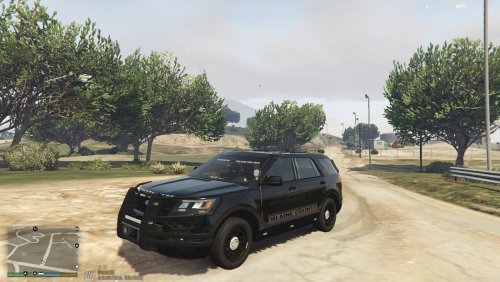 There are no plates on this pack from the pictures, are you planning on adding them?
- 10 comments
- 1 review
-
I was going to say I was having this exact issue and in the Rage settings page, I selected force window mode and DirectX 11 and it fixed the issue. I would give this a try like Pavy suggested.
-
-
 Thanks man, I appreciate it. Seems like a great plugin.. haven't had the pleasure of trying it yet.
- 1,005 comments
- 68 reviews
-
I can confirm that with the most recent update, this is causing LSPDFR to crash.
- 1,005 comments
- 68 reviews
-
Thank you but I already fixed the issue. It was something with one of the model's I was using inside the DLC. Swapped the model and game works fine.
-
Hey guys, I recently updated to the newest GTA V update. That being said, I updated the mods folder to include the newest update.rpf. However, when I tried to add back my custom cars DLC, the game crashes every time I edit the dlclist to include the customcars DLC. Without that entry in the list, the game runs completely fine. I tried taking everything out of the customcars DLC folder and the game is still crashing. I also updated my gameconfig file to be compatible with the latest update. Is anyone else having this issue? Does anyone have any suggestions?
-
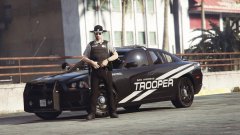 Nice pic, is that trooper skin pack released?
 -
That’s true I didn’t even think of that. Tried removing the trainer, no luck 😕


