


SoarHawk
Members
-
Joined
-
Last visited
Everything posted by SoarHawk
-
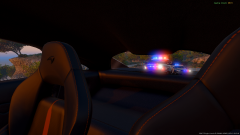 That's a shame, they look really nice. Looks like the lights have nice coronas too, which many vehicles now are lacking... nice job Him. Looking forward to when (if) you release them.
 -
Are those cop cars released?
-
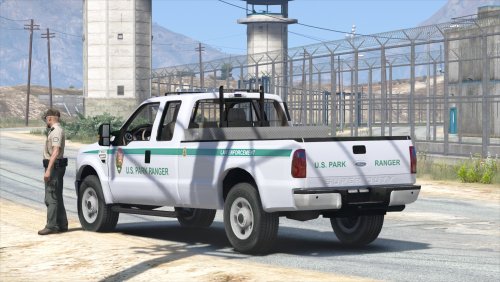 Great truck. The only issue I noticed is when the vehicle collides with anything another truck falls out and the lightbar comes off. Also, I wouldn't recommend keeping the handling set to pranger, I would change it to something else like police3 because pranger tends to tip over. Other than that, nice work.
- 29 comments
- 15 reviews
-
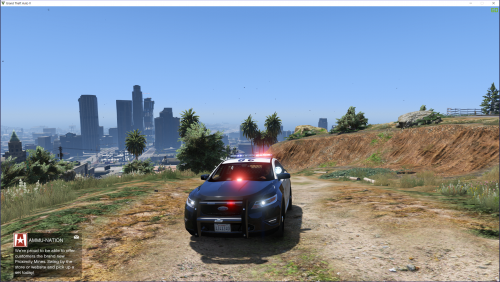 Great model. I love the number of extras and customizations available. Lighting is great, thank you for actually adding some coronas unlike many other cars being made currently. My only complaint, and it is very minor, is that the back lights seem to be slightly cut off by the interior, seen in the pic below. Hopefully in a future update you can fix that. Other than that, great car.
- 49 comments
- 10 reviews
-
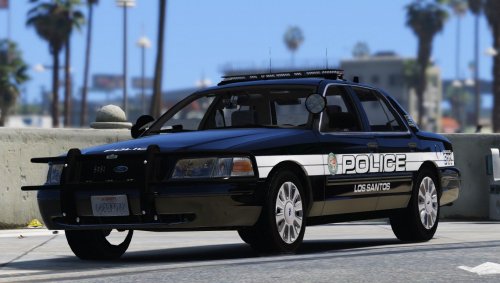 Is there going to be an update for this pack? I know I and many others (including FirstThirtyMinutes) use this pack and would like to see it updated with new vehicles.
- 33 comments
- 14 reviews
-
 You should provide a YouTube video or something to give a sample of the sounds.
- 24 comments
- 13 reviews
-
-

- 1
-
-
This feature alone would be amazing. Nice work.
-
Good idea. It's just weird because it does it on some other files as well. I'll click on a version and it'll download the version ahead or something.
-
Because the moving antenna drives me up a wall and 1.3 has the back light red instead of white (1.2 has white).
-
Hey guys, I am trying to download version 1.3 of this Ford interceptor but whenever I try downloading version 1.3, it downloads 1.4. 1.2 downloads 1.2 correctly, though, it only seems to be an issue with 1.3. Is there any way to correct this or for me to download this version?
-
If your lights are not bright, install Radiance V, make sure your Post FX setting is set to high or above and make sure your Shader quality is high or above. Maybe one of these settings got changed?
-
-
 I replaced the park ranger and now it works fine. Doors will not make noise though, but everyone has that problem. I'm using it as park ranger and it's working okay for me.
- 87 comments
- 23 reviews
-
What are you light and siren settings set to? They should both be 1 I believe.
-
Do you have a carvariations section for the Police slot?
-
What do you mean you can't get the carvar to work? Like the lights aren't working right or?
-
.thumb.png.84adb823f7f653b8d654f1ab13098851.png) A great set a vehicles. The only complaint I do have is that I think the lights are a bit dim. I have my Post FX to high, Radiance V, and my shader to high, and they just don't really bloom as much as other vehicles. Maybe in the next update add some brighter coronas? Other than that, love the cars and the lighting set up is perfect on each one. Great job Virzza. Looking forward to seeing more of your releases.
A great set a vehicles. The only complaint I do have is that I think the lights are a bit dim. I have my Post FX to high, Radiance V, and my shader to high, and they just don't really bloom as much as other vehicles. Maybe in the next update add some brighter coronas? Other than that, love the cars and the lighting set up is perfect on each one. Great job Virzza. Looking forward to seeing more of your releases.- 89 comments
- 44 reviews
-
Do you guys have it where the police radio blinks too? My observation window used to but the police radio doing it is new.
-
Hey guys, I don't know what sparked this, but recently both the observation window and the police radio portions of the police radio mod blink like crazy in certain areas. It's odd, because I'll move my mouse so I'm at a different view and they won't blink as much. It's like they are blinking in some areas more than others and I really don't understand. Is there any way to stop it? I've tried reinstalling police radio but no luck there. Any suggestions?
-
In your carvar, you didn't open with <Item> here: <lightSettings value="1" /> <sirenSettings value="1" /> </Item> <modelName>slamvan</modelName> <colors> <Item> <indices After </Item>, you should have <Item> to open the slamvan section.
-
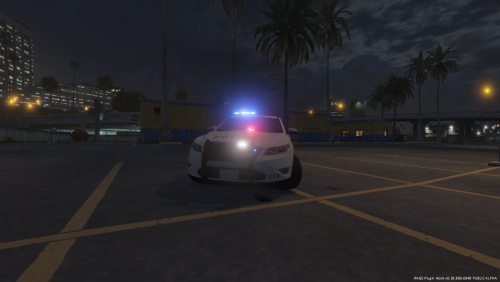 For the most part, a very good car, however I do believe there a few things that can be improved on in further updates: -The rambar drives me insane, and it's not just you. I see it on many cars and it WILL NOT change colors, no matter how many times you change the texture. It is this light purplish grey color (in the day time), not black and not really entirely grey either. It doesn't really go with many paintjobs. I don't know if it's the rambar itself, but I don't think it's the texture because like I said I changed it to black and it did nothing. I believe Policesco said it was a default GTA texture or something, I don't really know, I'm just not a fan. Please consider fixing this to be a darker grey or black. -Interior could use some work, but it's not terrible. -The white lights I'm iffy about. Personally, I'm not a huge fan of them, but I know some people are. Maybe make them an extra? Or I know a lot of modders make light files to change the lights depending on users preference. That would be a great addon to the file. - Some extras wouldn't hurt (rambar in particular should be an extra in my opinion). Overall, I really like this car and it's rare to see a Taurus without those annoying antennas that are 20 feet tall so I appreciate that. I'm giving you 5 stars because it's rare to see a first edition model be perfect, so I understand if there are errors, and they're minor as well. With the few issues above being corrected, this could be one of the best Tauruses on this site in my opinion. Keep up the good work.
- 14 comments
- 4 reviews
-
-
- 2
-
-
-
 Love the model, but why did you make some of the coronas white? Is there any way to correct this?
- 74 comments
- 30 reviews
-
 Is this Charger released?
 -
.thumb.jpg.4066677156985e22489bfecddc2f6c45.jpg) For those complaining about the Open IV Package Installer... all you have to do is double click on the package in a program like 7 Zip and click on Content where you will find the vehicle files. There really is no sense leaving a one star review for such a well made car. The Crown Vic is extremely well done with lots of detail, really no complaints here.
For those complaining about the Open IV Package Installer... all you have to do is double click on the package in a program like 7 Zip and click on Content where you will find the vehicle files. There really is no sense leaving a one star review for such a well made car. The Crown Vic is extremely well done with lots of detail, really no complaints here.- 376 comments
- 81 reviews


.thumb.png.84adb823f7f653b8d654f1ab13098851.png)
.thumb.jpg.4066677156985e22489bfecddc2f6c45.jpg)