Creators: Due to background reprocessing of files, approvals and file security checks may be delayed. Thanks for your patience.

Ravalli
Members
-
Joined
Everything posted by Ravalli
-
 @BlackJesus1 For those of us who have this already installed, which file should we replace for the updates? Thanks!
- 122 comments
- 29 reviews
-
 I have a few questions adding new transports using the XML file. 1) Can addon on vehicles be used, ie "Police6, RAM, etc 2)Is the "ExtraNumbers" for different livery's? or extra parts on vehicles? ie having a ram bar on/off 3) Where is Braddock Tunnel? I found Braddock Pass in Blaine county next to Mount Gordo but don't see Tunnel anywhere. Thanks for adding the Region transport as it makes the game even more custom.
- 1,915 comments
- 242 reviews
-
-
-
-
-
-
 I have been using this addon mod for the past month and figured it's time to give a review. I have found alot of items that just don't make sense to find in a car or misspelled items. Also I find some really unrealistic items that show alot. The ratio to finding green to red items is off. I find way to many red items. I see you have been adding lots of items, but I think you should fix the current ones first.
- 38 comments
- 16 reviews
-
-

- 2
-
-
 Awesome car, with lots of extras and plenty of lights. It made a nice patrol tonight with many more to come. One of the other things I like about it, it can use that same textures as F5544's charger
- 74 comments
- 30 reviews
-
 Will do
 -
I used a clean install to test out (no other mods) but never know, could be just on my end
-
My feedback from playing tonight so you can work the bugs out> Only callout I was getting was indecent exposure (even when I was forcing callouts) and 1 of 2 things happen, either LSPDFR crashed about 5 sec after dispatch called for it (this happened 3 times) or LSPDFR crashed when I went to arrest suspect (happened x2) Thanks for the hard work making this, and I'm sure it will be a great callout pack when your done.
-
No worries, you have to learn some how. For the fact you are trying is awesome.
-
Yay, a new callout! Time to play!
-
Can't wait to get off work and take this baby for a spin. Thanks for supplying us with great vehicles to play with!
- 74 comments
- 30 reviews
-
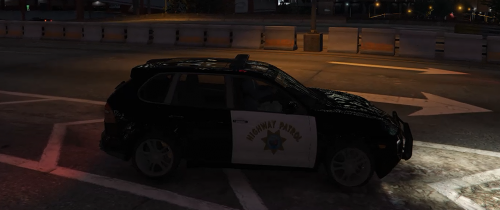 Nice texture
 -
.thumb.png.f554a3e22a0cc94aa174267689e6dbad.png) It just keeps getting better! I love these skins, and use them for all my LSSD. What makes it so great is that you make them for alot of vehicles so our whole fleet can be covered, and not a mix match of random skins.
It just keeps getting better! I love these skins, and use them for all my LSSD. What makes it so great is that you make them for alot of vehicles so our whole fleet can be covered, and not a mix match of random skins.- 47 comments
- 9 reviews
-
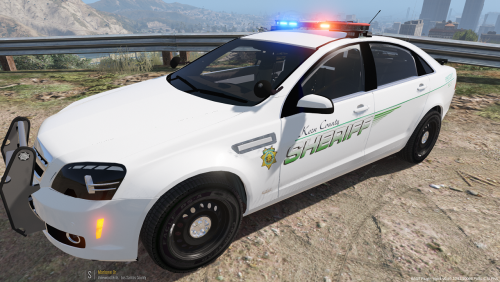 What Kern County! Yes! Living in Ridgecrest, I saw these cars all the time. Also makes since in GTAV as IMO Blaine County is like the game version of Kern.
- 13 comments
- 1 review
-
-
-
 Weird it fixed my issue. Anytime I have an issue with a vehicle acting up, I take a clean copy (no mods or other cars installed) and just install the one vehicle to see if other mods may cause it to act up
- 269 comments
- 67 reviews
-
Is there a way to make the custom transport the 3 main areas to like LSPDFR is setup, ie LSPD, LSSD and BCSO? or will I need to add each of the listed areas?
- 1,915 comments
- 242 reviews
-
For those having issues with lights acting weird even with Rad V. etc. make sure you have "Shader Quality" set to at least "HIGH" or lights will not be bright
- 122 comments
- 29 reviews
-
-
- 1
-
-
Make sure you have "Shader Quality" set to at least "HIGH" or lights will not be bright even if you install Rad. V. Make sure you have "Shader Quality" set to at least "HIGH" or lights will not be bright even if you install Rad. V.
- 269 comments
- 67 reviews
-



.thumb.jpg.f806c60e0c1d78a95eab5871f9ce94dc.jpg)
.thumb.png.23b56a0ef426095045adcc2870493be1.png)
.thumb.png.f554a3e22a0cc94aa174267689e6dbad.png)