




Brad Philips Townley
Members
-
Joined
-
Last visited
Everything posted by Brad Philips Townley
-
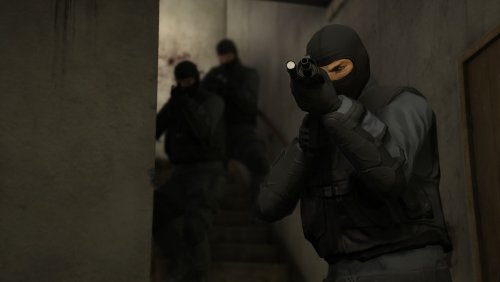 Appears to be a bug with the Warrant callout; the other 2 SUVs just hang out at the staging area and don't move
- 53 comments
- 14 reviews
-
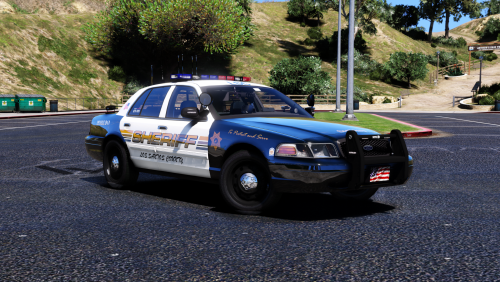 What ENB do you use? I thought the first screenshot was an actual photo at first. Amazing work on the car, by the way.
- 21 comments
- 18 reviews
-
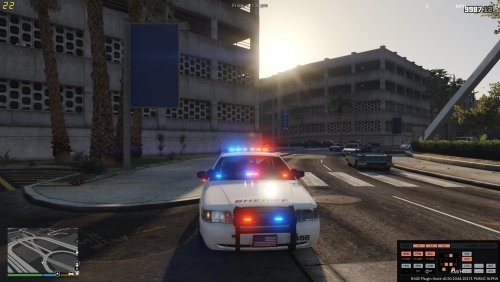 I'm confused. It says "take the two files and place it in the plugins folder," yet there's only one file (the .DLL) in the download.
 -
-
 Have set to override LSPDFR backup and controller button to Right Stick, but button will not change from DPadRight - it says RightThumb in the .xml, but obviously 2 and 2 aren't being out together somewhere.
- 378 comments
- 23 reviews
-
I'll look into that now
-
Only other thing I have is Simple Trainer, which I removed. However, nothing changed.Now it works fine when using vehicles, but the second I go to activate emergency lights, it crashes the game.Mods folder removed, game completely reinstalled. Issue still persists.Since the last topic I made about LSPDFR crashing, at which point all vehicles were functioning, no changes were made.Nope. This issue is completely out of the blue.The game is crashing whenever I get in a vehicle, modded or unmodded. I've never had this issue before so I have no idea where to begin in solving it.Thank youWhen I press F3 and bring up Simple Trainer, it loads, but then I cannot do anything - the menu does not move or select When I type a command in the Rage console (i.e. Spawn SHERIFF2), nothing happens and the console just stays open and displays a bunch of random messages. Can't close it. While loading, the screen says that there is a fatal error. UPDATE 1: I can exit the Rage console. Won't execute commands. Says it attempted to read or write memory, which typically indicates an error. Added Rage log. Cannot attach screenshots because whenever I screenshot GTA the screenshot just comes out black RagePluginHook_05112017_205051.log
 ah okay. Got confused because the readme said it modified one of the racing dlc's.
- 1,509 comments
- 85 reviews
I didn't say it was possible, I was just wondering if there was a soul brave enough to take on the task
Version 3.1.1 I cannot seem to figure out where the vehicle models are installed at. I ask because I'd like Sheriff, Sheriff 2, and all the added-in Sheriffs to have the same skins. Also, install log says I don't have an "addins" folder, don't know what that is or how it works with this mod. RDEInstaller.log- 1,509 comments
- 85 reviews
I've tried to download three different files. One was successful. The other two, however, each give the 503 Error stated in the title - the download doesn't start, so I click the button where it says to click if the download doesn't start, and then it brings me to a blank window with only the error message displayed.I was wondering if anyone could create a mod or script or something that automatically installs all (or some, but still multiple) scripts and plugins you have at once. Don't know what else to say about it so yeah. If anyone could do that it would be freakin' awesome.The directory??I removed all the files in the directory shown in the Rage screenshot but it still gives the errorI moved em from this copy to the modded one because I accidentally installed them in this oneI can't enter GTAO on my 2nd, unmodded copy because of an 'altered' game version, but I'm not sure if I'm missing files or if I need to remove something. I have already added and removed about 10 files..thumb.png.5432d83cf7db9e68b81653368ea4530a.png)
.thumb.png.c139ec151903c05e0db951cb6a2e137e.png) I have 2 copies of the game, one of which I am trying to reinstall. However, when I downloaded the install wizard/client from R*, it uninstalled the other copy. How can I change which copy it uninstalls?
I have 2 copies of the game, one of which I am trying to reinstall. However, when I downloaded the install wizard/client from R*, it uninstalled the other copy. How can I change which copy it uninstalls?

.png.89b25106249b65fe3aa20b9861d72e50.png)
.png.f136ef161010d4fe993f2257b9494db8.png)
.png.024a4fad9062c1a47c4981867e3109a2.png)

.png.cb54883ac612dcc39fdd9ee494eb6df5.png)
.png.368a8e70be5c824d0549817ea029b010.png)