


JAM
Community Team
-
Joined
-
Last visited
Everything posted by JAM
-
Your topic has been moved to LSPDFR 0.4 Support. Please post in the correct location in the future.
-
This topic has been moved to the appropriate forum. Please post in the correct location in the future.
-
Your topic has been moved to LSPDFR 0.4 Support. Please post in the correct location in the future.
-
Your original topic has been edited. Please do not offer compensation for support on our site is it is against our guidelines. This topic has been moved to the appropriate forum. Please post in the correct location in the future.
-
Your topic has been moved to LSPDFR 0.4 Support. Please post in the correct location in the future.
-
Your topic has been moved to LSPDFR 0.4 Support. Please post in the correct location in the future.
-
If you feel this topic has been closed in error, please report this post.
-
You already have a topic pertaining to this subject, please use that one. Also it is against our guidelines to offer payment for modifications. Thread locked.
-
 I had one crash caused by this script, I've got the log if you're interested. I really like the concept. If you expanded the distance on which these spawned and possible included some "shady" peds or stuff to really dig in or look for that'd be awesome. Keep up the great work!
- 222 comments
- 22 reviews
-
Launch the game normally as if you were attempting to play normal GTA V without LSPDFR. Once the game has launched, tab out and then launch Rage Plugin Hook. The RPH will hook into the game and you'll be able to play LSPDFR just as before. It's a bit of a pain, however you can still play LSPDFR/All your mods as normal just an extra step.
-
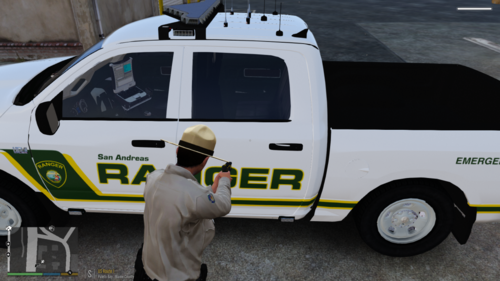 Works really well and can be really useful with annoying AI messing up your scenes (IE: Traffic Collisions). Didn't realize how much I missed the "Delete Vehicle" function from FiveM Rp servers until I started playing LSPDFR again, and this works really well to fix that!
 -
I'll give this a go. Thanks!
-
Checked it out, nothing really out of ordinary. Oddly enough GTA V isn't even eating up that much of resources.
-
Hey everyone, been a while since I've created a topic. I've recently decided to get back into LSPDFR and thankfully I have a PC I built not super long ago to do it as well (I know weird, a Moderator who really doesn't play LSPDFR). I know that put simply, mods and plugins are the biggest culprit to killing FPS however I'm confused as to how I'm getting such low frames with my build. I was hoping to re-install VisualV however I un-installed it to save some frames (didn't really work). I'm asking if anyone has any input on how I can increase my FPS? My build is as follows: CPU: i7 8700k stock clock speed -Water Cooled. GPU: Asus Strix OC 1080Ti RAM: 16GB @3200 Mhz HD: 2TB 7200 RPM Drive I currently average around 50-55 FPS with high-ish settings (Can usually run GTA V with everything as high as possible at 1440p resolution and VisualV with an average FPS of 100-120). With dips to as low as 30 with some call outs/units being around. What perplexes me is that I don't run any crazy plugins or high poly vehicles. I'm curious as to how I see so many users running far more intensive graphic settings/graphic mods with very smooth frames and little hiccups. Any input is greatly appreciated!
-
I'm lore/vanilla crazy with included ELS Functionality. As red stated finding the cars can be an absolute pain, finding skins for them is another task. I've finally built a fleet that is both vanilla and lore friendly with skins. If you're interested in my set up feel free to shoot me a message and I'll show you what I've got. I've recently noticed a few skilled people diving back into the vanilla modding of vehicles which is really nice. I would love to see this pack updated it is the one I currently use and I'm absolutely in love with it! 🙂
-
This topic has been closed by LCPDFR.com staff because it is a website, clan, or group ad. Our site isn't an advertising service - please do not use it as one. If you want to share your website, group, or clan, please keep that limited to your profile and signature. If you feel that this topic has been closed in error, please report this post.
-
We understand your confusion on not being able to find this modification, as it was removed by the user from our website. In the thread a member has linked to a website where you may find the modifications you are looking for. As numerous topics have been created surrounding this issue, I will be closing this thread to avoid numerous topics on the same subject. If you feel this topic has been closed in error, please report this post.
-
This topic has been closed by LCPDFR.com staff because it is a website, clan, or group ad. Our site isn't an advertising service - please do not use it as one. If you want to share your website, group, or clan, please keep that limited to your profile and signature. If you feel that this topic has been closed in error, please report this post.
-
Please create your own thread with the issue you are having. This is required so that help may be focused on the original poster/Hi-Jack their issue. Posts have been hidden.
-
This topic has been moved to the appropriate forum. Please post in the correct location in the future.
-
If you feel this topic has been closed in error, please report this post.
-
This topic has been moved to the appropriate forum. Please post in the correct location in the future.
-
This topic has been moved to the appropriate forum. Please post in the correct location in the future.
-
If you feel this topic has been closed in error, please report this post.
-
You already have a topic for this, use that one located here Please avoid spamming our forums with multiple topics containing the same subject matter. Topic closed.


