



Wayne George
Members
-
Joined
-
Last visited
Everything posted by Wayne George
-
 Yeah makes sense, might as well check everything and neutralize all problems at once instead of finding problems later.
 -
LOL don't blame ya! Too much time XD
-
@Lundy If you need a beta tester, let me know. I'll be happy to assist. I've got spare time on my hands
-
 Lol close enough :D
 -
@Lundy LSPD are about to get a new stock of Vehicles :P
-
I am really having a hard time setting this up correctly, What i am trying to do is get the Sheriffs to cover Los Santos County, Police Department to Cover Los Santos, Blaine County to cover Blaine County. If i still need help by this weekend, would anyone be willing to take a look at my .xml file and fix what needs to be fixed? I am honestly not good at all when it comes to XML files and i also have a learning disability. Additionally if anyone is willing to just create it for me that would be gratefully appreciated. Thanks!
-
 Really needs a friendly Interface program for people who don't understand how to code especially to this detail, otherwise it's a good script.
- 378 comments
- 23 reviews
-
-
Thank you very much for commenting Couthink:) I'm really glad it is greatly still being worked on :) Apologies for asking the question, just was curious :)
-
Yeah i just wasn't sure, I haven't seen any mention of 0.4. Might be a little shaky of the number of months but i believe it's been at least 6 months perhaps more.
-
Hello Everyone, Just a basic question here. I apologize if this has been asked and answered already, I dont see anything so i thought i'd ask. Is LSPDFR still in development? It's just been awhile since we've had an update so thats why i am asking. Thanks :)
-
 Hi @Alex_Ashfold, I was wondering can you please add these uniforms with the next update please? http://www.lcpdfr.com/files/file/13772-san-andreas-uniform-mega-pack/ Thanks a lot and excellent work! ;)
- 2,352 comments
- 238 reviews
-
 Looks very nice!! Would kill for a cvpi as well with a this lightbar ;) @LVMPDFAN
 -
 Great Mod! I've been a fan of ELS since it came out for GTA IV. The only complaint i have with the current version is AI not turning off the siren & when they leave the vehicle it's still going somewhat. For callouts like for example Officer Requesting Backup for traffic stop; the officers vehicle siren is going on continuously but overall, Great Job!! Hope to see it improve with updates.
- 2,700 comments
- 241 reviews
-
-

- 1
-
-
 Love it! Just one suggestion though, on the backup screen perhaps add an option to call for either Code 2 or Code 3 Traffic Stop Backup & maybe perhaps Felony Stop Backup where something like 3 police units will respond and hold the car at Gunpoint until you make the arrest. We had a similar version with Police radio but it did not always work correctly unfortunately. But overall Great Job!!!
- 1,743 comments
- 172 reviews
-
-
- 3
-
-
Yes that is possible. Try reinstall it but before you do, Backup your ELS vehicle files
-
If you haven't changed the default keys, you need to open the ELS UI first, to do that press CTRL + P then U, I etc :)
-
 I apologize for asking @Thehurk I totally scrolled by it without noticing it...but i read it.
- 218 comments
- 42 reviews
-
@Thehurk I love this bike! Any chance you can now make it ELS Compatible or make a seperate one that is ELS only?
- 218 comments
- 42 reviews
-
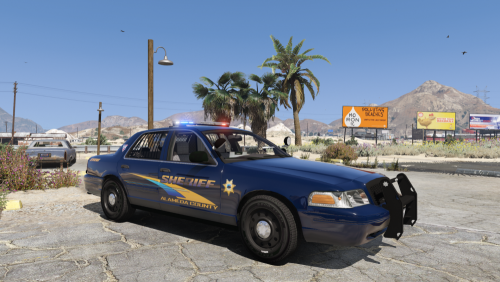
.thumb.jpg.61de846de400ca98f85d205992527de1.jpg) I hope this will be ELS soon as well as your other models @Bxbugs123 I love your work!
I hope this will be ELS soon as well as your other models @Bxbugs123 I love your work!- 265 comments
- 83 reviews
-
-
- 1
-
-
 Okay sounds good ;)
 -
@Lundy Can you make an ELS version of this car?
-
Really glad this has been released. Now all we need are some really nice car mods EMS/Police made by Lt.Caine himself :D
- 2,700 comments
- 241 reviews
-
Guys, Please be patient, I am sure Mr @Ravalli has not forgotten about us ;)
-
 Good Program, I just really wish there was such a tool that would automatically update / download your plugins! because it is very annoying re-downloading them manually.
- 136 comments
- 30 reviews
-
-
- 1
-


.thumb.jpg.61de846de400ca98f85d205992527de1.jpg)
