


Creators: Due to background reprocessing of files, approvals and file security checks may be delayed. Thanks for your patience.

Wayne George
Members
-
Joined
-
Last visited
Everything posted by Wayne George
-
Which version of ELS are you using?
-
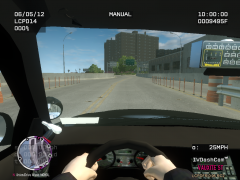 it's a mod i downloaded awhile ago. it's called first person view or something like that. Google it and you should find it;)
 -
Using My Enb Mod for LCPDFR. Really beautiful police lights and the most realistic.
-
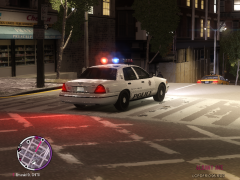
From the album: My Enb Mod with no conflict on lcpdfr 0.95
Responding to a 1013 at Fishmarket North. -
From the album: My Enb Mod with no conflict on lcpdfr 0.95
-
-
No Problem. Please let me know if it works for you:) Later i will be adding a quick fix for the police lights to make them brighter like Neolux's Lights.
- 18 comments
- 8 reviews
-
-

- 1
-
-
I just uploaded my ENB settings. They're just waiting for an Admin or Moderator to approve it.
-
My personal ENB settings that work with LCPDFR 0.95 latest version with no conflicts. You may experiance red sky bug but other than that nothing else. The police laptop also works correctly with these settings as well. I have not tested this with just GTA IV but it should work for that too. This ENB is mainly for EFLC
- 18 comments
- 8 reviews
-
Thanks alot man! I really appreciate this. I'll upload my enb settings as promised.
-
 Yes it does. I definitely made sure of that
 -
Hi everyone, I am in need of a small favor. If anyone is playing EFLC TBoGT Please make me a copy of your explosions.dat from the effect files because i really need them considering i accidently deleted my back ups of them from my desktop and i now have no explosions. In return i will be more than happy to upload my ENB settings that have NO conflict with 0.95 at all and the police computer also works with this ENB. Thanks a lot:)
-
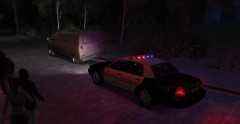 What car is this? im like Yusif Amair I MUST HAVE ONE! lol
 -
-
-
-
-
-
-
-
Hello Everyone, First of all i would like to thank the LCPDFR team for doing a great job on developing this fantastic mod:) I may of found a solution for people who want to use their modded cars in gta IV/eflc. I found this out by accident but it may work for you or make it not much of a problem anymore. The possible fix for this issue is if your going to install car mods DO NOT REPLACE THE FOLLOWING VEHICLES WITH ANOTHER CAR MOD. These vehicles you should not replace are; PSStockade, Firetruk, FBI. From what ive previously learned is that the vehicles listed in green text below should be safe to replace considering i haven't had any problems so far using them. GTA IV: AMBULANCE POLICE POLICE2 POLPATRIOT NSTOCKADE NOOSE EFLC: POLICE 3 POLICE 4 POLICE B Please let me know if these solutions have helped you or not:)
-
Hi, Does anyone by chance have the diagnostic tool? I cant download it because it wont let me. Thanks:)
-
-
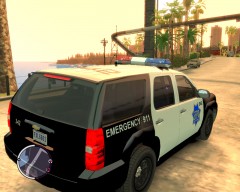 You should release these with the car models for GTA EFLC they are AMAZING and i would definitely download them.
 -
After you press ALT+P and the screen goes blurry only press P again and it should then work.

