


.JPG.ccafaadd08df261b09523c5706778859.JPG)
anotherc6vette
Members
-
Joined
-
Last visited
Everything posted by anotherc6vette
-
Hey guys its been awhile since ive played LSPDFR but im starting to get back into it , my question is im still currently using 0.36 version and I was wondering if i update to the new 0.41 will that mess up my old car mods or will I have to start with all the base vehicles again ? Thanks and sorry i tried to find this info by searching but couldnt come up with anything
-
 Anyone ever have this issue ? When i activate the lights i get this weird gray color / glow around the car and surrounding area ? Once the lights are turned back off it it normal again .
- 137 comments
- 25 reviews
-
dang man talk about on it !!!!! Thanks big time !!
-
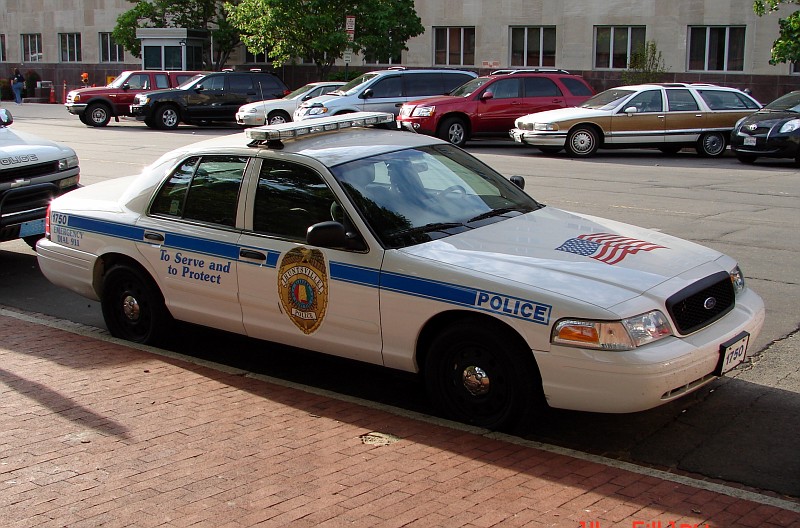
Hey guys I was wondering if anyone out in the modding world could make this skin for me ?
-
 I def want to post video but i have no idea what program to use to record a video , as i stated im def a noob when it comes to PC stuff , i only use the toughbook in the patrol car and its still on windows xp and then its only used as a CAD , as far as benchmark i am always at a constant 60 fps
- 3,646 comments
- 306 reviews
-
I dont think it is a albo issue , i just seems weird that my old 750 never had any issue at all , i am also running .36 , it has to be a 970 thing , i will keep going till i figure out what it is , i have a feeling other people have a diff kind of stutter thats why i mention it to see if that particular person is having the style i am , and sorry im not PC person and because of that i have to ask questions
- 3,646 comments
- 306 reviews
-
-

- 1
-
-
Im still in the same boat Rambos , its like the smallest stutter when you sit still you can see the stutter of a passing vehicle , almost like it drops a frame but it isnt actually if that makes sense ?
- 3,646 comments
- 306 reviews
-
-
- 1
-
-
I have 16 gb ram and its on a i7 4790 3.6ghz with a gtx 970 FTW+ , I noticed the memory usually stays around 5-7 gb while playing , but does go up to 7 when its stuttering , and also thanks for the responses and help guys , whats really weird is that i use to run a gtx 750 but i never had any stuttering , now it was a the minimum settings but im also not really pushing the 970 to its max , i noticed when i use directx 10 it takes longer for the stutter to start
- 3,646 comments
- 306 reviews
-
I am going to try the steam overlay , I noticed mine was enabled , I can play for about 40 min then bam the stutter starts and gradually gets worse the longer i play , but everytime i restart the game is goes away for another 40 min , I also play with steam in offline mode ? Not sure if that helps or not
- 3,646 comments
- 306 reviews
-
Does your start stuttering after you play for awhile ? Or is it right when the game loads up ?
- 3,646 comments
- 306 reviews
-
hey i used that gpu program and noticed my gpu core clock is 1379 and gpu memory clock is 1752 thats in game but it shows the same clocks with and without the studder seems kinda weird that it says default clock is 1216 and memory is 1753
-
ok ill give that a try , im tellin ya im desperate to figure out how a better GPU is giving me issues lol , thanks for your help
-
You talking about using the 750 and the 970 together ? bad things is my motherboard only has one PCI E slot , and i tried just running the vsync using the nvidia control panel but that actually make the game stutter more but my FPS goes up to 100 but is not playable , and no the game is just on the hard drive no SSD
-
my specs are i7 4790 3.6 ghz 16gb ram and the gtx 970 so figured i had a good enough cpu just trying everything possible to figure out what could cause that stutter , its just weird that it did not happen when i was using the old gtx 750 Do you think if i got a SSD it would help since im running off a western digital 1tbb unit ?
-
Hey starmix do you know what driver i should run for GTA using the gtx 970 ? im running the 350.12 that is suppsed to be for GTA but wonder if i should upgrade to a newer driver ? And starmix riddle me this , I reinstalled my driver so i could get rid of geforce experiance since people say it does more harm then good well i did the custom installation with a clean sweep option checked well after it was reinstalled i still have GFE still on the comp ? Do you know why that would be ?
-
thanks starmix ill try that
-
Hey guys i recently just installed a evga gtx 970 FTW+ and i have tried every remedy i read but im at a loss , so what happens is the game runs fine for about 30 min then all of a sudden I start getting these micro stutters when driving around , and note my FPS stays at a constant 60 so it isnt that i checked my performance through the task manager and im only using 24 percent of cpu and 6.4 gb of memory , my specs are i7 4790 3.6 ghz and 16gb ram also 1tbb hard drive so i should be within spec, I have tried every graphic setting possible and nothing seems to help , I was wondering if anyone knows what could be the reason i get micro stuttering after 30 min of play ?? For anyone that doesnt know what that is , what happens say you are stopped at a red light and you watch the passing vehicles they seem to stutter/glitch a little that goes for the player as well , im using a steam version and have verified game cache and it checks out Also i have tried diff GPU drivers and i am currently using the 350.12 that is recommended for GTA so i have no idea what to do next , I had a gtx 750 and the game never gave me one issue so thats whats really weird This has been the hardest thing to date and it drives me insane can anyone please help or let me know if anybody else has these issues
-
Not sure on your first issue but the light mod is called
-
 Best modder and best scripts to date .... This script is one of the most useful and to me should be standard with the install of LSPDFR !!
- 1,915 comments
- 242 reviews
-
-
- 1
-
-
Thank You Albo now i can actually play the game again !!!!!!!!!!!!! All i know if it wasnt for Albo's mods this game would not be the same , to me his mods are by far the best and most error free scripts i have seen yet , Dude thank you so much for putting the old files back on here !!!! I cant thank ya enough , i sound like i have a bromance going lol
- 1,915 comments
- 242 reviews
-
-
- 2
-
-
thats the new rage hook version , Albo updated his scripts to work with the rage hook 0.37 and it has been crashing for everyone , i heard it is something to do with the mods folder but not positive , but dont update to the new rage yet , I was able to revert back to 0.36 but i had already updated albos mods and now i can not download the older versions and to me his scripts are what makes this game awesome !! I wish albo could re load the older versions of his scripts for the time being , I was told you could just use the changelog but i tried that and even where it says you are going to download the older version it just downloads the newest version
- 1,915 comments
- 242 reviews
-
Sucks when you can still play your old version of LSPDFR but since you already downloaded the newer versions you cant use them and that makes me not want to play the game till i have ALBO scripts back ! , I tried downloading the older versions through the changelog but it still downloads the newest version even though it shows an older version :( , I really hope they get the 0.37 update fixed soon
- 1,915 comments
- 242 reviews
-
-
 Well dang I did it that way but says invalid model for me , wonder why I see it in openiv but not in game? Ever since I loaded a vehicle using a package installer I've had issues , is there a way I can add the model through the x64e path? Im guessing one of the patch day or mp Christmas folders is doubled somewhere
- 95 comments
- 29 reviews
-
Thank you I'm a old fart and I see the vehicle model on openiv but that's it ha
- 95 comments
- 29 reviews
.JPG.ccafaadd08df261b09523c5706778859.thumb.JPG.abce10cb0adda650fad75c858ba635ef.JPG)
