


Jack Borne
Members
-
Joined
-
Last visited
Everything posted by Jack Borne
-
Hey Mac, wondering if your keeping that list back on page 1 up to date or not?
-
Saw that VicPol Mercedes show car or whatever it is down in Cranbourne the other day
-
Isn't recruits NSW police?
-
 Yea I had to it ultra i think and it still didnt do much, changed a heap of other settings and one of them must've worked, the problem now is im not getting the best FPS
- 19 comments
- 8 reviews
-
I saw a unmarked territory a few weeks back and from what I saw it had the one light in the front and the two lights at the top of the rear windows
-
I know higher ranking (Like inspectors and shit) Have UC vehicles usually but besides that I don't believe theres any 'supervisor' vehicles
-
Hey, I've installed both Radiance (which I already had) and visual and the lightbars are still looking pretty crappy. Now I know that they look good because they looked fine before I had to uninstall and reinstall my game, any suggestions as to maybe settings I may have to change?
- 19 comments
- 8 reviews
-
-
-
-
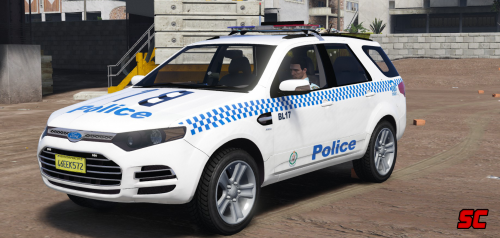
I'm in love with that sportswagon <3
-
Lovin the UC VF already Mac! Finally something other than the VE. Keep up the amazing work!
-
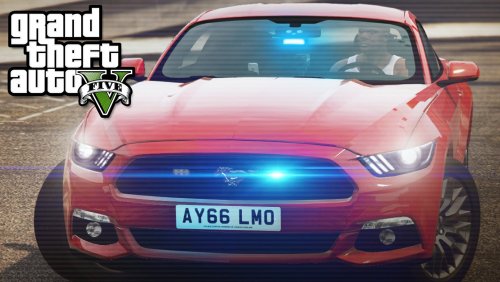 The video you've put is set as private. Just downloading the car now looks great can't wait to try it out!
- 9 comments
- 4 reviews
-
Damn Mac love it, can't wait! That sportswagon looks great
-
Can't wait!
-
Any updates on how your work is going Mac? Moose... xD Love the work keep it up! Go Vic
-
Well said Mac, although unfortunately I don't know if they'll ever get the message.
-
The call I heard the other day was for a unit to go over to South Australia for a guy possibly molesting a child or something :/
-
I know this was months ago but I only just found this thread lmao. Was listening to police scanner for the Mallee area the other night and heard a couple of calls given to Vic police that were over in South.
-
.thumb.png.fdcadb68f7f1450bfc1fbdd76248ac10.png) If your using the trainer go to paint menu or whatever its called and down near the bottom should be an option called liveries, there should be 8 or so, ever second one should be the unmarked version. However like you I found I had that problem even when trying that. If that doesnt work try downloading it in Patchday3ng too update -> x64 -> dlcpacks -> patchday3ng -> dlc.rpf -> x64 -> levels -> gta5 -> vehicles.rpf For future for you downloading cars, that should be the directory to all vehicle.rpfs in the dlc packs
If your using the trainer go to paint menu or whatever its called and down near the bottom should be an option called liveries, there should be 8 or so, ever second one should be the unmarked version. However like you I found I had that problem even when trying that. If that doesnt work try downloading it in Patchday3ng too update -> x64 -> dlcpacks -> patchday3ng -> dlc.rpf -> x64 -> levels -> gta5 -> vehicles.rpf For future for you downloading cars, that should be the directory to all vehicle.rpfs in the dlc packs- 33 comments
- 4 reviews
-
-
The police4 files youll need to replace you can find at x64e.rpf -> Levels -> gta5 -> vehicles.rpf After replacing them you'll need to change the handling.meta and vehicle.meta which is explained in the notepad.
- 33 comments
- 4 reviews
-
.thumb.png.f2cf22c7113a99a590d937c0ab1ac6dd.png) Hey sorry for asking as I'm sure many many people have asked but how long till we get more???? I love the cars that you and moose have put out but I'm dying with these three and seeing the ones that are in progress. Love your work keep it up mate.
Hey sorry for asking as I'm sure many many people have asked but how long till we get more???? I love the cars that you and moose have put out but I'm dying with these three and seeing the ones that are in progress. Love your work keep it up mate.- 45 comments
- 5 reviews
-
Oh okay, hopefully you decide to post them as I'm loving the models that are already up
- 45 comments
- 5 reviews
-
-

- 1
-
-


.thumb.png.fdcadb68f7f1450bfc1fbdd76248ac10.png)
.thumb.png.f2cf22c7113a99a590d937c0ab1ac6dd.png)