


markm
Members
-
Joined
-
Last visited
Everything posted by markm
-
It didn't, I had them all back in and it worked. It's one of the scripts though, I pulled a bunch of the ones I don't use very often and now I have no issues.
-
Didn't reinstall, but I did remove all the outside files and it ran. Then I put all the files back in 1 by 1 and it ran twice, and now it's back to freezing on the loading screen.
-
I have windows 7, not xp. I will try removing the files in the main directory.
-
I just tried to reinstall and I got a setup error. (-5011 : 0x8000ffff) Please make sure you have finished any previous setup and closed other applications. If the error still occurs, please contact your vendor. (##ISD_STRING_WEBADDRESS##) Error Information: >KernelObjectWrapper.cpp (498) >KernelIScriptWrapper.cpp (101) >KernelIScriptWrapper.cpp (80) >KernelObjectWrapper.cpp (197) >KernelIScriptWrapper.cpp (101) >KernelIScriptWrapper.cpp (80) >SetupNewsetup.cpp (488) PAPP:Grand Theft Auto IV PVENDOR:Rockstar Games (##ISD_STRING_WEBADDRESS##) PGUID:579BA58C-F33D-4970-9953-B94B43768AC3 $15.0.0.498 @Windows XP Service Pack 2 (2600) IE Version: 9.10.9200.16660 Any help is appreciated.
-
Okay, I have a couple sets of backups that I know are good files, and when I put those in I get the same thing. So, I guess I'm going to reinstall. Anyone have an idea of what may have caused this?
-
I always run as admin. Yes, all the save game data was deleted. It goes to start a new game and just stays on the loading screen with, Starting new game, across the bottom.
-
Hey guys, I'm assuming my save game got corrupted somehow, So I removed all my save game data, well, now it freezes on the starting new game page. By freezes I mean it will sit on the loading screen as long as it let it stay there. Not sure what to do next but to reinstall. Any other advice would be great though.
-
-
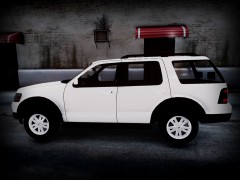 Any update on this? Can't wait for it to be released. I'm also for having a marked and slicktop version..
 -
Well, I'm having issues starting a new topic. I got a new computer and I'm trying to install everything. I used the Read Here First topic to get all the .Net and stuff, but when trying to install 0.95 it says I don't have the .Net required. When I run the diagnostic it says it is installed. Is this common? Here is the report. BEGIN *SIGNED* LCPD First Response Issue Report Diagnostics Tool Version: 0.4.3 Operating system: Windows7 HomePremium (6.1.0.0 Build: 7600) Service Pack: System RAM (GB): 3.99 CPU cores: 8 NET Framework 4.0 installed: True Visual C++ 2010 Redistributable installed: True GTA IV - Installed: True GTA IV - Install folder: C:Program Files (x86)Rockstar GamesGrand Theft Auto IV GTA IV - Version: 1, 0, 0, 0 GTA IV - Asi loader installed: False GTA IV - Asi loader: GTA IV - Asi loader valid: False GTA IV - C++ ScriptHook installed: False GTA IV - C++ ScriptHook valid: False GTA IV - C++ ScriptHook version: GTA IV - ScriptHookDotNet installed: False GTA IV - ScriptHookDotNet valid: False End of *SIGNED* LCPD First Response Issue Report Digital signature: YVeNmc+xPD2Bcn7pz+NcFA==
-
Yes it does have fn. I did buy a keyboard, but would I just hold fn and hit a number?
-
I play on my laptop and I dont have a number pad. Is there anyway to get around using it when I pull vehicles over? Ive looked in the text files and cant find it. Also, I cant seem to schedule the controls so that they dont interfer with normal game play controls. Such as calling for backup, it calls for backup and spawns a comet.
