


Sereous313
Members
-
Joined
-
Last visited
Everything posted by Sereous313
-
 You might be able to youtube a video on installing map editor but here are the steps You need to install Map Editor (im assuming you dont have that) Create a new folder in GTA V main - name it Scripts Extract all of the map editor content in to that Scripts folder --Install Scripthook Dot Net if you do not already have it - just throw the .ASI file in the GTA V main Throw my mod the USCANADA.xml in to GTA V main launch the game and hit F7 as per the read me and instructions.
- 22 comments
- 10 reviews
-
The mod was updated to fix a ped issue where they do not recognize you in lspdfr as a cop, please re-download.
- 22 comments
- 10 reviews
-
The mod has been updated and fixed, LSPDFR the prison guard ped did not recognize you as a cop and therefore attacks. All guards are now park ranger peds until someone can create CBP uniforms. -Floating vehicles have also been fixed
- 22 comments
- 10 reviews
-
Yeah man, I was overseas for work and did not have my computer. I just haven't had the time with working a full time job to get back in to making videos. Hit me up on steam though and we chat, just add my name.
- 22 comments
- 10 reviews
-
-

- 1
-
-
Thank's I appreciate the comment, please don't forget to come back and review or leave an additional comment. You should check out the netflix shows, they are really addicting.
- 22 comments
- 10 reviews
-
Thanks for checking it out! I am hoping some people will make CBP-CBSA skins for the cars and peds so you can really have that feel of realism. Be sure to check out Darkmyer's partrol tool kit his RBT feature lets you set a checkpoint and wave drivers over to it.
- 22 comments
- 10 reviews
-
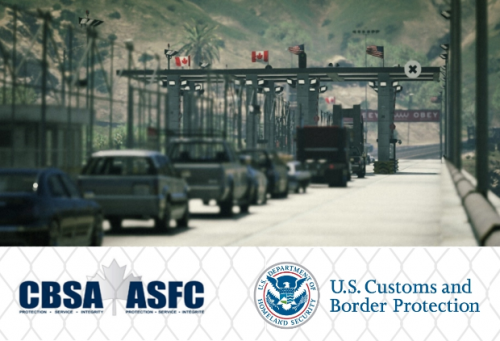
Just like the real borders the borders of GTA V need protecting against threats daily, as a federal agent this is YOUR job. You must do your best to protect the the citizens and the economy of the country, walking the lines of cars looking for anything suspicious. You are on the FRONT-LINES and every traveler must answer to you, it is your say whether they are able to ENTER or are TURNED away. Due to recent events in Paris security has been stepped up at the border, as an extra measure the presence of armed guards with carbine rifles should keep the peace. Checkpoint Features (Location FT. ZANCUDO bridge) *WORKING BOOTHS- The traffic will cycle through stopping and going, Each country has 1 working lane of traffic and 1 lane "fictional lane for roleplay", i.e. emergency/commercial. *Port Of Entry- Each P.O.E. is decorated with the accurate flags both coming in the country and leaving. US- is a the south side going in to Los Santos and CANADA is North leading through the Tunnel. *Working Gates- If you have ever been unfortunate enough to be inadmissible or denied entry by a country you will know about the turn around. Your checkpoint has a sliding gate that will allow the denied traveler an exit back to their origin country. (See pics) *Secondary Detention/Jail- From time to time you will find someone of interest and pull them to secondary and detain them. Your detainees can exit the vehicle and be escorted to an outside sit down or jail house if deemed necessary. (see pics) *Secondary Suspects- I have made some static scenes of searches being done in stations/secondary. The suspects spawn at random times and spawn random peds, as time goes you will see the rotation. This gives the border a more lively feeling not seeing the same people. *Guard Houses- Each country is equipped with the highest in CCTV security systems, enter the guard houses to see your fellow agents hard at work watching every single movement on the border. These houses are furnished with dynamic props. *Vehicle Fleet- Both sides have a fleet of Police 1 cars, transport van, ambulance and everything else you need to protect your border. (This is more enjoyable with custom cars and the border patrol skins. ***WHAT YOU CAN DO WITH LSPDFR** Smart Radio (linked below) allows you to walk the line of cars and interact with any ped by doing a ped check- dispatch will tell you their name and if they have warrants. Patrol ToolKit- (Linked Below) This mod lets you target a area and wave cars of interest over to an area for interaction. You can run a vehicle check,drug test, breathalyze, and do a record check seeing the name, licenses, and prior convictions. Partner Mod (linked Below) This allows you to spawn your very own K9 partner and let him sniff out drugs in the lined cars. Arrest Manager/- Once a suspect has been arrested escort them to the front of your port of entry and call for local authorities to pick them up. Border Offenses (Needs lspdfr+ linked below) - These are a special menu of offenses that people can be charged or cited with. **************************************************** Required - Map Editor- https://www.gta5-mods.com/scripts/map-editor **************************************************** INSTALLATION- 1) Extract the file 2) Place USCANADA Checkpoint.XML in GTA V main directory 3) Launch game and start map editor F7 4) Load Game > File Chooser> choose the USCANADA.xml file ----EXTRA--- My Youtube channel and tutorials https://www.youtube.com/user/Sereous313 LSPDFR LINKS- Border Offenses and LSPDFR+ http://www.lcpdfr.com/files/file/11930-lspdfr-improved-pursuit-ai-better-traffic-stops-court-system-statistics-more/ https://www.gta5-mods.com/misc/lspdfr-add-on-replace-border-control#comments_tab Smart Radio http://www.lcpdfr.com/files/file/15354-police-smartradio-the-successor-to-police-radio/ Arrest Manager http://www.lcpdfr.com/files/file/8107-arrest-manager-grab-peds-more-jail-points-cells-prisoner-transport-enhanced-scene-management-towinginsurance-pedfollow-pedgrabtaxi-weapondrop-xml-customisation-api/ (ALL these Require DarkAPI) https://www.darkmyre.net/files/file/24-darkapi/ Patrol Tool Kit https://www.darkmyre.net/files/file/14-patrol-toolkit/ Search Warrant Search Warrant https://www.darkmyre.net/files/file/9-search-warrant/ Police Partner https://www.darkmyre.net/files/file/18-police-partner/ DO NOT RE-UPLOAD MY WORK TO ANY OTHER SITE OR MAKE MODIFICATIONS.
- 22 comments
- 10 reviews
-
-
- 7
-
-
.thumb.jpg.bfad1c193dd40b9d539eefd7c5187a5a.jpg) Anyone been able to fix the red lights not being orange color in the day time? At night they are a nice bright red like they should be but in the day they are as previously stated.
Anyone been able to fix the red lights not being orange color in the day time? At night they are a nice bright red like they should be but in the day they are as previously stated.- 157 comments
- 46 reviews
-
 if you look up to my video- i show you how to do all that stuff in the tutorial
- 117 comments
- 28 reviews
-
-
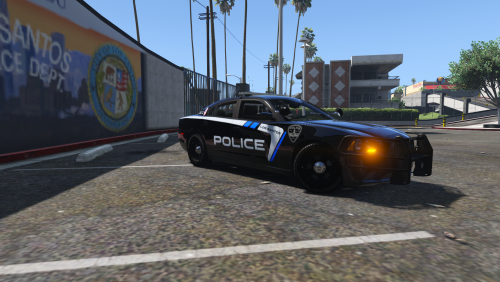 I love this man- Great job. I live in Boise as well and have been waiting for a decent skin, do you have any plans to do a ADA county sheriff for the Tahoes? State police would be appreciated as well. This one was a custom one made for me for the Ada county sheriff https://gyazo.com/3a17525620e5ba2bb1447d2c32fffdcc. Would be could to see a WHOLE pack for Blaine country based off the ada county livery ya think?
- 10 comments
- 4 reviews
-
 For anyone who needs help i decided to make a video so we can share it and avoid frustration.
- 218 comments
- 42 reviews
-
I thought this was an awesome model and loved how you didnt skimp out on details for the inside either. I found the install instructions hard to follow as most people when it came to installing in the sheriff2 slot- ended up using an addition vehicle meta and car variation so the lightbar would not be black. Overall great work man, any way you could do an update where the windows are blank with out writing?
- 117 comments
- 28 reviews
-
Hey guys i spent much time on this as you guys but finally figured it out, I recorded a youtube vid to help out those who cant get this thing working the right way. You will be shocked to know the reason for blacked light bar is the model needs to go in Patchday3ng in Sheriff2.
- 117 comments
- 28 reviews
-
-
- 1
-
-
 I did not see this information any where so I want to ask does this new one work for Rage 36 as well? I have not updated to 37 yet and am hoping this supports previous versions as I imagine it would. Great job by the way and cant wait to see the possibilities with this.
- 587 comments
- 106 reviews
-
 No problem man, will do. Didn't want to blow up the comments with pages of chatter.
- 3,646 comments
- 306 reviews
-
-
- 1
-
-
 Albo love this callout pack, I really like playing the Traffic Backup requests. If you make more of these with many variations that would be amazing. Great job and I am so thankful to have a dev like you that updates quickly. Add me on steam if you still need help fixing this issue... Sereous313
- 1,081 comments
- 166 reviews
-
I can help you fix this if you haven't already got it working, just add me on steam Sereous313
- 3,646 comments
- 306 reviews
-
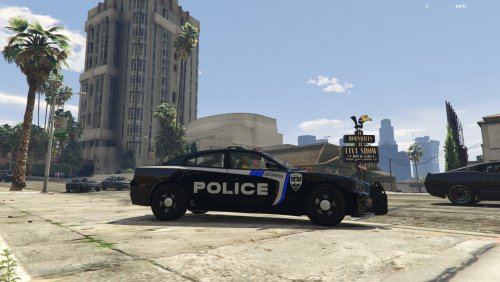 These are so AWESOME!! I live in Boise and have been wanting to see someone make these skins. Is it possible you could do the ADA county skin for the Suburban or Tahoe?
- 5 comments
- 3 reviews
-
I cant believe how many mods I depend on are made by you! .03 has not been the same without the traffic mimic function! I am so thankful I will be able to pull over the cars and place them where I want them once again. On a side note ambient events have been known to lag my game some on the old RH28 .02b version of the game.
- 3,646 comments
- 306 reviews
-
-
- 1
-
-
 SOOOOO happy that this is updated for .03 it has become a must have plug in for my patrols, you sir have saved my ass many times from getting killed. The units seem to respond way faster than the stock backup as well. Great Job!
- 89 comments
- 36 reviews
-
Thank you so much for this plug-in I hope you expand on the traffic back up portion, it is my favorite for the realism that it brings to the game. I was hoping to suggest a more dangerous outcome where maybe a suspect hops out of a trunk, or as you approach the vehicle someone starts shooting from the backseat who was ducked down, or even a passenger who just flees as soon as you approach the car. Anyway thanks for the update and cant wait to see what else you have for us!
- 1,081 comments
- 166 reviews
-
-
- 1
-
-
Great Job and I love the mod you guys, is their any chance handcuffs or a new animation will be in .03? I have some ideas on how to do this as the animations trainer has good ones. Even if a code made watches or bracelets appear at the time of arrest would make it look more real.

.thumb.jpg.bfad1c193dd40b9d539eefd7c5187a5a.jpg)

