RavenTAT
Members
-
Joined
-
Last visited
Everything posted by RavenTAT
-
Hi there, fellow cops. So, basically, i love the new update as much as i love foot pursuits. And i love them very much. But the player's speed is much more slower than average Crime Joe. Or equal to his. So there is pretty much no way to catch the criminal without using a gun or taser. Is there any... mods or new features that can help me? "Foot Pursuit Aid", as much as i know, not working anymore. Thanks.
-
Ne pizdi, brother, i am from Russia as well.
-
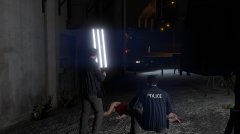
From the album: Officer Vendes, LSPDFR + EUP
-
Some of my screens, made via Rockstar Editor and taken from Snapmatic, so... goodbye, HD pictures :D P.S. I can't find delete button, so there is a couple of copies of photos here... sorry.
-

From the album: Officer Vendes, LSPDFR + EUP
-
 This model is perfect. I really like the interrior and colors. Still, i want to ask one question - is there any chance that you will release Non-ELS version? Thanks.
- 89 comments
- 63 reviews
-
-

- 1
-
-
Greetings. I have a question about language packs. Is there any methods to change language pack for VocalDispatch if Windows does not supports your language? At this time there is no Russian voice pack for Windows 10. Of course, i can rewrite the "default" file, the only problem is in voice pack only. Thank you.
-
 Greetings! First of all i want to thank you, sir, for this mod. It is very handy. It works fine without crashes for me. I have only one question tho - how can i change coroner car model? I downloaded custom addon car, but i think it will not work without chenges in config file. BUt i can't find this file. SO, if you can help me with that - that would be great. If not - i will continue to play LSPDFR without new models, np.
- 1,196 comments
- 127 reviews
-
 No. You can launch the game normally, without crashes on start if you will use "Unlimited cars gameconfig" mod, but it will crash after you move to another part of city.
- 1,524 comments
- 85 reviews
-
 Greetings, Albo! First of all i want to thank you for all those mods that you've created. They helped me during times of loneliness in new city. I have one question. My game is currently working on my country's language - russian. So, i get mumbo-jumbo instead of streets names and can't use Notepad on russian. My question is - how can i correct .ini file, so i could use Notepad with russian text in it? Or there is nothing i can do? I think you can't. It is not a program, but a built-in plugin, so no.
- 1,743 comments
- 172 reviews
-
I have only one question. In previous versions of mod you had different types of bulletproof vest: different sizes and colours (white, red, pink, orange). No they gone. If they were part of your mod, why did you decided to remove them? Will you get them back?
-
Yes, this is 100% gameconfig.ini issue. Reason of your crash is not in time, but on location, because game tries to spawn addon car and it crashes because of the old gameconfig (i think). I have same problems. Just wait for new version, it is definitely worth it! There is no conflicts between LSPDFR and RDE, only with EUP, but it can be solved by simply following the instructions. Reason of your crash is gameconfig as well. "Unlimited Cars Addon" will not help.
- 1,524 comments
- 85 reviews
-
I think that the problem is in "gameconfig" file. It must be edited after every game update. Right now there is no solution for this problem. It will be fixed in next version of the mod, that will come out soon. Just be patient. I am waiting as well.
- 1,524 comments
- 85 reviews
-
-
- 1
-
-
Greetings! So, basically i did clean install of my GTA V (after OpenIV incident with Take2 i decided to delete my game, but now i reinstalled it) and installed RDE as usual with automatic install. It crashed at start, but after installing gameconfig from F7YO (https://www.gta5-mods.com/misc/gta-5-gameconfig-300-cars) it stoped crashing. I thought. My game still crashes... but only near Metropolian Area (Arcadia Center, for example). Maybe there is a problem with gameconfig, i mean this is another jurisdiction, isn't it? So.... should i wait for 3.1 or there is some other reason? Or solutions. I have latest patch with Gunrunning DLC, LSPDFR and EUP. EUP works well, LSPDFR too.
- 1,524 comments
- 85 reviews
-
You can delete rde files in dlcpacks, which located in mods/update/x64/dlcpacks Delete all files with "RDE", for example "RDEFBI" etc. You can also just disable OpenIV.ASI in ASI manager of OpenIV, but you will not be able to use another updated rpf mods, like EUP untill you turn it on. Sry for english. Russian education is not so good.
- 1,524 comments
- 85 reviews
-
-
- 2
-
-
Read the comment section please. They are updating mod for new patch, currently it is not working.
- 1,524 comments
- 85 reviews
-
-
- 2
-
-
 Happy New Year, Ashfold! One of the greatest mods (after LSPDFR, of course :D) available for GTA V.
- 2,350 comments
- 238 reviews
-
 Is there any chance that you will release dragging dead function separatly from this mod? That would be great for people, who are trying to roleplay as a stealthy killer. In addition to new release of RDE.
- 542 comments
- 98 reviews
-
Hey. So, my game crashes while loading Story Mod. Installed your felony fix, but still nothing. Here is some RAGE logs. And OpenIV Log. I somehow fixed a few weeks ago, but now i reinstalled my RDE and.... kinda forgot how to fix it. UPD: FIXED. You need to place fales for the patch in update/update.rpf/common/data
- 1,524 comments
- 85 reviews
-
-
-
Goddamn, officer Ashfold (or shoul i call you Chief Ashfold ?), great work as usual. One question though - is there a limit for creating new characters ?
- 2,350 comments
- 238 reviews
-
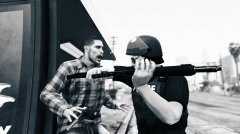 Yeah, i was trying to delete those pictures. Laggy website script or just my internet :P Anyway, sorry. I didn't wanted to do this.
 -
From the album: Officer Vendes, LSPDFR + EUP
-
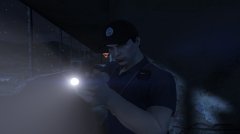
From the album: Officer Vendes, LSPDFR + EUP