



dunkboi
Members
-
Joined
-
Last visited
Everything posted by dunkboi
-
-
This is perfect dude, its sounds just like the real PA tone, thanks!
-
 Roblox.
 -
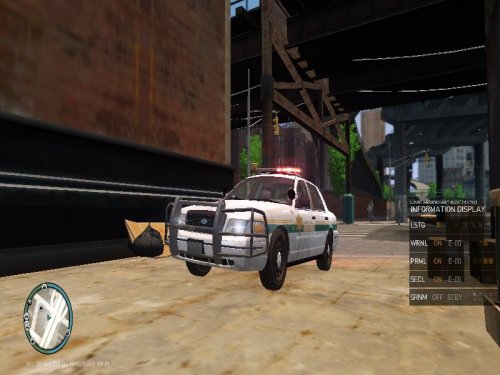 Barely any effort at all my friend, Textures are missing, lightbar is poorly placed , you used the wrong rambar and a bunch of other problems
- 36 comments
- 9 reviews
-
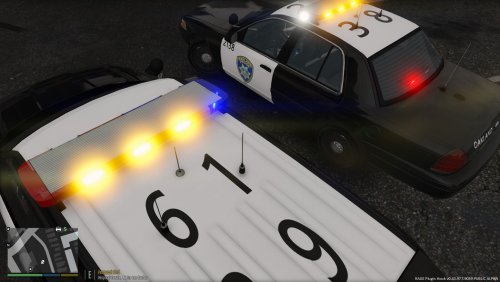 A few things were wrong with the skin, First the Door Shield on the CVPI is a bit to long Length Wise, it stops a few inches before the curvature at the bottom of the door, Second the some of the fonts are wrong, for example, in the back where it says 'OAKLAND POLICE' it should look more like this,: I cant find the name of the font at the moment, also I noticed that the side that says 'POLICE' is a little to far out and you are missing the unit number on the right of the trunk lid. Moving on to the roof of the FPIU, the font is not correct again, the font is should be more blocky than rounded, and it should be a bit bigger and bolded if not already. Sorry, I'm kind of a stickler when it comes to skins of my city Source: Live in Oakland, Work with OPD frequently
- 3 comments
- 3 reviews
-
I've tried literally everything I can think of, Radiance V is installed in the right place, Settings are Very High, I've reinstalled my game, when I go into the pause menu it looks like the lights get brighter but when I'm in game they stay the default setting. Anyone have any ideas? Ingame: Pause Menu: Settings:
-
I'm still getting the same effect, no bright lights Heres a video of what I get with those settings on: https://vid.me/z9pG
-
Working on new vid, this is the settings currently https://gyazo.com/b7373f78f1891f95608c414515e4586f
-
I've tried Radiance V with a multitude of settings and I still can't seem to get my lights bright like in this video: Here is a test from my game that shows what Im seeing: Please Help Me, or guide me through what I need to install/add, thanks!
-
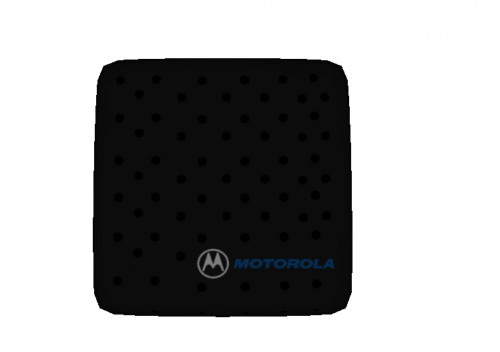 MODEL OVERVIEW ================================= - NAME: Motorolla In Car Speaker - VERSION: V4.0 - EXTRA PARTS: N/A - OPTIMIZED FOR: Any CREDITS MODEL - Motorolla In Car Speaker Modeled and textured by Lildunkboi FILES INCLUDED - speker.wft - screenshots - textures - readme.txt When editing or uploading any contents of this archive, proper credits are required. Any commercial or by laws prohibited use of the content of this archive is forbidden. *ASK FOR PERMISSION TO CONVERT TO ANY OTHER GAME BEFORE DOING SO*
 -
It is on GMC, and it is complete, all the user has to do is make the L1's which is fairly easy. Im pretty sure it was intentional to leave it like that as a form of 'GAD Proofing'
-
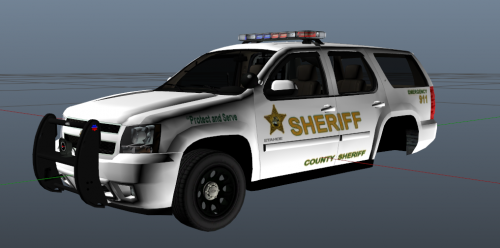 This being your first model it looks ok, but there are a few things I want to suggest, on the Tahoe remove all the badges (Tahoe, Flex Fuel, LT) those badges are not used on the police package Tahoe. Also, you used the wrong texture for your ram bar. And finally remove the door trims those are also not used on the police package, These suggestions are if you want to use this Tahoe model but I would recommend you use GeorgieMoons version which looks much better. If you need any help PM me ill gladly help you
 -
-
Hello I've recently installed the EUP. But I cant seem to get it to work I have the skin controller and everything but I cant get the extra clothes to work on the officer peds. What am I doing wrong? Can I get some help
-
-
-
-
-
-
-
-
-
-
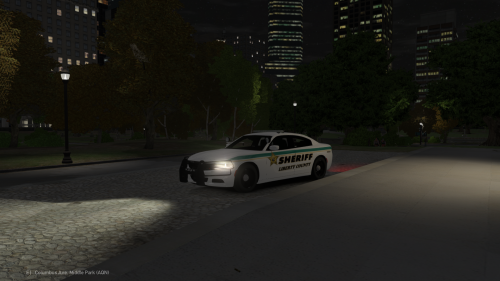 Lildunkboi ___________________________________________________________________________________________________________ MODEL OVERVIEW - NAME: Liberty County Sheriff's Office '15 Charger - VERSION: 1.0 - MOD STATUS: OPEN ___________________________________________________________________________________________________________ CREDITS - 2015 Dodge Charger from Forza Horizon 2 (F&F DLC), modified to PPV version and converted to GTAIV by IronicRainbow - Converted into a Police vehicle by IronicRainbow - Converted into an AWD version by IronicRainbow - Rims by GerryStudio, IronicRainbow, & Bxborgs123 - Polygon filling by TheHulk with an R (TheHurk) - Whelen Legacy - Modeled, Textured & Converted for GTA IV by Bxbugs123 - Federal Signal ViperS2 Modeled, Textured and Converted by TraumaPak - Whelen Ion Modeleled and Textured by Kygo - Whelen Dominators Modeled and Textured by GTAxBoss - Par46 Spotlights by IrionicRainbow - Setina Pushbar By Vertex3D, Wraps by GUMP - PPV Rim made by GerryStudio, Edited & converted for GTA IV by Bxbugs123. - ArmA Console by Evans.Cornelius - Setina Bodygaurd by Kygo *Special Thanks to McAwesome For the Showcase Video* FILES INCLUDED: - Police.wft/wtd - Template - ELS Textures - ELS Config - Readme ___________________________________________________________________________________________________________ ADDITIONAL NOTES: Do Not Upload Anywhere Else Without my Permission/Consent. You May Use this in Clan Packs Do Not Claim as Yours ___________________________________________________________________________________________________________ ***Credit to Kygo for the Readme Template***
- 3 comments
- 1 review
-
-

- 1
-
-
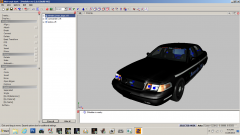 I think that is windows 7 either in safe mode or with the XP display settings


