MrLucky8
Members
-
Joined
-
Last visited
Everything posted by MrLucky8
-
I'm sure there's still work to be done for the release. They're probably still testing for bugs, glitches, and performance. They're not going to release a buggy or broken game. Y'all would throw a fit haha.
-
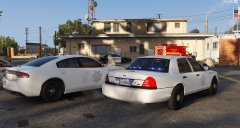
From the album: Custom State Police Vehicles and Uniforms
-
-
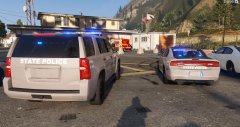
From the album: Custom State Police Vehicles and Uniforms
-
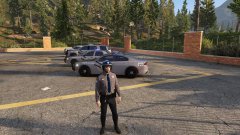
From the album: Custom State Police Vehicles and Uniforms
-
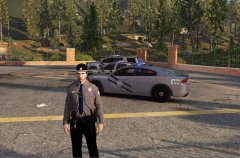
From the album: Custom State Police Vehicles and Uniforms
-
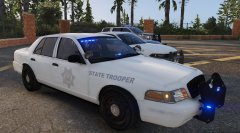
From the album: Custom State Police Vehicles and Uniforms
-
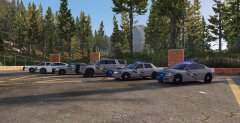
From the album: Custom State Police Vehicles and Uniforms
-
Even if it does a lot of what other mods already do, I think it will do it much better. Also, every plugin or mod tends to drop performance and is poorly integrated. This means a massively better overall experience. Some of the improvements like AI will be amazing though.
-
Everyone, DONATE! If you like the work they do I would recommend donating when you download 0.4 to support the creators! They put a lot of work into this and you definitely get a lot of value from it! I plan on donating at least $5-10 for 0.4 and you should as well!
-
One of the only other things that I think would help with immersion is to not have callouts and backup spawn so close. I'd prefer if backup had more realistic response times and if you'd have to sometimes respond a little further to get to calls. That being said, I AM SO HYPED FOR THIS!!
-
On the 12th line down change your <audioNameHash /> Right now, you're using the default audio files for that vehicle. So police4 is using the audio files for police 4. but what you want it to be using are the default audio files for vehicles that have ELS like police, police2 and police3. So change your audio hash lines to: <audioNameHash> police2 <audioNameHash /> or <audioNameHash> police3 <audioNameHash /> Let me know if that solves your issue
-
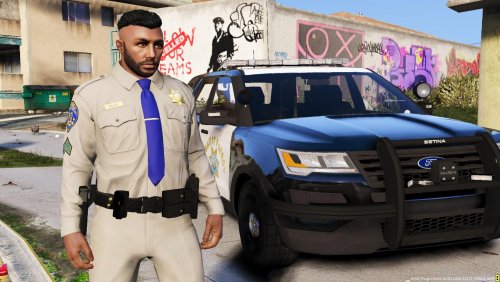 You forgot to add the short sleeve Lieutenant. Also, there's no place to put the sergeant rank, is that normal? AWESOME JOB THOUGH!!
- 2 comments
- 1 review
-
-
-
 Did you install the proper els_vcf file that came with the ELS vehicle you're using? For example I added an extra car to the game which was els compatible and named it "els1". I then took the VCF file that came with that vehicle, renamed it to els1 and installed it in the els/pack_default folder.
- 2,698 comments
- 240 reviews
-
You can actually make your own quite easily by changing some of the values in gameconfig.xml here's the one I made for myself and it works like a charm gameconfig.xml
-
Then in that case I think you might not have copied the els file that came with the vehicle into the els/pack_default folder
- 2,698 comments
- 240 reviews
-
Thats because you're using a non-ELS vehicle. You have to use vehicles specifically meant for ELS. No, they don't Not happy with the lack of controller controls customization
- 2,698 comments
- 240 reviews
-
I like most of what this mod does however I have several problems with it. 1) It clutters up an already cluttered controller with no option to change or remove controller buttons. When I'm using the controller and scrolling through things like backup menus, it turns off the lights and siren. It just takes up too many buttons on the controller. Just add the ability to remove contoller use or at least reassign controller buttons. 2) It tries to do too many things at once like both siren and light controls. It only needs to handle lights, let Albo's siren mastery handle the sirens. It's far easier to configure Siren Mastery's sirens than it is to do in ELS. It's just a lot more work to add sirens and makes it a pain to switch between using els and non-els vehicles. 3) I tried changing the configuration file so the "R" key no longer controls the manual siren and instead totally remove the manual siren but it changed nothing. I'd like to see more user control and customization in the areas of siren control, controller functionality, and compatibility with siren mastery. KISS: Keep It Simple Stupid It'll just make things easier. That being said I do absolutely LOVE LOVE LOVE the light controls! Good work!
- 2,698 comments
- 240 reviews
-
-

- 1
-
-
Up until the last update came out, I was able to have quite a few add-on cars. Now, I'm only able to have a few. I read somewhere that I need a gameconfig.xml file that allows me to have multiple add-ons however I can't find one that is up to date with the recent patches. Anyone know where to download on or where to make changes to the one I already have?
-
What other mods/trainers do you have? I had an older version of simpletrainer and every time I pressed "page down" a red super car would spawn with two guys in it trying to kill me. It took me a while to figure out that it was the trainer that was causing the problem. Could you list the mods you're using?
-
 This mod is incredible, especially for several fire sirens I've made. It's perfect for layering up sirens to for the proper amount of "GET OUT OF MY WAY!"
- 851 comments
- 108 reviews
-
-
- 1
-
-
The way my vehicle mods are setup: I go to the DLC folder "Mpluxe" and add totally new cars. For example, to create a new car I'll take the vehicle files for say a new crown vic, rename them something like "LAPD1", and import them into the "mpluxe" folder. Then I go to the carvariations.meta and vehicles.meta files and then create a new vehicle there. Before the update I could spawn in these new cars no problem. After the update when I try to spawn them, they just don't appear at all. Anyone else having this problem? Is there any way to fix it?
-
You can switch the two files so that the primary siren is the "yelp". Then you have to hold "E" in order to use the wail.