




Abel Gaming
Members
-
Joined
-
Last visited
Everything posted by Abel Gaming
-
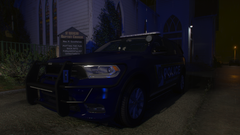
From the album: LSPDFR On Patrol
-
-
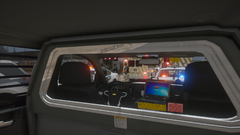
From the album: LSPDFR On Patrol
-
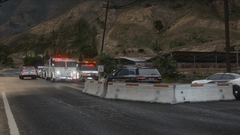
From the album: LSPDFR On Patrol
-
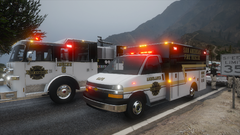
From the album: LSPDFR On Patrol
-
-
-
Glad you got it working!
-
Make sure you have everything up to date: ScriptHook V ScriptHook V Dot Net (I use by Nightly) And of course RAGE with LSPDFR release
-
Just got done dealing with this - use the AdvancedHook that comes in the ELS download. Do not use the AdvancedHook fix file. Solved the problem for me!
-
 This is actually a vanilla vehicle that recently came with one of the DLC updates
 -
 Although not currently possible, it is something that could be easily integrated in the future! In the INI it would just be a separate section with customization for the plugin in general such as rescue vehicle models, ect.
- 200 comments
- 27 reviews
-
-

- 1
-
-
A couple of diagnostic questions 1) Are you running the newest version (1.6.1)? 2) If running 1.6+, do you have Rage NativeUI installed? 3) Are other plugins located in the plugins folder working? 4) Can you provide your RAGE log?
-
Assuming you're talking about a regular numpad that is just an external by USB, you can still use the configuration file included with the download. You can find some reference on keys here if you need change the keys to a non-numpad key: https://learn.microsoft.com/en-us/dotnet/api/system.windows.forms.keys?view=windowsdesktop-8.0
-
Of course! Love hearing feedback and suggestions from the community on how I can always improve my plugins/callouts!
-
Appreciate the report! I will look into this today and see if I can't get it fixed and push an update!
- 200 comments
- 27 reviews
-
-

- 1
-
-
I’m not sure how your fingers are lmao, but glad you enjoy!
-
Version 1.6.1 has just been pushed and does feature this per request! Ah, I miss the days of LCPDFR!
-
New version is now available with the ability to edit the marker size!
-
Current version does feature a temporary lock for 60 seconds with a blip, locked plate, locked model, and locked speed. After 60 seconds it is dismissed back to the game to prevent from having multiple vehicles marked as persistent and causing a memory issue. However, that being said, I’m not happy with this feature how it currently sits and am working on a different method/system. I’ll be sure to get the description and hopefully video updated tonight that does reflect the current state of the plugin.
-
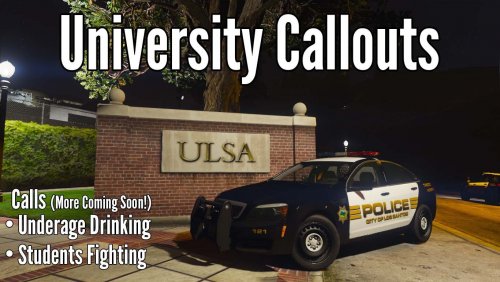 Are you running the newest version? Also, since callouts are based on set locations, if you are relatively far away I believe LSPDFR will code 4. I will look further into this just to be sure! Update: After getting in game and running some test - I was able to get the "Code 4" message if I am a good distance away from the university; however, when I get closer the calls do come through and can be accepted without issue. I will fix this and update the code where they can be accepted further away!
- 36 comments
- 4 reviews
-
-
- 1
-
-
Code is different! The one thing that I pulled from TP was the on screen text drawn and the idea of the marker (code is different for the marker). Certainly! I just kind of overlooked this and never really thought of it! Will be added in the next update!
-
It’s been updated since. I’m unsure about the Axon plugin but I assume the error in the code (of Variety) also caused an issue with Axon.
- 200 comments
- 27 reviews
-
I might work on getting it added in here soon! I wanted to get some LSPDFR integration built in anyway and would be a good time to do it!
-
While it was not originally in the plans, if it's something you and others would like to see, I can certainly work on getting it added in!



