Creators: Due to background reprocessing of files, approvals and file security checks may be delayed. Thanks for your patience.

MCP
Members
-
Joined
-
Last visited
Everything posted by MCP
-
Not sure where the conflict is but anytime I do a car stop and end up wanting to arrest the subject it becomes impossible. I'll order the subject out of the car and then I'll have no option to arrest or detain or anything. No prompts at all. Can't even hold down the button either. I only have albo lspdfr+, arrest manager, smart radio, and traffic policer for additional modifications. I also use a controller to play primarily. Any help would be much appreciated.
-
With the exception of the awesome trailers candice made theres really no good trailers. Looking to incorporate like a technical rescue or hazmat similar to LA county fires hazmat rig
-
It would be so awesome to see some surplus HMMWV's and MRAP's with some ELS lighting. Many depts have gotten military surplus vehicles for various uses.
-
 Any progress on this? Very eager to add yet another savage model of yours into my game
 -
 My rear windows are gray....any ideas what could've gotten messed up with my install of the vehicle?
 -
-
Surprisingly there is only one pack that has any vehicles with risers on them and even then the pack has been taken down. Risers on highway vehicles are awesome. The nypd pack that had a few units with risers used the hood and trunk open/close as the way to raise and lower the risers.
-
-
-
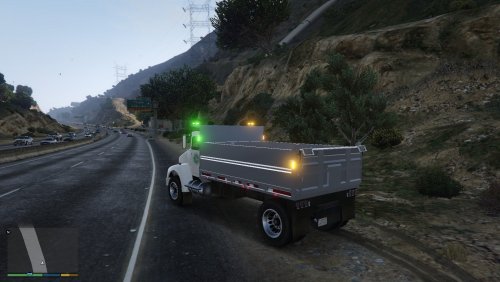 Which files in the .ytd though....found the one to change the green to blue but that's it
- 15 comments
- 6 reviews
-
is it possible to make the lights red/blue instead of amber/green so we could use it as a PD barrier truck? I tried on my own but now its blue/amber/white lol
- 15 comments
- 6 reviews
-
 FIXED! Go into OpenIV and go to tools - asi manager....uninstall BOTH the asi loader AND the openiv asi..... then reinstall them both.....YOU MUST RESTART YOUR COMPUTER AFTER THIS..... problem solved
- 2,680 comments
- 235 reviews
-
-

- 1
-
-
uninstalled and reinstalled several times, both versions...advancedhook and scripthook all installed....only taillights flash....i know im not the only person to have this problem reading through the comments but i havent found any fixes yet...
- 2,680 comments
- 235 reviews
-
(LSVW).thumb.png.028c48f77b04c7b7c27e03cbbff64cd5.png) At least one person has downloaded this according to the stats listed above....
At least one person has downloaded this according to the stats listed above....- 5 comments
- 3 reviews
-
Do you know of any others? Not a fan of the nypd style light bars but I'll suck it up and deal with it if that's the only model around with them lol
-
-
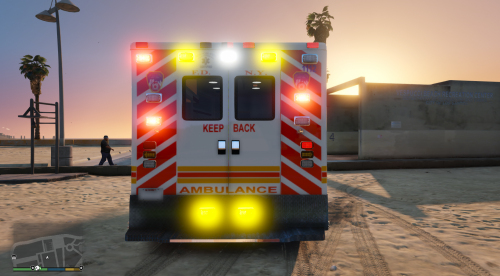 This is the main skin used... the version SugarRay has made was when the city took a hastey delivery of buses to get more units out on the road after TransCare shut down.
 -
yes!!!!! I've been searching high and low...its been hiding in a mega pack lol thank you!
-
There are so many awesome models on here but no one has made any cars with highway sticks with the lightbar....anyoneinterested in this?
-
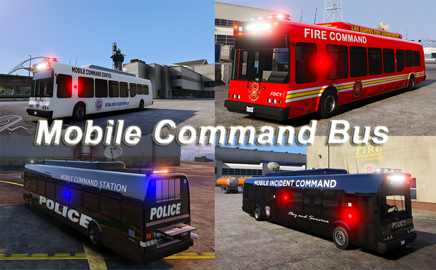 Tried a different persistence mod and it worked. Not sure why the other one wasn't saving it though.
- 51 comments
- 6 reviews
-
-
so I did a fresh install of the model excluding the two files and still no dice with it saving in the persistence mod.....an amazing model, just a minor inconvenience on my end
- 51 comments
- 6 reviews
-
-
- 1
-
-
-
It just saves the vehicle in place as if I parked it. The only thing I can think of is those 2 extra files .bam Are those required for the model to function properly? That may be causing interference with the persistence mod.
- 51 comments
- 6 reviews
-
tried putting it right in the pbus slot....still not saving with the persistence mod...hmmmm
- 51 comments
- 6 reviews


(LSVW).thumb.png.028c48f77b04c7b7c27e03cbbff64cd5.png)