




Stickd34th
Members
-
Joined
-
Last visited
Everything posted by Stickd34th
-
This looks really good Alex. I'm excited to see all the features it brings.
-
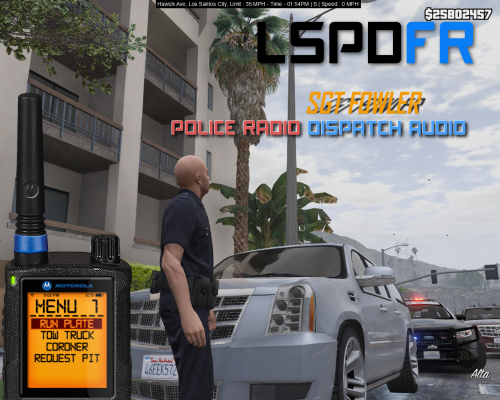 I really like this idea but in my opinion its missing the whole radio voice thingy. The quality is too clear.
- 5 comments
- 2 reviews
-
-

- 1
-
-
-
 I can't seem to install this one. I have replaced both the police3 files and edited the carvariations file but when I click on them I can see the model being correct and everything but when I go ingame and use the police3 vehicle it still uses the old model. Anything I can try? Thanks.
- 563 comments
- 116 reviews
-
 Yes thats correct because I can still hear the dispatcher responding. The only problem about it is that you dont know if its enabled or disabled.
- 108 comments
- 16 reviews
-
-
- 1
-
-
I have noticed after using NumPad0 a couple of times the toggle function stops working. Anyone else?
- 108 comments
- 16 reviews
-
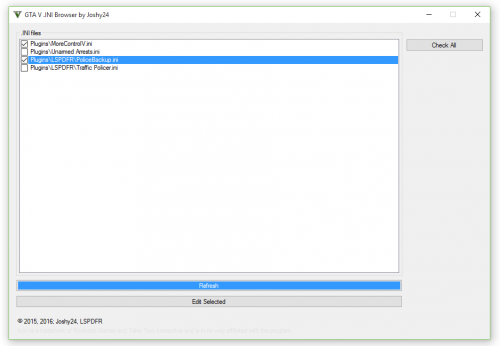 Works very well even when you have more than 20 plugins installed. Happy New Year!
- 2 comments
- 2 reviews
-
-
- 1
-
-
 Simple awesome. The tracks work once you toggle it on manually in the console.
- 85 comments
- 33 reviews
-
This makes it so much more immersive when you have multiple officers chasing down a suspect.
- 108 comments
- 16 reviews
-
-
- 1
-
-
-
 Hey there Albo first of all this plugin is a wonderful addition for lspdfr but I am experiencing some ingame lspdr plugin crashes and I dont exactly know why. Here is the log. [22-10-15 01:00:53.939] LSPD First Response: ============================== [22-10-15 01:00:53.939] LSPD First Response: UNHANDLED EXCEPTION DURING GAME THREAD TICK [22-10-15 01:00:53.939] LSPD First Response: ------------------------------ [22-10-15 01:00:53.940] LSPD First Response: Origin: Game fiber "<UNNAMED THREAD>". [22-10-15 01:00:53.940] LSPD First Response: ------------------------------ [22-10-15 01:00:53.940] LSPD First Response: Exception type: System.ArgumentException [22-10-15 01:00:53.940] LSPD First Response: Exception message: The specified vehicle is invalid. [22-10-15 01:00:53.940] Parameter name: vehicle [22-10-15 01:00:53.940] LSPD First Response: ------------------------------ [22-10-15 01:00:53.940] LSPD First Response: Inner exceptions: [22-10-15 01:00:53.940] LSPD First Response: ------------------------------ [22-10-15 01:00:53.940] LSPD First Response: Stack trace: [22-10-15 01:00:53.941] LSPD First Response: at Rage.Ped.IsInVehicle(Vehicle vehicle, Boolean atGetIn) [22-10-15 01:00:53.941] at Arrest_Manager.VehicleManager.???????????????????????????????????????.????????????????????????????????????????(Ped , Vehicle , Boolean ) [22-10-15 01:00:53.941] at Arrest_Manager.VehicleManager.???????????????????????????????????????.????????????????????????????????????????() [22-10-15 01:00:53.941] at Rage.GameFiber.Main() [22-10-15 01:00:53.942] LSPD First Response: ============================== [22-10-15 01:00:53.942] LSPD First Response: Thanks. Whoops sorry about the video I accidently pasted it in the comment.
- 1,915 comments
- 242 reviews


