


Desmond98
Members
-
Joined
Everything posted by Desmond98
-
thanks! Sure, it's planned, but unfortunately Beverly Hills Sign can't be properly edited yet, it's located in x64l.rpf\levels\gta5\_cityw\beverly_01\bh1_46.rpf\bh1_46_c_grnd.ydr but it's 3d model, so you can't change it with Photoshop. Some ground object shader not explored yet and not added in ZModeler 3 unfortunately, so we can't edit it properly.
-
Yes, still planning, about priority : unfortunately, I can't concentrate at this moment, but i have 24/7 free time untill Janyary, 12. So, I hope to make big progress with something. Btw, if someone curious about ELS version of FPIU: i think i not will convert to ELS lighting, because all extras will be used for ELS and it's not ok for me.
-
I'm finally successfully passed all the exams :) So, update for fpiu coming at this week and for Real Freeway Signs too.
-
how about real german sheperd?
-
BTW, some Hollywood things
-
yep, it's will be replaced
-
just changed astro signs to amc signs, other thing not changed yet, but looks beautiful at night
-
well, i mean, how it's should look at night
-
do you wanna help me? can you find the pic how should glowing AMC Sign on AMC Theatr in Santa Monica old screen which you can remember maybe it's should be something like this
-
Well, license is purchased, wait for progres on next few week
-
use the EXTRAS_STRONG flag in vehicles.meta
-
Well, I don't want to waste time to prove something, just want say good luck, and if my words have seemed offensive, I didn't mean anything bad
-
lol, if you don't know how people make real size for gta cars, it's doesnt't mean that's impossible. Do you ever see other mods with real size in description? i think yes it's not a magic, this is just a base thing that all modders should do, because it's so generic This technique with real size started from gta 4, and the same for gta 5.
-
Well, RDE is a mod which add lore-friendly extra police slots based on real life counterparts, which you can easily replace with real life models For example: (for 2.2, in 3.0 it's heavy expanded) LSPD Fleet : police5 LSSD Fleet: sheriff3 sheriff5 sheriffmav SAHP Fleet hwaycar hwaycar2 hwaycar3 hwaymav All this cars will be patroling proper locations, like SAHP cars on highways You can check all 3.0 vehicles here http://imgur.com/a/Ry2PV also, there's 3.0 trailer It's installed as dlc, so it doesn't affect other files, except some files from update.rpf, but not replaced any vehicle setting like carcols.ymt , vehicles.meta, so you just will need to replace models in rde/dlc.rpf Also in 3.0 patrolling areas will be impoved to real life like, even with separate Blaine County Sheriff and LSSD in South Los Santos and Davis, like LASD in South LA and Compton
-
hey, you need use custom gameconfig like these https://www.gta5-mods.com/misc/gameconfig-for-patch-1-0-757-2-update-at-each-r-update Also I recomended use RDE https://gta5-mods.com/misc/realism-dispatch-enhanced, it's so awesome, but also recomended wait 3.0 version, which will be released in December,21.
-
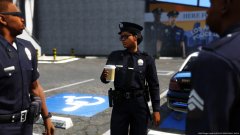 from me http://www.lcpdfr.com/forums/topic/55797-wip-lapdlasdchp-fpiu-2014/?do=findComment&comment=435869
 -
just check this http://www.lcpdfr.com/forums/topic/55797-wip-lapdlasdchp-fpiu-2014/?do=findComment&comment=432339
-
yep, i never see any fpiu with black matte grill
-
oh god... sure fpis will be accurate and about fpiu look at my screens grill look as it should be problem with you enb current released version not optimized for enb
-
well, yes but
-
well, i'm working at some other project's at the same time, so, not many news about ambulance yet but the bad news is that soon i need to pass the exams yeah, someday it's will be released, most likely for alpha testing a month later thanks
-
Well, it's my other parallel project. GMC Savana LA County Coroner. As always, it's will be accurate as possible. Now it's just a test of model, but it's already look beautifull for me. This Savana has the accurate GMC badges, Savana badge, wheels (with accurate tires of course) As i said above, it's just a test, so all bugs wil be fixed and missing things will be added, for example: Stabilitrack logo around savana badge, sticker on the rear bumper (if anyone have pics of this sticker, please post it here or pm me) And the main thing which is most important for all lspdfr comunity, which one lightbar will be used? Federal Signal Valor like on the pic below (if i understand correctly this setup is acurate for 2015-2016) (other light's will be added too of course)
-
some new screens all LAPD FPIU's has the crankcase protection (not sure if this name is correct for this thing) with dirt close-up lightbar glass(updated model, fixed dim), but modules not reposited as i want yet) also slightly modified rims: more recessed main part of the rim also completely new accurate seats and just beautiful screen
-
some news about update : fixed the steering wheel size, improved plastic thing in center of dashdoard (added hole) updated the front grill, now it's more accurate also some arjent updates: new glass model, more clear glass, also modules position will be imroved, it's still wip, so no screen for this things.
-
 sure you missing something, why you just don't read the ReadME? If you will be able to read this, you will know that you firstly should export carvariations to you desktop
- 563 comments
- 116 reviews
-
-

- 1
-

